

The Mystery of Default Values and Salesforce Record Cloning
Have you ever had a user come to you complaining that a field didn't populate correctly during Salesforce record cloning? It's a classic head-scratcher. You've set a default value on a custom field, but when someone hits that clone button, the new record shows up with the old value-or worse, it's totally blank. You'd think the default value would just work, but that isn't how the platform handles things.
Look, I've seen teams spend hours debugging this, thinking their formulas or defaults are broken. Honestly, most teams get this wrong because they assume a clone is just a "New" record with some extra help. But here's the thing: it's not. Let's break down why this happens and how you can actually fix it.
How Salesforce record cloning handles default values
The short answer? When you clone a record, Salesforce isn't starting from scratch. It's taking an existing record and copying its data into the create page. Because of that, the cloned record inherits whatever was on the original record. If the original field was blank, the new one stays blank. If it had a value, that value gets copied over.
Default values defined on a field are only applied when you create a fresh record via the standard New button or via the API when no value is provided. During Salesforce record cloning, the system pre-populates the entire form with the source data. Since the form is already "filled" by the clone action, the default value logic never even gets a chance to run.
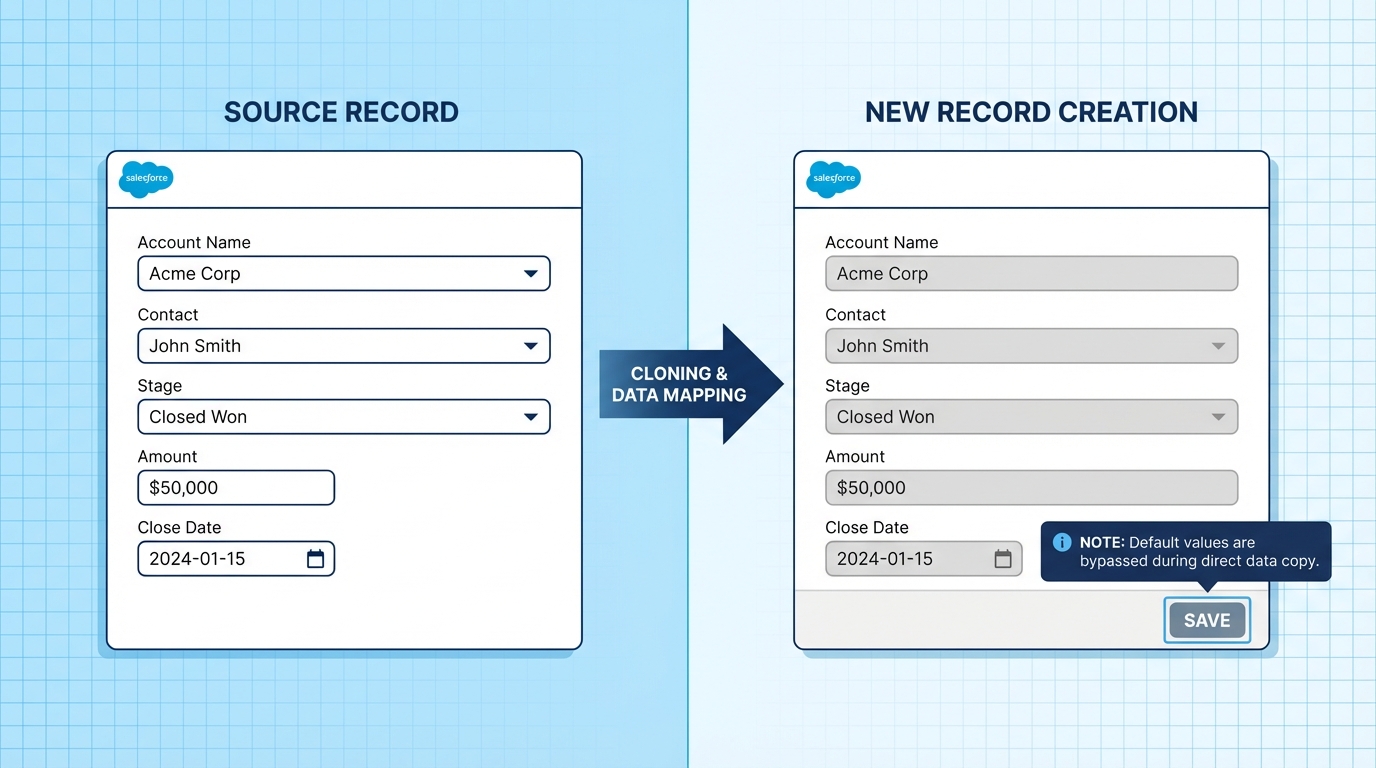
A professional UI mockup demonstrating a Salesforce record cloning process where the new record form is pre-populated with data from the source record.
Why the UI behaves this way
Think about it from the platform's perspective. The clone action is meant to save time by making a replica. If Salesforce injected default values over the source data, it might overwrite something the user actually wanted to keep. It's a safety feature, though I'll admit it's one that trips people up more often than not. In my experience, this is one of those small details that distinguishes a junior admin from someone who's been around the block.
Practical tip: If your business logic depends on specific values being reset during a clone, don't rely on field-level defaults. They won't help you here.
Pro tips for managing Salesforce record cloning logic
So what does this actually mean for your project? If your stakeholders insist that a field must reset to a specific value when a record is copied, you have to step outside the standard field settings. You've got a few solid options, and the best one usually depends on how much code you're comfortable with.
- Record-Triggered Flows: This is usually the best bet for most admins. You can set up a Flow to check if a record is being created. While there isn't a simple "isClone" checkbox in Flow, you can check for the presence of a source ID or use specific logic to clear fields. Using Salesforce Flow data integrity practices ensures your data stays clean during this process.
- Apex Triggers: If you're already working with code, a before-insert trigger is the most reliable way to handle this. You can use the
isClone()method in Apex to detect the operation and manually set your values. If you're debating which way to go, check out this guide on Apex vs Flow to see what fits your org's scale. - Custom Clone Buttons: Sometimes the standard button just doesn't cut it. You can build a Quick Action or a Lightning Web Component that handles the duplication logic exactly how you want. It's more work, but it gives you total control over the user experience.
Formula fields and other edge cases
One thing that trips people up is formula fields. They behave differently because they don't actually store data-they calculate it on the fly. If you're looking at a formula and wondering why it didn't "clone" the old value, it's because it's looking at the new record's data to run its logic. Also, keep in mind that cloning via the UI is a different animal than cloning via a clone() call in Apex or an external integration. Always test your specific scenario.
Key Takeaways
- Salesforce record cloning is a copy-paste operation, not a "New" record operation.
- Field-level default values are completely ignored during a clone because the field is already considered "populated" by the source record.
- If the source record field is null, the cloned record field will also be null.
- Use the
isClone()method in Apex or a Record-Triggered Flow to enforce custom defaults.
At the end of the day, understanding this behavior saves you a lot of headache during UAT. Just remember that cloning is meant to be a shortcut for the user. If that shortcut breaks your business rules, it's up to you to add the automation that puts things right. Stick to Flows for the simple stuff and Apex for the heavy lifting, and you'll be just fine.




Leave a Comment