

Look, if you're trying to build anything useful with AI right now, you need to get your head around the different Agentforce components and how they actually talk to each other. I've spent the last few months digging into this, and it's a lot more than just a fancy chatbot - it's a full framework for building things that actually get work done.
In my experience, most people get overwhelmed by the marketing buzzwords. But when you strip it all back, it's just a set of tools that let an AI interact with your data and your processes. Let's break this down like we're looking at a technical spec.
Breaking Down the Agentforce Components
Think of these pieces as the different parts of a team. You wouldn't hire a developer and tell them to "just do everything" without giving them a laptop, access to the code, and some rules. These components work the same way.
1. Skills - The Doers
Skills are the specific actions your agent can take. If the agent is a person, skills are their job description. Salesforce gives you a bunch of these out-of-the-box, like updating a record or sending an email. But the real power comes when you build your own.
You can use Flow, Apex, or even external APIs to build these. One thing that trips people up is choosing between Apex and Flow for your skills. My rule of thumb? If it's a simple record update, use Flow. If you're doing heavy data processing or complex logic, stick with Apex.
2. Reasoning Engine - The Brain
This is where the magic happens. Officially called the Atlas Reasoning Engine, this piece of the Agentforce components stack is what makes the agent "autonomous." It doesn't just follow a linear script like an old-school bot. It looks at what the user is asking, checks the available skills, and figures out the best path to get there.
When I first worked with this, I was surprised at how well it handles multi-step tasks. If you're curious about the deep technical side, you should definitely look into architecting for the Atlas Reasoning Engine to see how it plans out those steps. It's not just guessing; it's evaluating context in real-time.
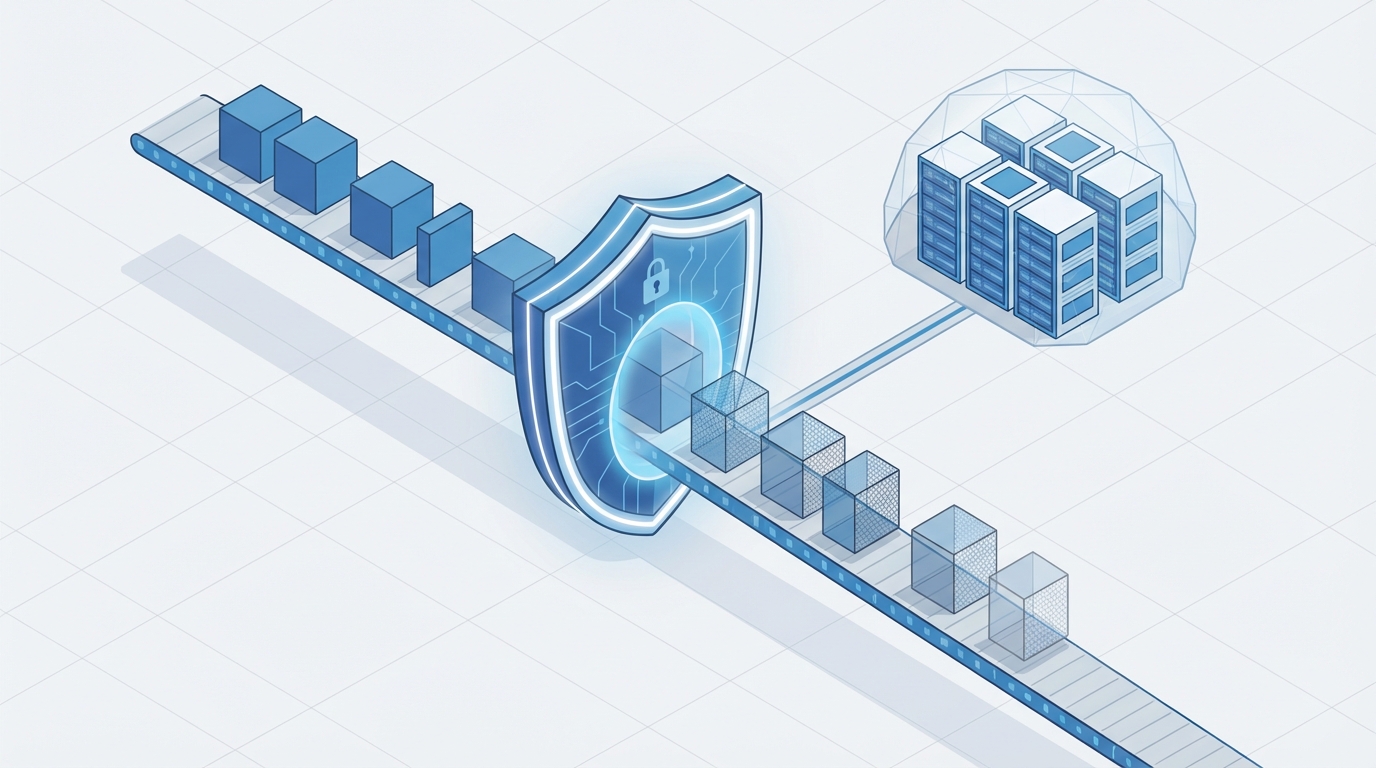
A technical architecture diagram showing the flow of data through a security and masking layer before reaching an AI model.
3. Trust Layer - The Security Guard
Here's the thing: no enterprise is going to use AI if it leaks customer data or starts hallucinating weird answers. The Trust Layer is the guardrail. It handles data masking, so the LLM never actually "sees" PII, and it runs toxicity checks to make sure the agent isn't being rude or biased. Honestly, this is the part that usually makes the security team stop worrying and start saying yes.
4. Integrations - The Connectors
An agent stuck inside Salesforce is only half as useful as one that can talk to your whole tech stack. By using MuleSoft or standard APIs, your agent can pull data from an ERP or check a shipping status in a third-party portal. We're also seeing a lot of work around grounding your agents with RAG to make sure they're using the most up-to-date info from your external data lakes.
5. Human-in-the-Loop - The Safety Net
We've all seen AI go off the rails at some point. That's why this component is so vital. You can set up rules where the agent can do 90 percent of the work but has to stop and ask a human for approval before doing something big, like deleting a record or approving a 50 percent discount. It keeps the "human judgment" part of the business intact while the AI handles the repetitive stuff.
Pro Tip: Always design your skills to be idempotent. Since the reasoning engine might try to run a skill more than once if it's not sure about the outcome, you need to make sure that running it twice doesn't cause double-billing or duplicate records.
Why Agentforce Components Matter for Your Architecture
So why does this matter? Because we're moving away from static automation. In the old days, if a customer wanted to change an order, you'd build a massive Flow with twenty different paths. Now, you just give the agent the "Update Order" skill and let the reasoning engine handle the "how."
I've seen teams try to skip the planning phase and just start building skills. Don't do that. You need to think about how these Agentforce components will interact. If your Trust Layer is too restrictive, your agent won't be able to do its job. If your skills are too broad, the reasoning engine might get confused.
So what does this actually look like in the real world? Here are a few ways I'm seeing people use these Agentforce components right now:
- Service: Agents that don't just answer questions but actually solve the problem, like processing a return or re-routing a package.
- Sales: Agents that can prep a rep for a meeting by pulling data from three different objects and summarizing the last six months of interaction.
- Operations: Automatically cleaning up data or flagging records that don't meet your business rules without a human ever touching it.
Key Takeaways: Mastering Agentforce Components
- Skills are your actions - keep them focused and reusable.
- The Reasoning Engine is the brain that decides which Agentforce components to call and when.
- The Trust Layer is non-negotiable for enterprise security and data privacy.
- Integrations let your agent work across your entire company, not just CRM.
- Human-in-the-loop is your "fail-safe" for high-stakes decisions.
The bottom line? Stop thinking about these as just another feature. They're the building blocks for how we're going to build on the platform for the next decade. Start small, pick one low-risk skill, and see how the engine handles it. You'll learn more from one afternoon of testing than you will from a hundred slides.



Leave a Comment