


Why you need a record-triggered flow delete in your toolkit
Ever had a client ask you to track exactly who deleted an Account and why? A record-triggered flow that runs on delete handles that without a line of code. I have watched admins build elaborate workarounds for this, and the native trigger is usually all it takes to keep the data clean and the stakeholders happy.
Record deletions get messy. If a sales rep deletes a lead, that data is gone unless you have a solid audit trail. Auditing is only part of it. You may also need to notify a manager, or clean up orphaned records that no master-detail relationship caught. In my experience these flows do a lot of the unglamorous work of org maintenance. The question is how to build one that survives the first bulk cleanup.
With a high volume of deletions you also have to think about how to handle bulk record processing in Flows so you do not hit governor limits. Here is the configuration, which you can have running in a sandbox today.
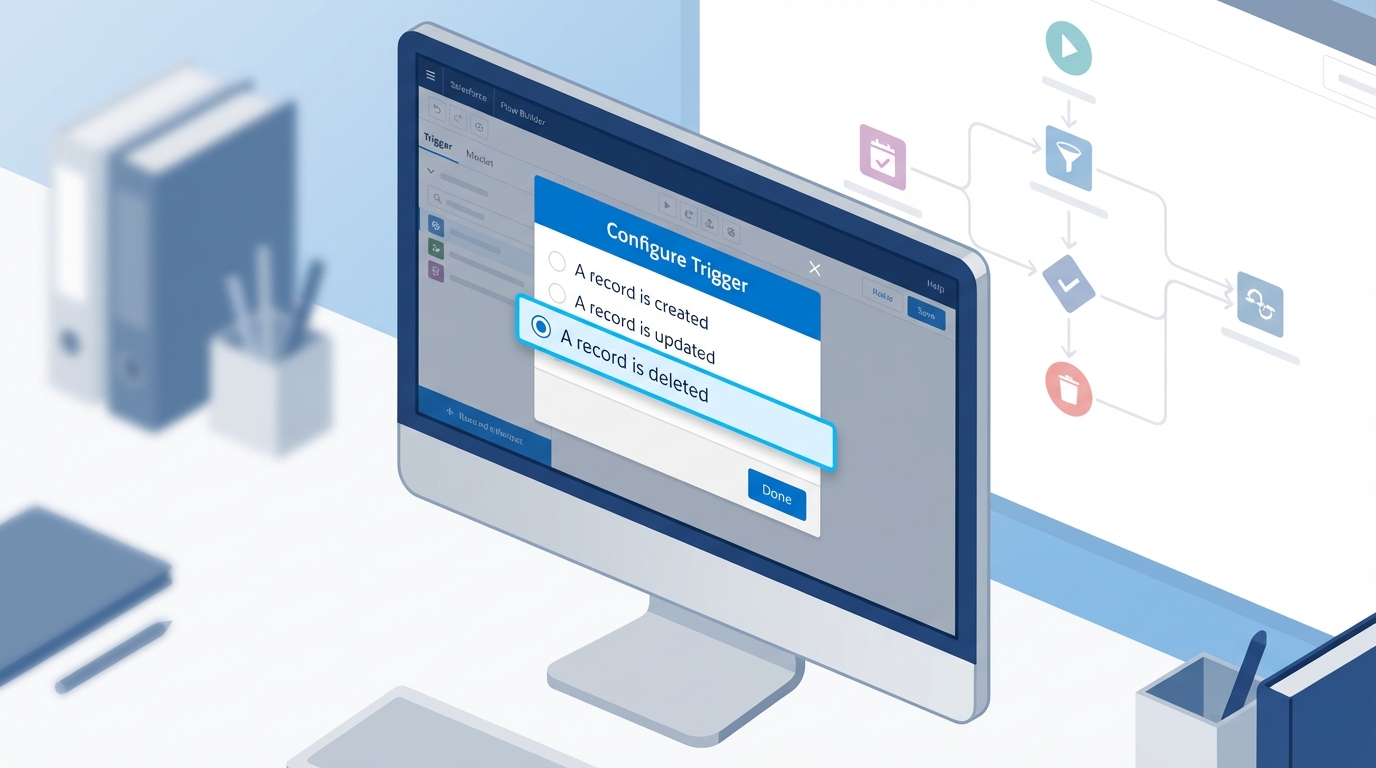
Pick the object first, then set the trigger to run when a record is deleted.
How to build a record-triggered flow delete step-by-step
The process is short, with a few spots where people usually trip up. By the time the flow finishes its work the record is technically gone, and that changes how you handle the data.
1. Configure the trigger
Start by creating a new Record-Triggered Flow from the Setup menu. Pick the object you want to watch, say the Account object. Under the trigger options, select "A record is deleted". The optimization setting offers "Actions and Related Records" and nothing else, which is fine, because post-delete tasks are what you are here for anyway.
2. Accessing the deleted data
People wonder where the data goes. Salesforce gives you a "last look" at it even as the record is being removed: every field value is available through the $Record global variable. The Account Name, the Owner ID, a custom field value for an email alert, it is all right there.
Pro tip: do not try to update the record that's being deleted. The flow can read the data so it can do other things with it, like creating an audit log or notifying another system, but you cannot "save" the record from inside this flow type.
3. Adding your actions
Now add your logic. Most of the time I use a "Create Records" element to write to a custom "Deletion Audit" object, mapping fields like the Record ID, the person who deleted it (through $User.Id), and the date. A Slack message or an outbound call to another system works from the same spot.
When should you ditch Flow for Apex?
I am a big fan of clicks-not-code, and it has a limit. If you need to stop the deletion from happening, say blocking anyone from deleting an Account that has active Opportunities, Flow will not help you. You cannot throw a "validation error" in a delete flow to stop the transaction.
That case is where choosing the right Salesforce tool means moving to an Apex "before delete" trigger, where the addError() method stops the user in their tracks. To log what happened after the fact, stay with the flow. It is easier to maintain and much faster to deploy.
Key takeaways
- A record-triggered flow delete is the right tool for auditing, notifications, and light cleanup.
- You still have access to
$Recordvalues while the record is being removed. - Test your flow with multiple records so you know the logic is bulk-safe.
- To prevent the deletion entirely, write an Apex trigger instead.
Setting this up does not take long, and it adds a lot of security and transparency to your org. I have seen too many admins realize they needed an audit trail only after a major data loss incident. Put the tracking in place before someone walks over and asks who deleted that Account.


Leave a Comment