


Role vs profile in Salesforce: the one-line answer
If you only remember one thing about Salesforce roles and profiles, make it this: profiles control what a user can do, roles control what a user can see. Every Salesforce user must have exactly one profile. Roles are optional, and they only matter when you need vertical record visibility through a hierarchy.
This single distinction trips up more new admins than any other security topic, and getting it wrong is how orgs end up with 150 profiles for 200 users. The rest of this guide walks through what each one actually does, how they interact at runtime, and the decision rules I use on every project to keep the security model clean.
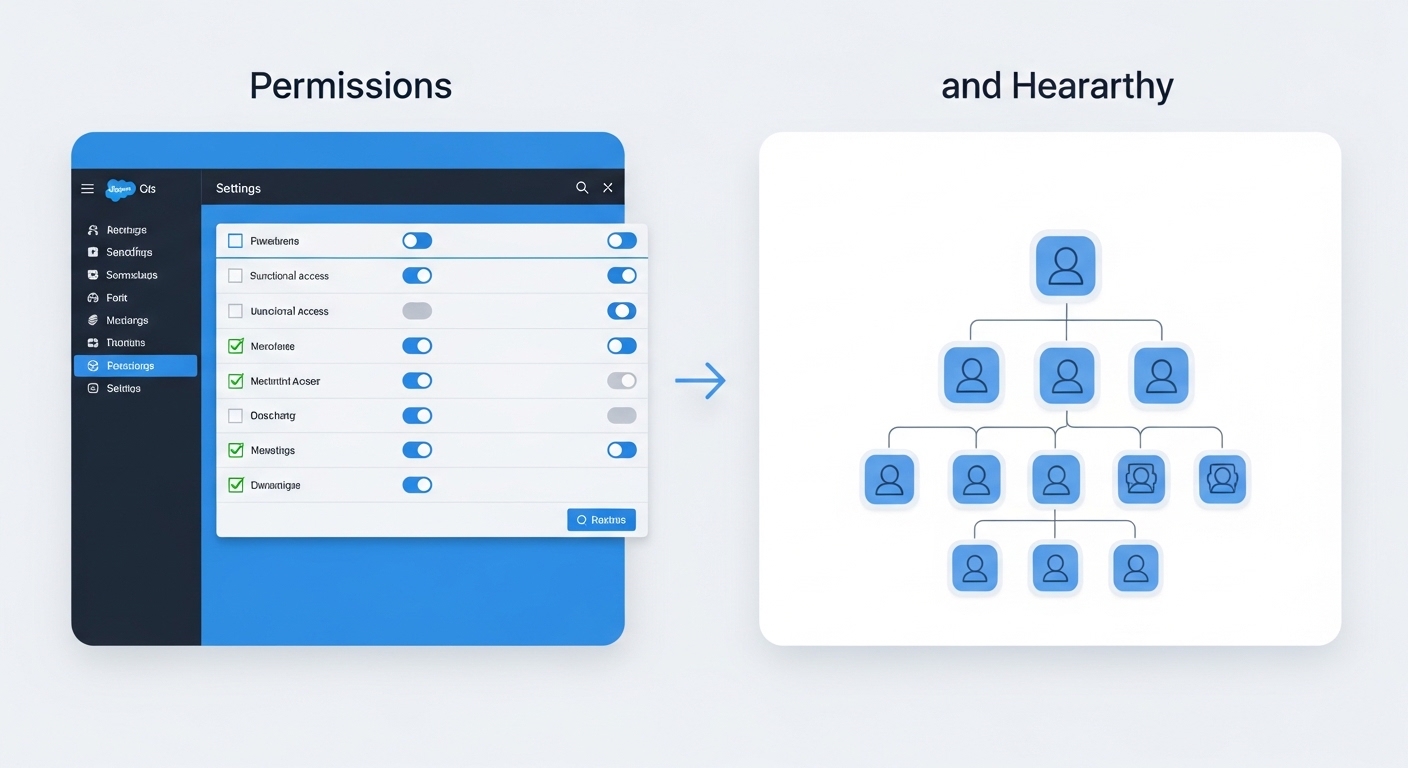
A technical diagram comparing a functional permissions checklist on the left with an organizational hierarchy tree on the right.
Profiles: the "what" of Salesforce roles vs profiles
When looking at Salesforce roles vs profiles, think of the profile as your job description. Every single user has to have one profile, no exceptions. It defines the baseline of what buttons they can click and what data they can touch.
I've seen teams try to use profiles to hide specific records, and it just doesn't work. Profiles are about the "Object" level. Can this person see the Lead object at all? Can they delete an Account? Can they see the "Social Security Number" field? That's all profile work. It also handles the boring stuff like login hours and which apps show up in the App Launcher.
What profiles actually handle
- Object Permissions: the classic CRUD (Create, Read, Edit, Delete).
- Field-Level Security: which specific fields are visible or read-only.
- Page Layouts: what the page looks like when a user lands on it.
- System Permissions: things like "Export Reports" or "Modify All Data".
Roles: the "who" and "where" of Salesforce roles vs profiles
This is where the Salesforce roles vs profiles debate gets a bit more specific. Roles are all about the record hierarchy. While a profile says "I can edit Opportunities," the role says "I can see the Opportunities owned by the reps who report to me."
In my experience, you should design your role hierarchy to look like your company's org chart, but only for the parts that care about data visibility. If a manager needs to see their team's data, they go above them in the hierarchy. It's that simple. Just be careful when deleting a role later on, as it can mess up your sharing logic if you aren't paying attention.
I once worked on an org that had 150 profiles for 200 users because they were trying to use profiles to manage record access. Don't do that. It's a maintenance nightmare. Use permission sets for the exceptions and let the roles handle the visibility.
How they work together in the wild
Here's a scenario I see all the time. A Sales Rep has a profile that lets them "Edit" Opportunities. But when they try to edit a deal owned by a guy in a different region, they get an error. Why? Because their role doesn't give them visibility into that specific record.
Think of it as a two-check system. First, Salesforce checks the profile: "Is this person allowed to edit Opportunities?" If yes, it then checks the role and sharing rules: "Can this person see THIS specific Opportunity?" If both are a yes, they're in. If either is a no, they're stuck.
Key takeaways for Salesforce roles vs profiles
- Profiles are mandatory. Every user gets exactly one, and they define the "What."
- Roles are for visibility. They open up record access vertically through the hierarchy, and they define the "Which."
- Permission sets are your friend. Instead of creating a new profile for one person who needs extra access, just use a permission set.
- Start with least privilege. Begin with the most restrictive settings and open things up as needed. It's much easier than trying to lock things down after the fact.
Common mistakes to avoid
One thing that trips people up is thinking that roles grant permissions. They don't. You can be the CEO at the very top of the role hierarchy, but if your profile doesn't have "Read" access on the "Secret Project" object, you won't see a single record. Roles only give you access to records that your profile already says you're allowed to touch.
Also, don't overcomplicate the role hierarchy. You don't need a role for every single job title in the company. If ten different departments all have the same visibility needs, they can often share a role or stay at the same level. Keep it lean.
Setting up your security model this way makes your life as an admin so much easier. You'll spend less time troubleshooting "Why can't I see this?" and more time actually building useful features for your users. Just remember: profiles for the "What", roles for the "Which".
FAQ: Salesforce roles and profiles
What is the difference between role vs profile in Salesforce?
A profile defines a user's permissions: which objects they can access, which fields they can see, and which system-level actions (like exporting reports) they can perform. A role sits in a hierarchy that controls record visibility, so a manager can see records owned by people below them. Profiles are mandatory; roles are optional.
Can a Salesforce user have a role without a profile?
No. Every Salesforce user must be assigned exactly one profile, even if it's the bare-minimum "Standard User" profile. A role is optional, and users without a role still get access to records they own and to records shared with them via sharing rules, manual sharing, or org-wide defaults.
Do Salesforce roles vs profiles control field-level security?
Field-level security (FLS) lives on the profile (and on permission sets), never on the role. Roles never grant or restrict field access. If a user can't see a field, the answer is always to check the profile or assigned permission sets, not the role hierarchy.
How do roles and profiles in Salesforce work together at runtime?
Salesforce performs two checks on every record access. First, the profile check: does this user have CRUD on the object and FLS on the relevant fields? If yes, the sharing check runs: does the user own the record, is it owned by someone below them in the role hierarchy, or has it been shared via a sharing rule? Both checks must pass for access to be granted.
Should I use a profile or a permission set for one-off access?
Use a permission set. The modern Salesforce best practice, pushed hard since the introduction of the "Minimum Access - Salesforce" profile, is to keep profiles bare and grant 95% of access through permission sets and permission set groups. Creating a new profile for one user is the #1 mistake that leads to unmanageable security models.
What is the maximum number of role hierarchy levels in Salesforce?
Salesforce allows up to 500 levels in a single role hierarchy, but you should never come close to that number. A healthy org chart maps to 5 to 8 levels. If you find yourself adding a tenth level "just to grant visibility," you almost certainly want a sharing rule or a public group instead.
TL;DR: Salesforce role vs profile
| Concern | Profile | Role |
|---|---|---|
| Mandatory? | Yes (one per user) | No (optional) |
| Controls permissions (CRUD, FLS, system) | ✅ | ❌ |
| Controls record visibility | ❌ | ✅ |
| Hierarchy-aware | ❌ | ✅ |
| Best for one-off exceptions | Use permission sets | Use sharing rules / groups |



Leave a Comment