

If you've been around the ecosystem for a while, you've definitely faced the Custom Metadata vs Settings debate. It's one of those classic architectural crossroads that seems small at first but can really bite you during a deployment or a high-volume integration. When I first started out, I used them interchangeably, but I quickly learned that they serve very different masters.
Look, both tools store configuration data, but they handle it in completely different ways. I've seen teams struggle with manual data loads for years just because they picked the wrong one on day one. Let's talk about how to get this right so you don't end up with a deployment headache.
What's the deal with Custom Metadata?
Custom Metadata is basically a way to create your own setup objects. The magic here is that the records are treated as metadata, not data. This means when you're moving code from a sandbox to production, the configuration records go right along with it in your change set or DevOps tool.
In my experience, this is a lifesaver for scalable design. You don't have to worry about forgetting to run a Data Loader script after a release. Plus, you can reference these records in formulas or validation rules, which is something you just can't do with settings. It keeps everything tied together in one neat package.
Understanding Custom Settings
Custom Settings are a bit older, but they still have a place in our toolkit. They come in two flavors: List and Hierarchy. Hierarchy settings are the ones you'll use most often because they let you define values based on a user's profile or even a specific person. This is great for "turning off" triggers for a specific integration user without affecting the whole org.
But here's the thing: they are stored as data. That means if you create a record in your sandbox, it won't show up in production unless you manually move it. It's a bit of a headache for modern CI/CD pipelines, but the speed is hard to beat since they're cached in memory. If you're hitting a setting thousands of times in a tight loop, that performance boost might actually matter.
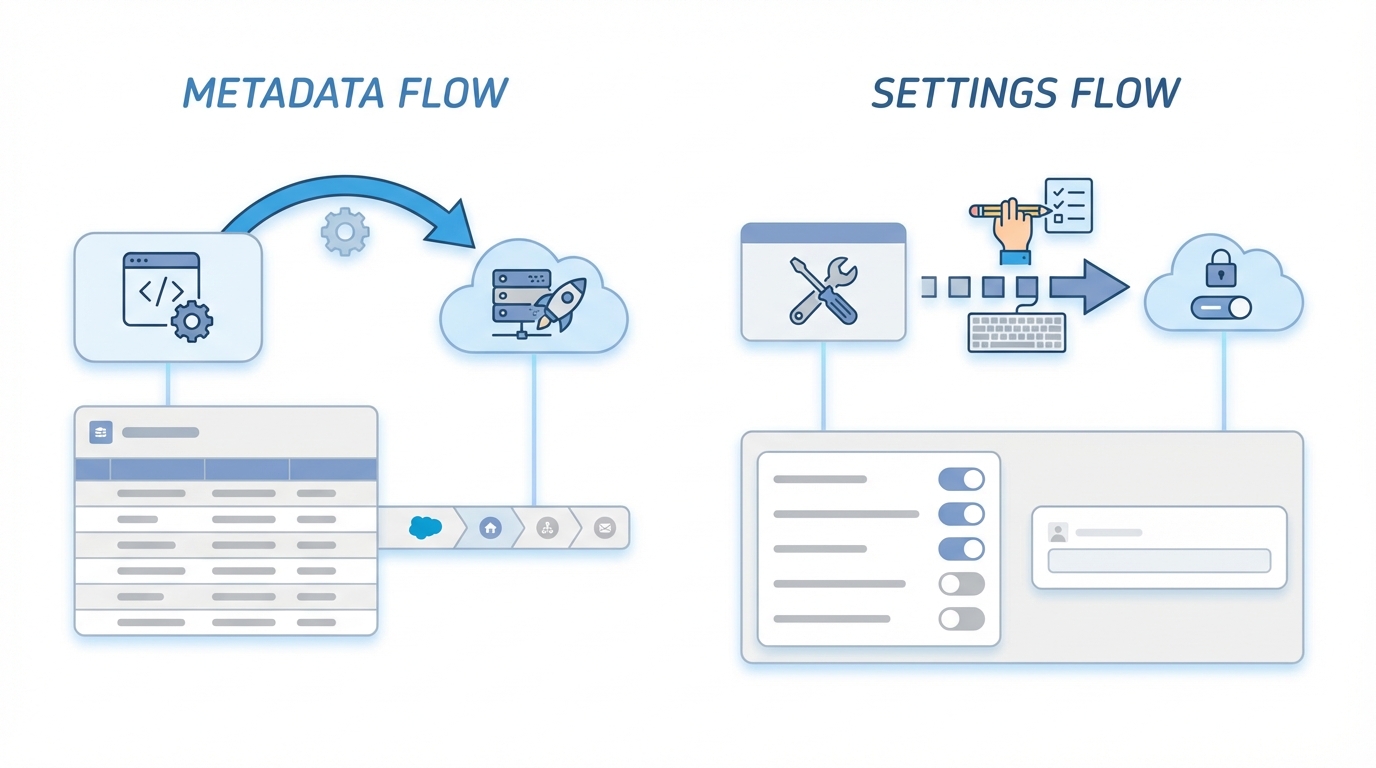
A technical architecture diagram showing the deployment workflow differences between Salesforce Custom Metadata and Custom Settings.
Custom Metadata vs Settings: The Real Differences
So how do you actually decide between Custom Metadata vs Settings when you're building an integration? It usually comes down to three things: deployment, performance, and how often the data changes. Honestly, most teams get this wrong by overthinking the performance side and ignoring the deployment side.
- Deployment: Metadata wins every time. It's version-controllable and moves with your code. Settings require a manual export and import step that is easy to forget.
- Performance: Settings are technically faster because they're cached, but the gap has narrowed. For 99% of use cases, you won't notice a difference in runtime.
- Security: Metadata types have better field-level security options than settings do. If you're storing sensitive config, metadata gives you more control.
- Access: You can query Custom Metadata using SOQL, while Custom Settings have their own specific methods to get values without using a query.
I once worked on a project where we used Custom Settings for API endpoints. Every time we refreshed a sandbox, we had to manually update 50 different records. We eventually switched to Custom Metadata and saved the team hours of manual work every month.
How to choose - Practical advice
If you're building a Salesforce integration option that needs to be consistent across every environment, use metadata. It's perfect for mapping fields, storing API keys (though you should look at Named Credentials too), or defining business rules that shouldn't change between sandboxes. It just makes life easier for everyone involved in the release.
On the flip side, use Hierarchy Custom Settings if you need to override a value for a specific group of people. For example, if you want a "Debug Mode" to be on for admins but off for everyone else, this is your best bet. Just remember you'll need a plan to move those records between orgs if they aren't just one-off local changes. It's about finding the tool that fits the specific problem you're solving today.
A quick note on List Custom Settings
Don't use List Custom Settings. Seriously. Salesforce basically stopped developing them once Custom Metadata came out. If you need a list of values that aren't profile-specific, Custom Metadata is the modern replacement and it's much more flexible. I've seen plenty of old orgs still using them, but for new builds, they're rarely the right choice.
Key Takeaways for Custom Metadata vs Settings
- Pick Custom Metadata for anything that needs to be part of your deployment package.
- Use Hierarchy Custom Settings for user-specific or profile-specific overrides.
- Avoid List Custom Settings for new projects; they're largely legacy now.
- Don't overcomplicate it-if you aren't sure, Custom Metadata is usually the safer choice for modern development.
- Always document your configuration so the next developer knows why you chose one over the other.
Choosing between Custom Metadata vs Settings isn't just about technical limits. It's about how your team works and how you manage your releases. If you're pushing for a smooth DevOps process, metadata is the way to go. If you need that ultra-specific profile-level control, go with hierarchy settings. Just make sure you're consistent across your project so you don't end up with a confusing mess of different configuration styles.




Leave a Comment