
If you're working in the Salesforce ecosystem today, you've likely had to weigh the pros and cons of Screenflow vs OmniScript. It's a question I get all the time, especially when teams are comparing Screenflow vs OmniScript for a new project and trying to figure out if the extra licensing is actually worth it. I've spent years building in both, and honestly, the right choice often depends more on your long-term roadmap than just the immediate requirements.
Screenflow vs OmniScript: Breaking Down the Basics
Screen Flow is the bread and butter of Salesforce automation. It's built right into the platform, and if you know your way around Flow Builder, you can get a guided process up and running in an afternoon. It's fantastic for internal tools where you need to guide a user through a few steps of data entry without writing a single line of code. If you're just getting started, following best practices for Salesforce Flow will keep your org clean.
OmniScript is a different beast entirely. It came over from the Vlocity acquisition and sits inside the OmniStudio suite. It's designed for pixel-perfect experiences and high-scale industry processes. Think of it as the heavy-duty version of a guided process, built to handle massive data transformations and complex branching logic that might make a standard Flow feel sluggish. But here's the thing: it's not just a "better" Flow; it's a different way of thinking about data.
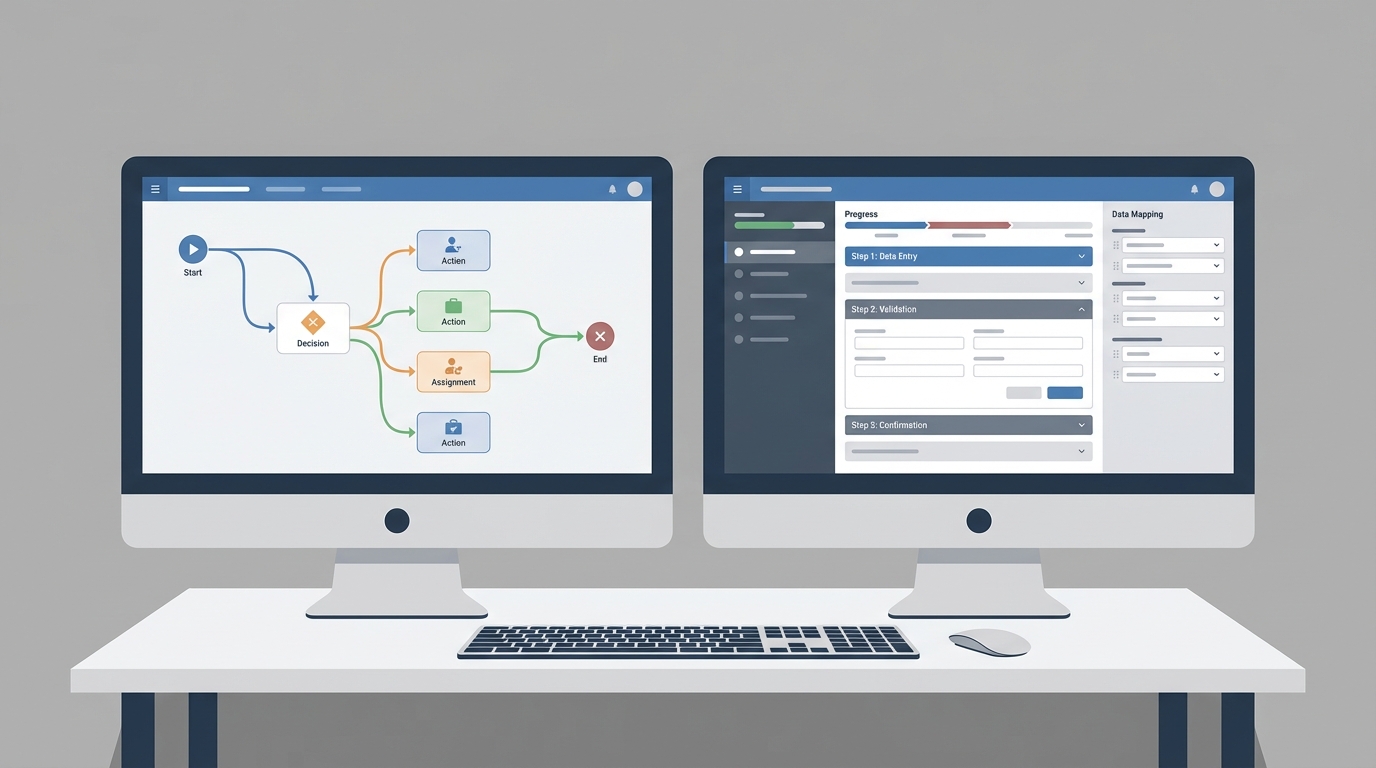
A side-by-side visual comparison of the Salesforce Flow Builder and the OmniScript Designer interfaces.
Key Differences in Screenflow vs OmniScript Architecture
Here's where it gets interesting. Screen Flow runs on the standard Salesforce runtime. It's great for synchronous tasks, but it can hit governor limits if you're trying to do too much at once. If you find yourself needing more power, you'll usually end up looking at Apex vs Flow to decide if it's time to move to code or stick with declarative tools.
OmniScript, on the other hand, relies on Integration Procedures and DataRaptors. This is a huge advantage for performance because Integration Procedures run server-side. They can bundle multiple API calls and data lookups into a single trip, which makes the UI feel much faster for the end user. But keep in mind, there's a steeper learning curve here. You'll want to follow strict OmniScript naming conventions from day one, or your org will become a mess fast.
One thing that trips people up is the licensing. Screen Flow is included with your standard Salesforce seats. OmniScript usually requires OmniStudio licenses, which aren't cheap. Don't start building in OmniScript just because it looks cool if your budget doesn't support the license cost for every user.
UI and Branding Control
If you need a form that looks exactly like your company's external website, OmniScript is usually the winner. It gives you much more control over the CSS and layout. Screen Flow is getting better with the new reactive components, but it still feels very "Salesforce-y" out of the box. So, if "pretty" is a hard requirement for a customer-facing site, OmniScript has the edge.
Performance at Scale
I've seen teams try to build massive, 50-step insurance applications in Screen Flow. It technically works, but it's a nightmare to maintain. OmniScript was built for those exact scenarios. It handles complex branching and external data calls much more gracefully than a giant, sprawling Flow. If your process is that big, you're definitely in OmniScript territory.
Choosing Between Screenflow vs OmniScript
So how do you actually pick? I usually tell my clients to look at three things: who is building it, who is using it, and where is the data coming from? Let's break this down into a quick comparison of when to use which tool.
| Feature | Screen Flow | OmniScript |
|---|---|---|
| Best For | Internal CRM processes | Complex industry workflows |
| Cost | Included in most licenses | Requires OmniStudio |
| UI Control | Standard Lightning look | Highly customizable |
| Integration | Apex or External Services | Integration Procedures |
Go with Screen Flow if:
- You need to build something quickly for internal users.
- Your team consists mostly of Admins who aren't familiar with OmniStudio.
- The data you're touching is almost entirely inside Salesforce.
- You want to keep things simple and avoid extra overhead.
Go with OmniScript if:
- You are building for an Industry Cloud like Health or Financial Services.
- The process requires heavy integration with multiple external systems.
- You need a customer-facing portal that must be pixel-perfect.
- Your process involves complex math or heavy multi-step branching logic.
Key Takeaways
- Screenflow vs OmniScript isn't about which is better, but which fits the scale.
- Screen Flow is the default choice for most standard Salesforce tasks.
- OmniScript is the enterprise choice for complex, high-performance needs.
- Don't ignore the licensing costs; OmniStudio isn't free.
- Performance matters - use OmniScript if you're doing heavy data lifting.
At the end of the day, both tools are great additions to your toolkit. If you're just starting out, stick with Screen Flow until you hit a wall that it can't climb. But if you're working on a massive enterprise project with complex data needs, learning OmniScript is well worth the effort. Just make sure you document everything as you go, because both can get complicated once the requirements start piling up. Good luck with your build!



Leave a Comment