


How Aura data binding actually works
If you're still working in older orgs, you need to understand Aura data binding. It connects your component attributes, the data model, to the markup your users actually see. Without it you'd be stuck doing manual DOM manipulation like it's 2005, and nobody wants that.
In my experience the easiest way to think about it is as a live link. When you use expression syntax like {!v.attributeName}, you're telling Salesforce to keep the UI and the data in sync. Value providers come along with that: v for view attributes, c for your controller, e for events. It's a simple system, and it can still get messy if you don't respect the flow.
One thing that trips people up is the c provider. While v is for data, c is how you link your UI to your JavaScript logic. If you've ever wondered why do we use @AuraEnabled annotation?, it's often because that's the bridge between your client-side controller and the server-side data that eventually ends up in your bindings.
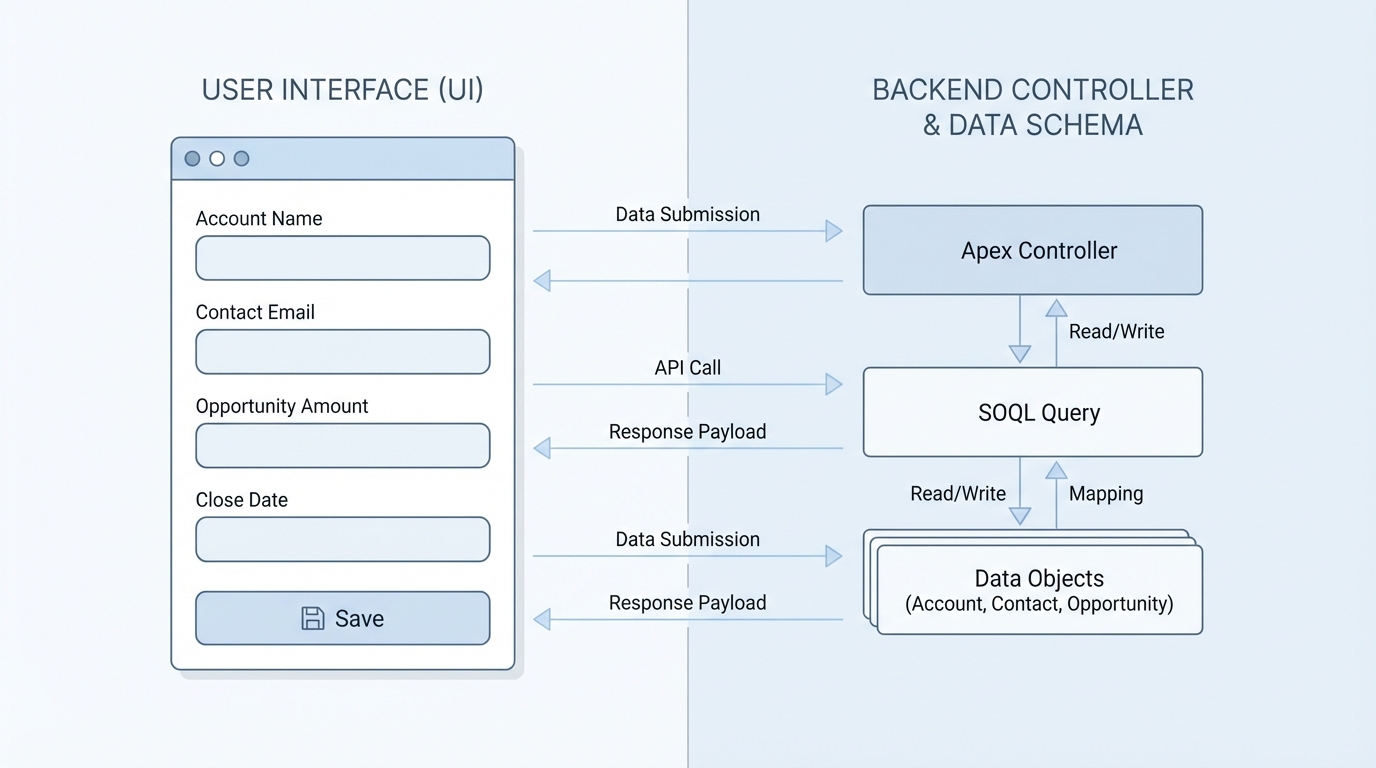
Data flow between a component's user interface and its underlying data model.
Choosing between one-way and two-way Aura data binding
Aura gives you a couple of ways to move data around, and most teams overcomplicate the choice. You have one-way (read-only) binding and two-way binding. Which one you pick affects how your app performs and how hard it is to debug later on.
One-way binding for simple displays
Use this when you just need to show a value. The markup reflects the attribute, but the view won't change the data back. It's clean and predictable, and you'll see it all the time with output components:
<lightning:formattedText value="{!v.title}" />
The two-way binding trap
Aura supports two-way binding, which is great for inputs. If a parent component passes an attribute to a child, and that child updates it, the change flows back up. Convenient, yes. I've also seen teams build deep chains of two-way bindings that make it impossible to track where a bug actually started.
<! - Child component example - >
<aura:component>
  <aura:attribute name="message" type="String" />
  <ui:inputText value="{!v.message}" />
</aura:component>
If you're building something complex, look at how LWC component communication works for inspiration. Even in Aura, moving toward explicit events instead of relying on two-way binding chains will save you a lot of headaches during code reviews.
Practical tip: If you find yourself passing the same attribute through three or more levels of components just to update a single value, stop. Use a component event instead.
Communication and events
Binding covers the simple cases, and events carry the heavy lifting. You've got component events that bubble up and application events that broadcast to everyone. If a parent needs to reach down and trigger something, cmp.find('child').someMethod() is still there.
Key takeaways
- Aura data binding connects your attributes (v) to your markup using expression syntax.
- Value providers like
v,c, andeare the foundation of every Aura component. - One-way binding is safer for performance and keeping your data flow predictable.
- Two-way binding is handy for inputs but can become a "spaghetti code" nightmare in large hierarchies.
- Always favor explicit events for complex data updates between parent and child components.
Keep your bindings minimal. Every single binding adds a bit of overhead to the rendering engine, so a clear data flow plus events for the complicated parts will keep your components fast and easy to manage.


Leave a Comment