
If you've spent any time building custom UI in Salesforce, you've probably realized that writing Apex for every single data fetch is a massive time sink. This is where Lightning Data Service comes in. It is the built-in data layer that handles record access, security, and caching without you having to write a single line of server-side code.
Why Lightning Data Service is my first choice
Look, I get it. We all love writing code, but the best code is the code you don't have to write. Every time you write an Apex controller, you're responsible for testing it, maintaining it, and making sure it respects security rules. Lightning Data Service handles all of that for you automatically.
One of the coolest things about it is how it handles Field-Level Security (FLS) and sharing rules. If a user doesn't have access to a specific field, the component just won't show it. You don't have to write those annoying isAccessible() checks in your Apex classes anymore. It just works.
The magic of client-side caching
Here's the thing: performance matters. If you have five different components on a page all looking at the same Account record, you don't want five different server calls. That's a waste of resources. Lightning Data Service caches the record on the client side once.
It's also a much cleaner way to handle LWC component communication because you don't have to fire manual events just to tell a sibling component that a record changed. If one component updates a field through the service, every other component on the page using that same record updates instantly. It makes the UI feel snappy and responsive.
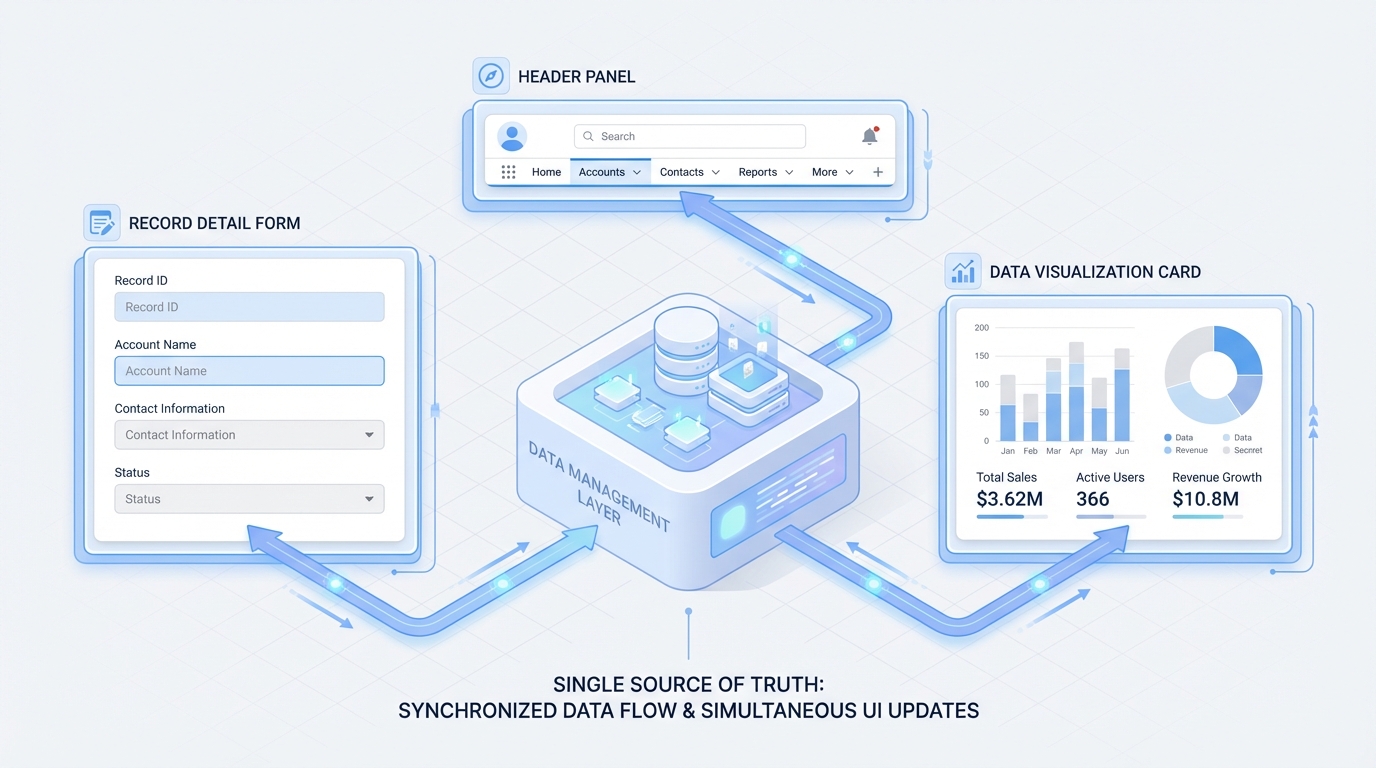
A professional architecture diagram showing a central data service synchronizing updates across multiple UI components in real-time.
How to use Lightning Data Service in the real world
In my experience, you'll mostly interact with this service in two ways. The first is through "base components" like lightning-record-form. These are great for 90 percent of standard use cases. You just give it a record ID and an object name, and you're done. No JavaScript required.
But sometimes you need more control. That's when you use the wire adapters like getRecord. Here is a quick example of how that looks in a real Lightning Web Component:
import { LightningElement, api, wire } from 'lwc';
import { getRecord } from 'lightning/uiRecordApi';

const FIELDS = ['Account.Name', 'Account.Phone'];

export default class MyAccountComponent extends LightningElement {
  @api recordId;

  @wire(getRecord, { recordId: '$recordId', fields: FIELDS })
  account;
}
So what does this actually mean for you? It means you get reactive data with zero boilerplate. If the recordId changes, the wire service automatically fetches the new data. If you want to know more about when to stick to declarative tools versus going full custom, check out my guide on Apex vs Flow.
When to skip it and use Apex
I've seen teams try to force Lightning Data Service into scenarios where it doesn't belong. It isn't a silver bullet. If you need to do complex math on the server, aggregate thousands of records, or perform multi-object transactions, you still need Apex. It's meant for record-level operations, not heavy data processing.
Pro tip: I always tell my junior devs to try the base components first. If you can't build it with a record-form, only then should you move to wire adapters. And only if those fail should you even think about writing an Apex controller.
Key Takeaways
- No Apex required: Handles CRUD operations directly from the browser.
- Security by default: Automatically respects FLS, CRUD, and sharing rules.
- Smart caching: Reduces server trips and keeps multiple components in sync.
- Reactive: Using @wire makes your data stay updated as the record changes.
- Limits: Stick to Apex for complex business logic or large data sets.
At the end of the day, Lightning Data Service is about making your life easier. It cuts down on the amount of code you have to support and makes your pages load faster. Next time you start a new component, ask yourself if you really need that Apex controller. Most of the time, the answer is probably no.




Leave a Comment