


If you've spent any time building custom UI in Salesforce, you've probably realized that writing Apex for every single data fetch is a massive time sink. Lightning Data Service is the built-in data layer that handles record access, security, and caching without a single line of server-side code.
Why Lightning Data Service is my first choice
We all love writing code, but the best code is the code you don't have to write. Every Apex controller you add is one more thing to test, maintain, and keep honest about security rules. Lightning Data Service does that part for you.
The piece I like most is how it handles Field-Level Security (FLS) and sharing rules. If a user doesn't have access to a specific field, the component just won't show it. No more isAccessible() checks scattered through your Apex classes.
Client-side caching
If you have five different components on a page all looking at the same Account record, you don't want five different server calls. Lightning Data Service caches the record on the client side once.
It's also a much cleaner way to handle LWC component communication, because you don't have to fire manual events just to tell a sibling component that a record changed. If one component updates a field through the service, every other component on the page using that same record updates instantly. The UI feels snappy.
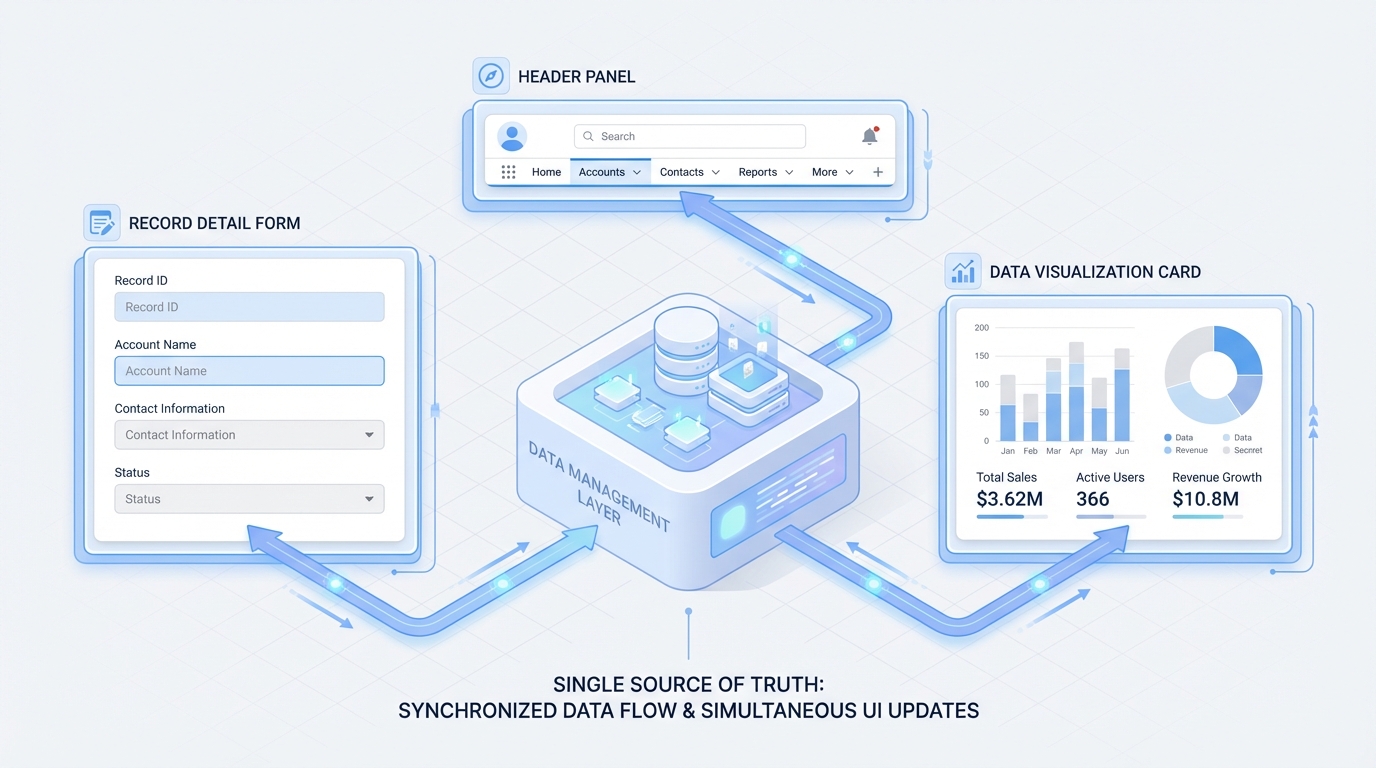
A professional architecture diagram showing a central data service synchronizing updates across multiple UI components in real-time.
How to use Lightning Data Service in the real world
In my experience, you'll interact with this service in two ways. The first is through "base components" like lightning-record-form. These cover 90 percent of standard use cases. Give it a record ID and an object name and you're done, with no JavaScript required.
Sometimes you need more control, and that's when you reach for the wire adapters like getRecord. Here is a quick example of how that looks in a real Lightning Web Component:
import { LightningElement, api, wire } from 'lwc';
import { getRecord } from 'lightning/uiRecordApi';

const FIELDS = ['Account.Name', 'Account.Phone'];

export default class MyAccountComponent extends LightningElement {
  @api recordId;

  @wire(getRecord, { recordId: '$recordId', fields: FIELDS })
  account;
}
That gives you reactive data with zero boilerplate. If the recordId changes, the wire service automatically fetches the new data. If you want to think through when to stick to declarative tools versus going full custom, I wrote up Apex vs Flow.
When to skip it and use Apex
I've seen teams try to force Lightning Data Service into scenarios where it doesn't belong. If you need to do complex math on the server, aggregate thousands of records, or perform multi-object transactions, you still need Apex. It's meant for record-level operations, not heavy data processing.
Pro tip: I always tell my junior devs to try the base components first. If you can't build it with a record-form, only then should you move to wire adapters. And only if those fail should you even think about writing an Apex controller.
Key takeaways
- No Apex needed for CRUD operations straight from the browser.
- FLS, CRUD, and sharing rules are respected automatically.
- Caching cuts server trips and keeps multiple components in sync.
- A @wire adapter keeps your data current as the record changes.
- Stick to Apex for complex business logic or large data sets.
Lightning Data Service cuts down on the amount of code you have to support and makes your pages load faster. Next time you start a new component, ask yourself whether you really need that Apex controller. Most of the time, the answer is probably no.


Leave a Comment