
What is cloud computing?
If you're working in the Salesforce ecosystem, you've likely spent years explaining what is cloud computing to stakeholders who still think "the cloud" is some magical place in the sky. At its simplest, it's just renting someone else's hardware and software over the internet so you don't have to manage it yourself.
I remember back in the day when setting up a new environment meant waiting weeks for a physical server to arrive in a box. But with the cloud, we can spin up a sandbox or a whole new production org in minutes. That's the real power here - speed and flexibility.
The core traits that make it work
What makes this different from the old-school IT model? There are a few things that really stand out in my day-to-day work. First, it's all on-demand. You don't need a middleman to get things moving. You just log in and start building.
- On-demand self-service: You want a new database? You click a button. No tickets required.
- Broad network access: As long as you have a browser and an internet connection, you're in business.
- Resource pooling: The provider handles a bunch of customers at once, which keeps costs down for everyone.
- Rapid elasticity: This is huge for seasonal businesses. You can scale up for Black Friday and scale back down on Monday.
- Measured service: You only pay for what you actually use. It's like a utility bill for your code.
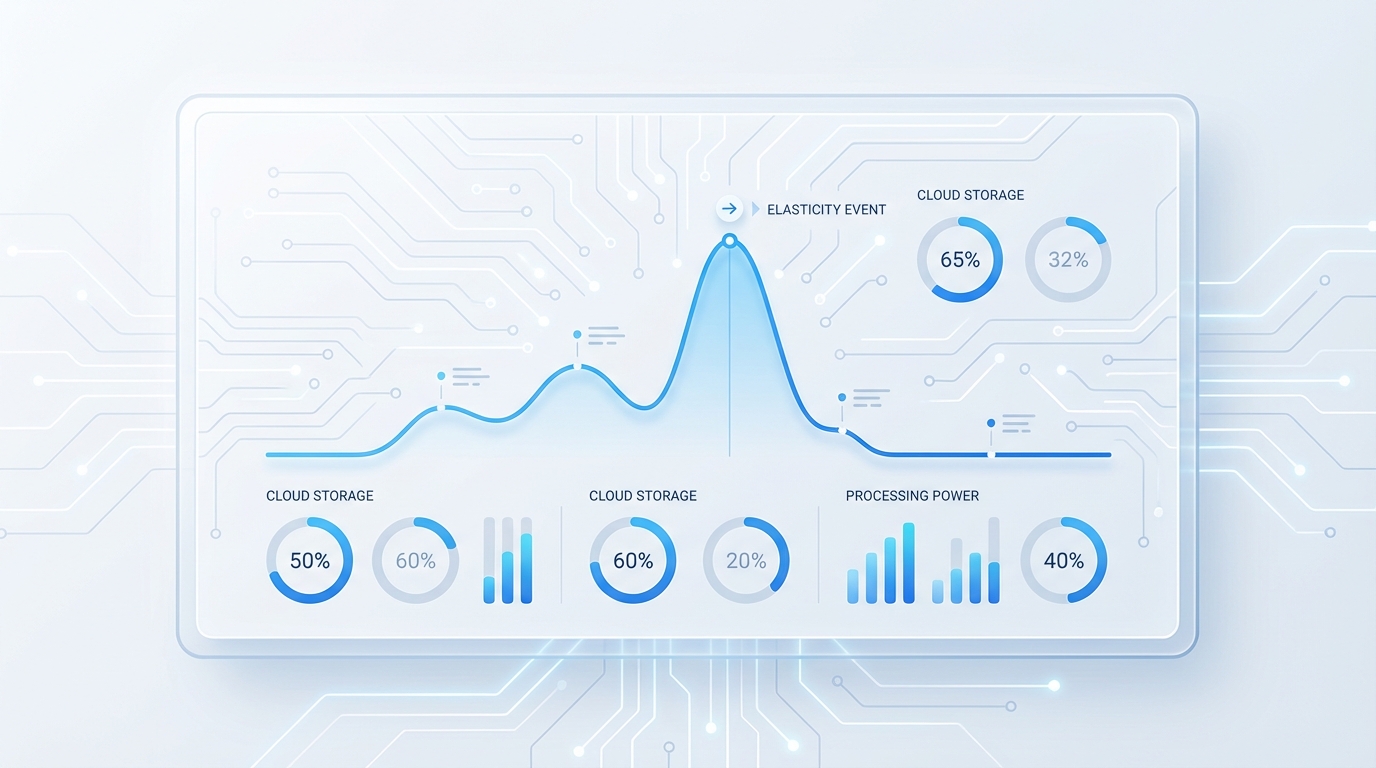
A professional cloud infrastructure dashboard showing a line graph of fluctuating resource usage to illustrate scaling and elasticity.
Understanding the main service models in what is cloud computing
When we talk about what is cloud computing, we're really talking about three main flavors: IaaS, PaaS, and SaaS. I've seen teams get these mixed up, but the distinction is actually pretty simple if you think about who manages the "boring" stuff like hardware and networking.
If you're looking for the full breakdown, I've written about comparing IaaS, PaaS, and SaaS models before. But here's the quick version:
- IaaS (Infrastructure as a Service): This is the raw stuff - virtual machines and storage. You're responsible for the OS and the apps.
- PaaS (Platform as a Service): This is where developers live. You get a platform to build on without worrying about the underlying server. For a deeper look, check out this guide on what is PaaS.
- SaaS (Software as a Service): This is Salesforce. You just log in and use the software. You can learn more about how SaaS works to see why it's so popular for CRM.
Pro tip: Don't let a vendor sell you "cloud" if it's just a hosted VM that you still have to patch and update yourself. That's just someone else's headache on your bill.
Public vs. Private vs. Hybrid
Now, how do you actually deploy this stuff? Most of us use the public cloud - think AWS, Azure, or Google Cloud. It's shared infrastructure, but your data is isolated. But some of my clients in highly regulated industries still prefer a private cloud for that extra layer of control.
And then there's the hybrid model. This is where you keep some data on-site and some in the cloud. It sounds great on paper, but in my experience, it adds a lot of complexity to your integrations. So, you've got to be sure the trade-off is worth it.
Why businesses are moving to the cloud
So why does this matter? The short answer is that it lets you focus on your business instead of your servers. I've seen companies save a fortune by switching to a pay-as-you-go model. You only pay for what you use, and you don't have to worry about hardware going obsolete.
But it's not just about the money. It's about reliability. Cloud providers have redundancy built-in that most small to mid-sized companies could never afford on their own. If one data center goes down, your app keeps running somewhere else. That's a massive win for peace of mind.
Key Takeaways
What is cloud computing? Here are the highlights you should remember:
- It's about renting resources over the internet instead of owning hardware.
- The three main models are IaaS, PaaS, and SaaS - each offers a different level of control.
- Elasticity allows you to scale resources up or down based on your actual needs.
- Security is a shared responsibility between you and the provider.
Look, the move to the cloud isn't just a trend; it's the standard. Whether you're a developer or an admin, understanding what is cloud computing helps you make better architectural decisions. It's about choosing the right tool for the job and knowing when to let the provider handle the heavy lifting so you can focus on building great features for your users.



Leave a Comment