

I've sat on both sides of the table more times than I can count, and I've realized that a Salesforce developer interview isn't just about reciting definitions you found on a flashcard. It's about proving you can actually build something that won't break the first time a user uploads a messy CSV file with 10,000 rows.
Most candidates can tell me what a Trigger is, but very few can explain why they chose a specific design pattern or how they'd handle a massive data skew. If you're prepping for a Salesforce developer interview in 2025, you need to move past the "what" and start focusing on the "why" and the "how." Let's look at the stuff that actually matters when you're in the hot seat.
Nailing the Core Admin and Security Concepts
Look, even if you're a hardcore coder, you can't ignore the platform basics. I've seen brilliant developers get rejected because they tried to solve a simple visibility problem with Apex instead of using the sharing model. It's a huge red flag for interviewers.
One thing that trips people up is the distinction between Profiles and Permission Sets. The short answer? Profiles are for the basics, and Permission Sets are for the exceptions. Don't tell the interviewer you'd create five different profiles for five different users. Tell them you'd use a base profile and layer on Permission Sets. It shows you understand how to keep an org clean.
Pro Tip: Always mention the principle of least privilege. Interviewers love hearing that you care about data security from the jump, not as an afterthought.
When it comes to duplicates, don't jump straight to "I'll write a Trigger." Mention the platform's native Duplicate and Matching Rules first. Honestly, most teams get this wrong by over-engineering solutions that Salesforce already provides out of the box.
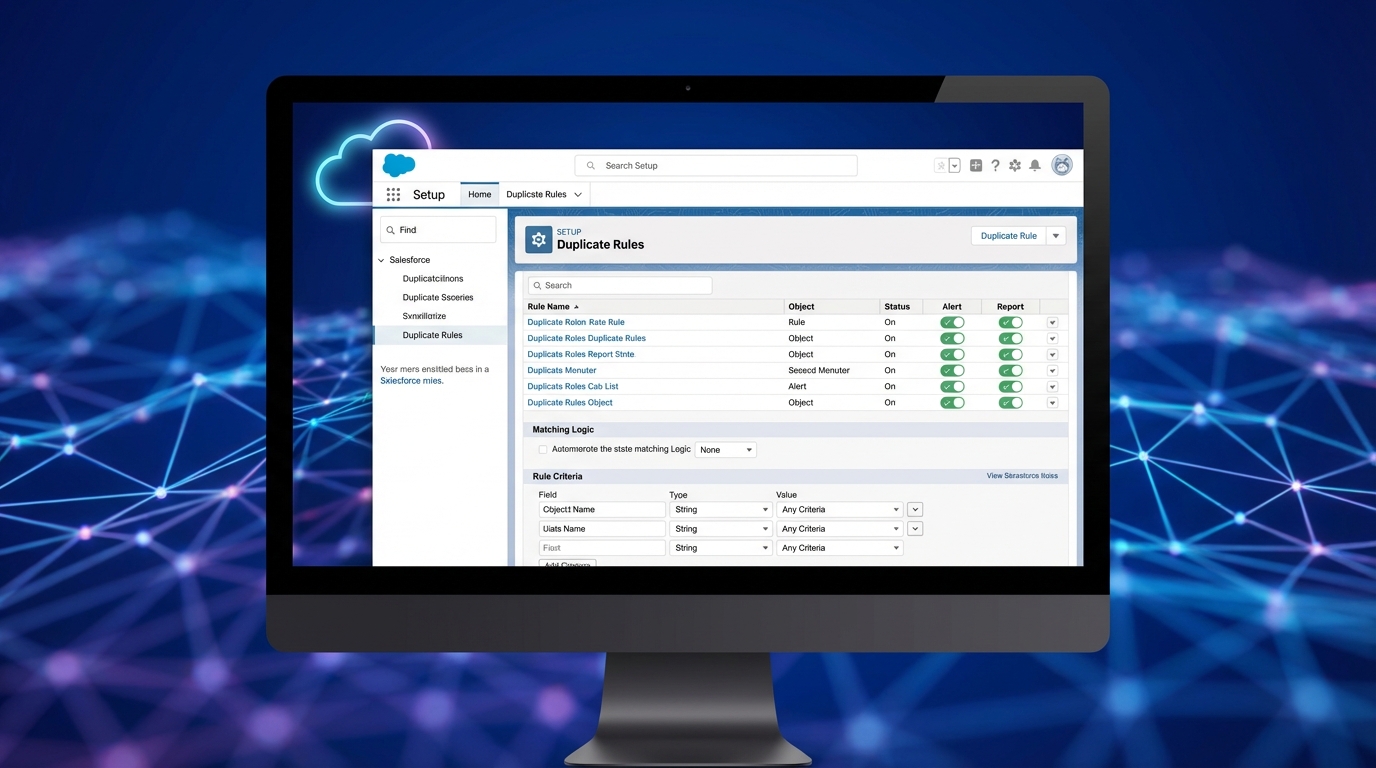
A realistic screenshot of the Salesforce Duplicate Rules setup interface showing configuration criteria and matching logic.
Cracking the Apex and Async Questions in a Salesforce developer interview
When you're in the middle of a Salesforce developer interview, the conversation will inevitably turn to Apex. Here's the thing: nobody cares if you can write a "Hello World" class. They want to see if you understand bulkification and governor limits. If your code example has a SOQL query inside a for-loop, the interview is basically over.
Check out this simple way to handle related records without hitting limits:
Set<Id> accIds = new Set<Id>();
for (Contact c : contacts) {
    if (c.AccountId != null) {
        accIds.add(c.AccountId);
    }
}
Map<Id, Account> accMap = new Map<Id, Account>([SELECT Id, Name FROM Account WHERE Id IN :accIds]);
But what happens when the logic is too heavy for a single transaction? That's where async comes in. You should be ready to talk about the trade-offs between Future methods, Queueable Apex, and Batch jobs. I've found that explaining Asynchronous Apex limits and how to stay under them is a great way to show you've worked on real-world projects. If you're going for a more senior role, check out this guide on a senior Salesforce developer interview to see how the questions get tougher.
Modern Automation: Why Flow is Your Best Friend
So, why does this matter? Because Salesforce is pushing Flow harder than ever. You'll definitely get asked about when to use code over Flow. My rule of thumb is to use Flow for simple logic and orchestration, but switch to Apex when things get computationally heavy or when you need complex list processing that would make a Flow look like a bowl of spaghetti.
Here's a scenario I like to toss at candidates: "How do you follow up with a lead after three days?" A junior dev might suggest a batch job. A pro will suggest a Record-Triggered Flow with a Scheduled Path. It's more efficient, easier to maintain, and uses fewer resources. It's the kind of answer that proves you're keeping up with the platform.
Winning the Salesforce developer interview with LWC and Integrations
Lightning Web Components (LWC) are the standard for any Salesforce developer interview these days. You need to know the difference between @wire and imperative calls. Use @wire when you want data to stay in sync automatically and imperative calls when you need to trigger an action, like clicking a button to save a record.
And then there's integration. Don't just say "I use REST." Talk about how you'd secure it. Mention Named Credentials and OAuth flows. I've seen too many people hardcode usernames and passwords in their code, and it's a massive security risk. If you can explain how a Connected App works, you're already ahead of 80% of the other candidates.
Key Takeaways
- Bulkification is non-negotiable: Never put DML or SOQL inside a loop. Ever.
- Flow first, but know when to quit: Use declarative tools until they become too complex to manage.
- Security isn't optional: Mention CRUD/FLS checks and "with sharing" when writing Apex.
- Explain the trade-offs: Don't just give one solution; explain why it's better than the alternative.
- Keep it practical: Use real examples from your past projects to back up your claims.
Preparing for your next Salesforce developer interview doesn't have to be a nightmare. Focus on building a solid foundation in the sharing model, get comfortable with modern Flow features, and make sure your Apex is clean and bulkified. Practice explaining your logic out loud. If you can justify your technical decisions with common sense and a focus on scalability, you'll do just fine.




Leave a Comment