

If you have been keeping up with the latest AI updates, you have definitely heard about RAG in Salesforce. It stands for Retrieval-Augmented Generation, but let’s be real – it is just a fancy way of saying “make the AI look at our data before it opens its mouth.”
RAG in Salesforce is what stops your AI from making things up. Instead of just relying on whatever it learned during its initial training, the AI looks at your Knowledge articles, your case history, and your specific company files to give an answer that actually makes sense for your business. It is the difference between a bot that gives generic advice and one that knows exactly how your specific return policy works.
How RAG in Salesforce actually works
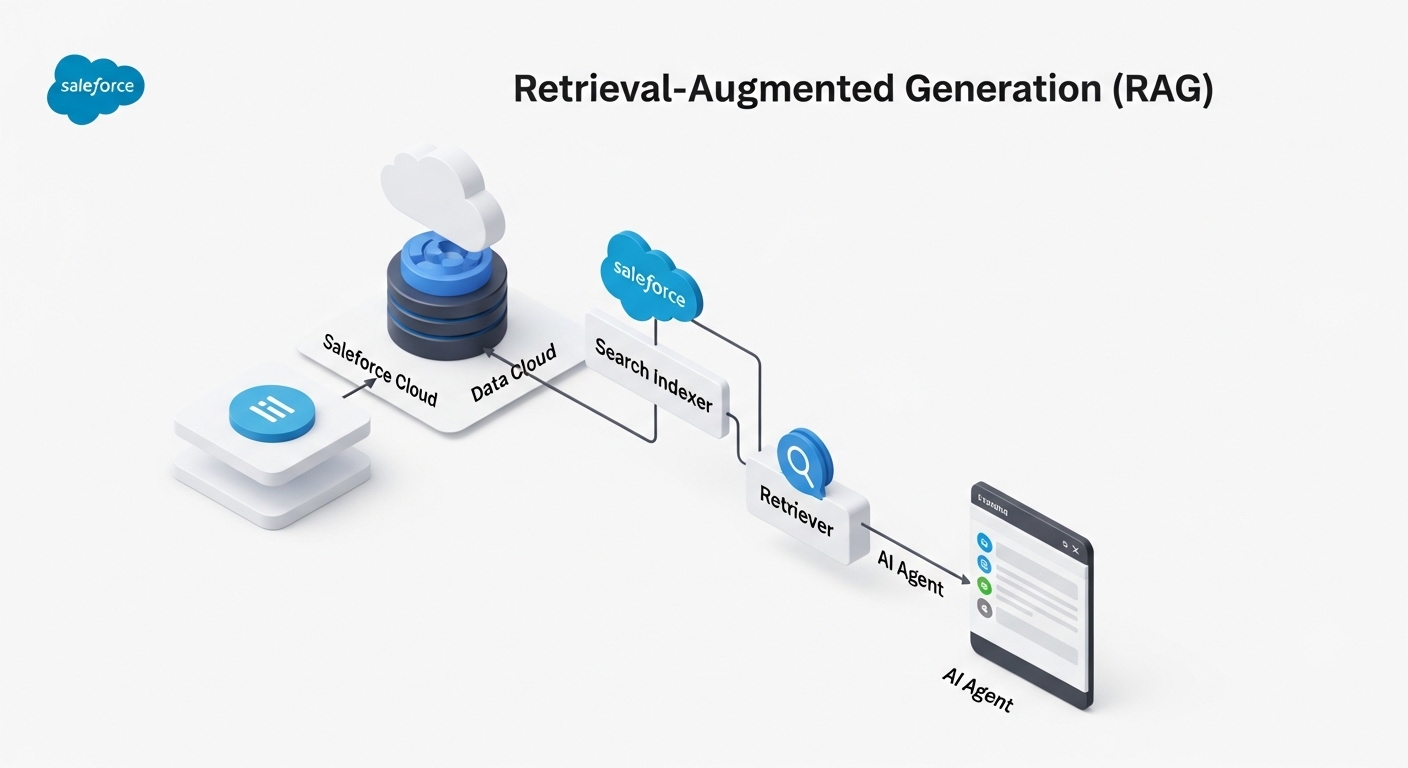
I like to think of RAG as an open-book exam. If you ask a standard AI a question, it is trying to remember everything from memory. But with RAG, the system first runs to the library, grabs the right book, flips to the correct page, and then answers the question based on what it just read. Here is the basic flow:
- Retrieve: The system searches your data – like Knowledge articles or PDFs – for snippets that match the user’s question.
- Augment: It takes those snippets and attaches them to the original prompt.
- Generate: The LLM reads the question plus your data and writes a factual response.
In my experience, the biggest hurdle isn’t the AI itself, it is the data quality. If your Knowledge articles are out of date, RAG will just help the AI give out-of-date answers faster. You can see some of these common pitfalls in my post about Einstein Copilot gotchas that every admin should watch out for.
Setting up RAG in Salesforce
So how do you actually get this running? Most of the heavy lifting happens inside Data Cloud and Agentforce. You aren’t writing code to build a neural network here. You are mostly configuring search indexes and “retrievers.”
One thing that trips people up is “chunking.” You can’t just throw a 50-page PDF at an AI and expect it to work perfectly. You have to break that data into smaller pieces so the search engine can find the specific paragraph that matters. Salesforce handles a lot of this through the Data Library, but you still need to be intentional about what sources you include.
Pro tip: Don’t index every single thing in your org. Start with your most viewed Knowledge articles. I have seen teams try to index ten years of messy case comments and the results were… well, they weren’t great. Clean data equals clean answers.
If you are ready to get your hands dirty with the technical side, you should check out this guide on building custom retrievers for Agentforce. It walks through the actual clicks-not-code steps to get your data flowing.
Why this is a win for admins
The best part about RAG in Salesforce is the control it gives you. You aren’t just crossing your fingers and hoping the AI stays on track. You can see exactly which documents it used to generate an answer. If it gets something wrong, you don’t have to retrain a model – you just go fix the Knowledge article or adjust your search settings. It makes AI feel a lot more like a standard Salesforce tool and less like a black box.
Key Takeaways
- RAG in Salesforce grounds AI responses in your actual company data to prevent hallucinations.
- It uses a “Retrieve-Augment-Generate” process to find and use relevant info.
- Data quality is everything – if your source docs are messy, your AI answers will be too.
- You manage this primarily through Agentforce and Data Cloud search indexes.
- It provides much better security because you can control exactly which data sources the AI can touch.
Look, RAG in Salesforce is basically the foundation for any AI project that is actually going to provide value. Generic bots are fun to play with, but grounded bots are what actually help your customers and save your team time. Start small, pick one or two solid data sources, and see how much better the responses get. You will probably be surprised at how much of a difference a little bit of context makes.