
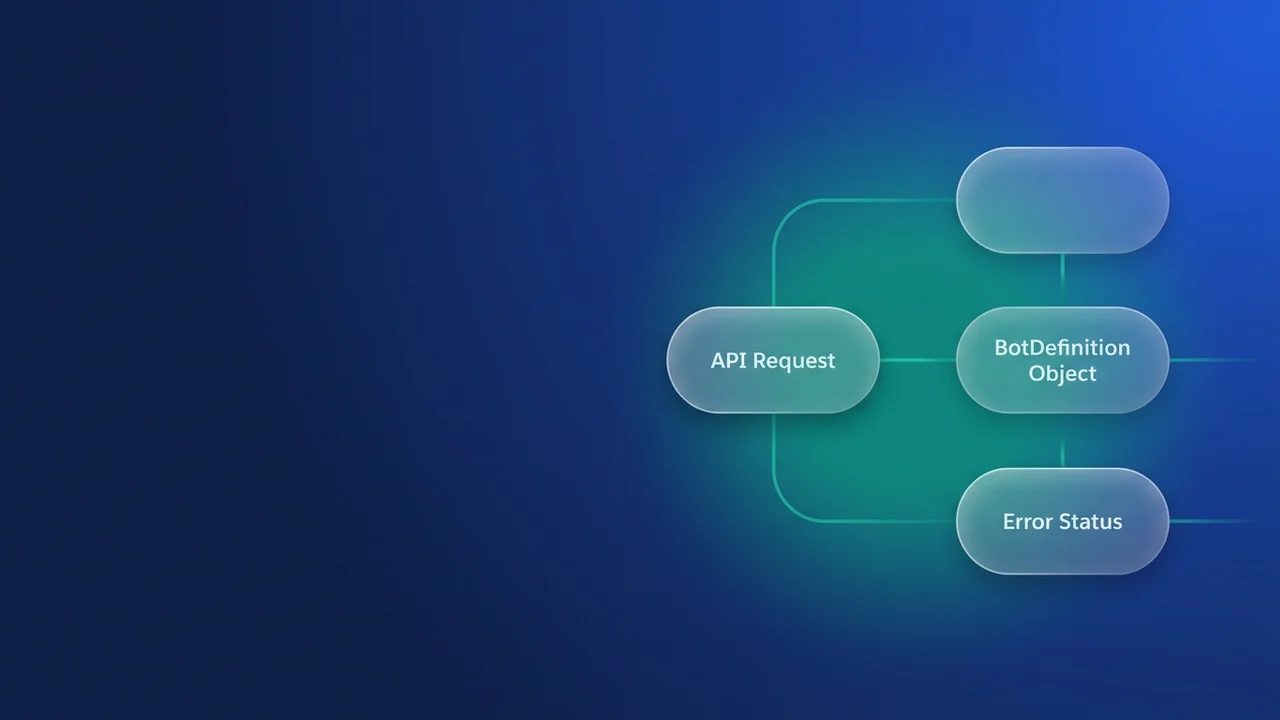

Solving the INSUFFICIENT_ACCESS_OR_READONLY BotDefinition delete error via REST API
You deactivated every BotVersion, you fired the DELETE at the BotDefinition, and Salesforce came back with INSUFFICIENT_ACCESS_OR_READONLY. That is the state most people are in when they go looking for this error: the obvious prerequisite is done and the delete still fails. Here is what the error is usually telling you, and the sequence that gets the record gone through the REST API.
Understanding the BotDefinition lifecycle and dependencies
A BotDefinition holds the overall configuration of an Einstein Bot: its name, its description, the rest of the metadata. BotVersion records are the specific iterations of that bot. Create or modify a bot and Salesforce generates new BotVersion records linked back to the BotDefinition.
INSUFFICIENT_ACCESS_OR_READONLY on the delete usually means an active dependency or an ownership problem is still in the way. Deactivating the BotVersions is necessary and often not sufficient, because deleting a BotDefinition has consequences for its history, its audit trail, and any other metadata linked to it.
The usual causes:
- Unresolved
BotVersionstate. A version marked inactive can still hold an internal state or reference that keeps its parent alive. - Active usage or associations. Less common for a straight
BotDefinitiondelete, but if the bot sits inside a critical workflow or an integration that has not been unhooked, Salesforce will refuse. - System ownership or locks. Depending on what it is and how it was created, the
BotDefinitioncan be treated as locked by the system and needs unlocking before it will go. - Permissions. The error names access for a reason. Update rights on
BotVersionare not the same as delete rights onBotDefinition, so check both for the user or connected app making the call.
Deactivating BotVersions: the first step
Every BotVersion attached to the definition has to be inactive, which means a PATCH on each one setting IsActive to false. Start by querying for the active ones. Assume the BotDefinitionId is 00xXXXXXXXXXXXX:
curl -X GET \
  https://YOUR_INSTANCE.salesforce.com/services/data/v59.0/query?q=SELECT+Id,BotDefinitionId,IsActive+FROM+BotVersion+WHERE+BotDefinitionId='00xXXXXXXXXXXXX'+AND+IsActive=true \
  -H 'Authorization: Bearer YOUR_ACCESS_TOKEN' \
  -H 'Content-Type: application/json'
An empty records array means every version is already inactive and you can move on. Anything in it needs deactivating first.
For each BotVersion Id the query returned, PATCH it with IsActive set to false. Say the query handed you ['123abc...', '456def...']:
[
  {
    "BotDefinitionId": "00xXXXXXXXXXXXX",
    "IsActive": false
  },
  {
    "BotDefinitionId": "00xXXXXXXXXXXXX",
    "IsActive": false
  }
]
Send those as individual PATCH requests, or push them through the composite endpoint in one call:
curl -X POST \
  https://YOUR_INSTANCE.salesforce.com/services/data/v59.0/composite/composite \
  -H 'Authorization: Bearer YOUR_ACCESS_TOKEN' \
  -H 'Content-Type: application/json' \
  -d '[
    {
      "method": "PATCH",
      "url": "/services/data/v59.0/sobjects/BotVersion/123abc...",
      "body": {
        "IsActive": false
      }
    },
    {
      "method": "PATCH",
      "url": "/services/data/v59.0/sobjects/BotVersion/456def...",
      "body": {
        "IsActive": false
      }
    }
  ]'
Deactivate everything and you can still hit INSUFFICIENT_ACCESS_OR_READONLY on the delete. That is where the rest of this goes.
The real culprit: unresolved BotVersion states and implicit locks
When the error survives deactivation, Salesforce has usually not fully deregistered the BotDefinition from all of its implicit associations and states. The IsActive flag is not the whole story. There can be internal pointers or locks that have to be cleared explicitly.
The move that unsticks it is to update the BotDefinition into a state that signals its obsolescence. There is no 'is deletable' flag to set, so you work indirectly: change something that stops the platform treating the definition as active or in use. One version of that is the MasterLabel, set to a value that marks the record as on its way out, or making sure it is no longer the primary definition if several were ever in play. The more dependable version is a sequence of updates that purges the active status outright.
The solution: a multi-step update and delete strategy
When the direct delete fails, it usually takes several steps to get the BotDefinition out through the API.
Re-verify the deactivation first. Run the query from the previous section again and confirm it comes back empty. If any version is still active, deactivate it and check again.
Then update the BotDefinition out of its 'master' or 'currently deployed' state. This is the step that normally clears the error. The exact field varies a little between releases, so you are looking for whatever flags the definition as the master or the currently deployed one. If you cannot find such a field, the fallback is to change the MasterLabel or a custom status field to something that reads as deprecated.
BotDefinition can carry a BotState field, and setting it to a value like ARCHIVED can clear the internal locks. The API offers no direct IsReadyForDeletion field to use instead. If BotState is not writable in your org, or changes nothing, fall back to the MasterLabel update.
Scenario A is updating BotState, where it is available and writable. Query the BotDefinition first and see what you actually have to work with:
curl -X GET \
  https://YOUR_INSTANCE.salesforce.com/services/data/v59.0/sobjects/BotDefinition/00xXXXXXXXXXXXX \
  -H 'Authorization: Bearer YOUR_ACCESS_TOKEN'
If BotState is present and writable, set it to ARCHIVED:
curl -X PATCH \
  https://YOUR_INSTANCE.salesforce.com/services/data/v59.0/sobjects/BotDefinition/00xXXXXXXXXXXXX \
  -H 'Authorization: Bearer YOUR_ACCESS_TOKEN' \
  -H 'Content-Type: application/json' \
  -d '{
    "BotState": "ARCHIVED"
  }'
Scenario B is updating the MasterLabel as a fallback. Where BotState is not suitable or not writable, change the MasterLabel to a unique string that marks the record for deletion, or that at least stops it being treated as the primary:
curl -X PATCH \
  https://YOUR_INSTANCE.salesforce.com/services/data/v59.0/sobjects/BotDefinition/00xXXXXXXXXXXXX \
  -H 'Authorization: Bearer YOUR_ACCESS_TOKEN' \
  -H 'Content-Type: application/json' \
  -d '{
    "MasterLabel": "DELETEME_OBSOLETE_BOT_LABEL"
  }'
Then attempt the delete. Give Salesforce a few minutes to process the update first:
curl -X DELETE \
  https://YOUR_INSTANCE.salesforce.com/services/data/v59.0/sobjects/BotDefinition/00xXXXXXXXXXXXX \
  -H 'Authorization: Bearer YOUR_ACCESS_TOKEN'
A 204 No Content back means the BotDefinition is gone.
If you are still getting INSUFFICIENT_ACCESS_OR_READONLY after all of that, work through these:
- Permissions. The user or connected app needs object-level Create, Read, Update and Delete on both
BotDefinitionandBotVersion. Profile and permission set assignments are where this goes wrong. - Sharing rules and org-wide defaults. Unlikely to block the delete of your own
BotDefinition, but worth ruling out. Org-wide defaults forBotDefinitionshould be Public Read/Write or equivalent for administrators if they are managing these broadly. - Apex triggers or Flows. Anything running on
BotDefinitionorBotVersioncan re-open records or add implicit locks in the middle of your operation. Disabling them for the duration of the API call is a last resort, but it is a real one. - Salesforce Support. If it still fails and you suspect a platform-level issue or a dependency you cannot see, open a case with the logs and the steps you have taken.
Considerations for connected apps and API users
Through an integration, and particularly through a Connected App, check the OAuth scope the app was granted. The api scope is usually enough, but the app also needs user permissions or profiles that allow CRUD on BotDefinition and BotVersion.
For work inside the org, Apex is worth considering. With the right permissions it gets past some UI-level restrictions and operates on the records directly, though the underlying API logic is the same. The same sequence in Apex:
public class BotManager {

    public static void deleteBotDefinition(Id botDefinitionId) {
        try {
            // 1. Deactivate all BotVersions first
            List<BotVersion> activeVersions = [SELECT Id, IsActive FROM BotVersion WHERE BotDefinitionId = :botDefinitionId AND IsActive = true];
            if (!activeVersions.isEmpty()) {
                for (BotVersion bv : activeVersions) {
                    bv.IsActive = false;
                }
                update activeVersions;
                // Give a brief pause for propagation if needed, though Apex often handles this synchronously.
            }

            // 2. Update the BotDefinition to indicate it's ready for deletion
            // This example uses MasterLabel as a fallback. Adjust if BotState is available and preferred.
            BotDefinition botDef = [SELECT Id, MasterLabel FROM BotDefinition WHERE Id = :botDefinitionId];
            botDef.MasterLabel = 'DELETEME_OBSOLETE_BOT_' + System.now().format('yyyyMMddHHmmss');
            update botDef;

            // 3. Attempt to delete the BotDefinition
            delete botDef;
            System.debug('Successfully deleted BotDefinition: ' + botDefinitionId);

        } catch (DmlException e) {
            System.debug('Error deleting BotDefinition ' + botDefinitionId + ': ' + e.getMessage());
            // Handle specific exceptions like INSUFFICIENT_ACCESS_OR_READONLY if possible
            // For direct REST API calls, you'd parse the error response.
        }
    }

    // Example of how to call this (e.g., from Anonymous Apex or another trigger/handler)
    public static void performBotDeletion(Id botDefinitionIdToDelete) {
        if (botDefinitionIdToDelete != null) {
            deleteBotDefinition(botDefinitionIdToDelete);
        }
    }
}
Whichever path you take, handle the error. Through the REST API, INSUFFICIENT_ACCESS_OR_READONLY comes back in the JSON response, so your integration can retry or branch on it.


Leave a Comment