
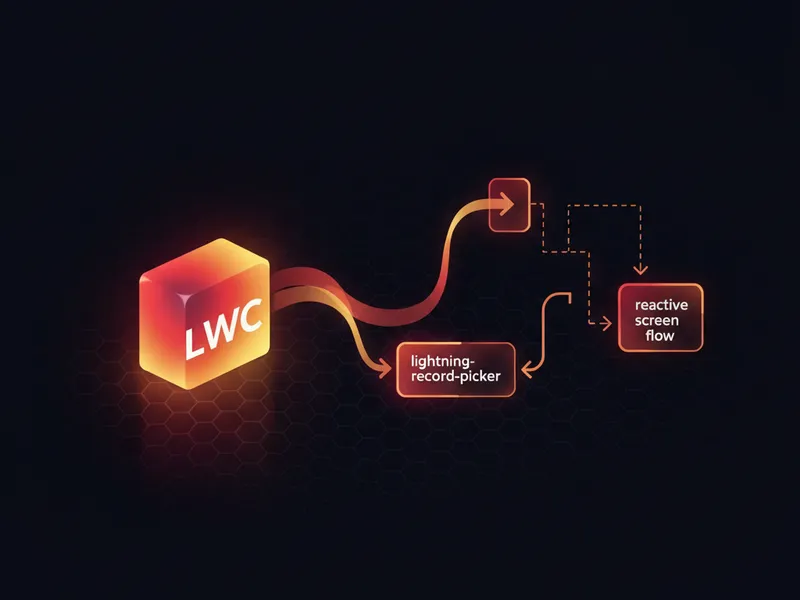
Quick tip: update an embedded Screen Flow immediately when a lightning-record-picker in LWC changes—no page refresh required.
Problem
When you embed a Screen Flow inside a Lightning Web Component (LWC) and pass a record Id (or other values) from a lightning-record-picker, changes in the picker are not reflected automatically inside the flow. You want the flow inputs to react when the user selects a different record in the LWC.
Solution overview
The pattern is simple: expose public properties on the flow component and update those properties reactively from the LWC by changing the bound values. In practice this means:
- Render the Flow inside your LWC template (lightning-flow or flow-component) and bind input variables to @api properties.
- When the record picker selection changes, update the property value in LWC so it re-renders the embedded flow with the new input.
- Use reactive getters/setters or explicit property assignment to ensure the flow receives the updated value immediately.
Key implementation notes
- Declare the property in your flow as a variable (e.g., recordId) and mark it available for input.
- In your LWC, expose a public @api property that you bind to the flow input in the template.
- When the user picks a record, update the bound property. Use a reactive assignment pattern so the framework detects the change and updates the embedded flow. For example, set a new object or new primitive value rather than mutating an existing object in place.
// example LWC JS
import { LightningElement, track } from 'lwc';
export default class FlowContainer extends LightningElement {
  @track selectedRecordId; // reactive

  handleRecordChange(event) {
    // set a new value so flow input binding updates
    this.selectedRecordId = event.detail.value;
  }
}
Best practices
- Prefer primitive values (String/Id) or replace objects wholesale to trigger reactivity.
- Keep flow inputs minimal—only pass what the flow needs to reduce re-rendering overhead.
- Test in different browsers and Salesforce editions to ensure consistent behavior.
Use cases
This reactive pattern is useful when you need the flow to immediately show context based on a record selection—such as pre-populating fields, loading related data, or controlling flow navigation based on the chosen record.
Why this matters for admins, developers, and business users:
Reactive binding between LWC and embedded Screen Flows gives a smoother, more interactive user experience. Admins can design flows that feel native to the page, developers can reduce glue code, and business users get faster feedback when changing inputs.
#LWC #ScreenFlow #SalesforceTips
For more, please follow our page!



Leave a Comment