

If you're tired of messy string concatenation in your templates, you're going to love the new LWC class binding features. Honestly, managing dynamic CSS classes used to be one of those small tasks that felt way more annoying than it should have been. But with the release of API 62.0, Salesforce finally brought us up to speed with how other modern frameworks handle this.
I've seen so many teams struggle with bugs where a missing space between two class names broke the entire UI. You know the drill - you're building a string in a getter, and you forget that trailing space before the next conditional class. It's a headache. Now, we can pass objects or arrays directly to the class attribute and let the framework handle the heavy lifting.
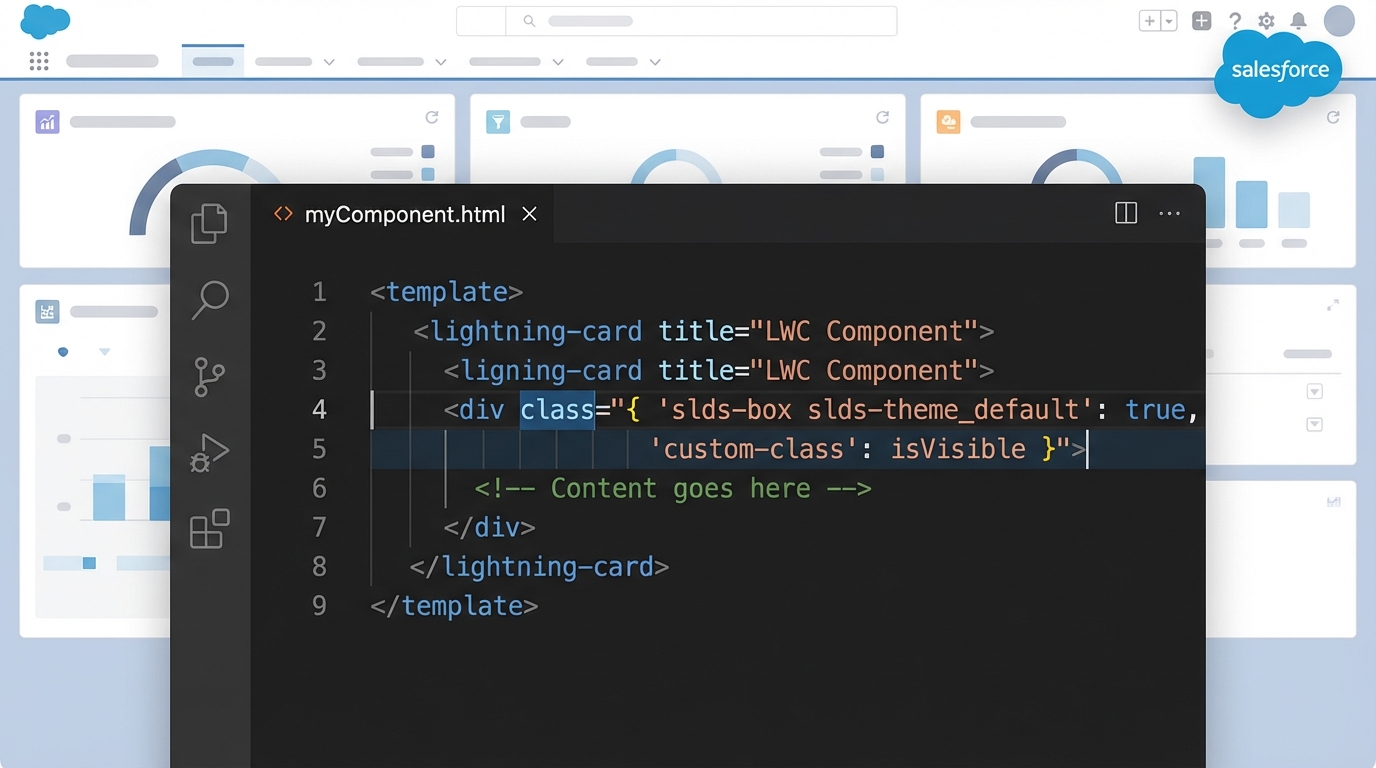
A professional code editor displaying syntax-highlighted LWC code with object-based class binding next to a blurred Salesforce UI.
Why LWC class binding is a massive upgrade
So what does this actually mean for your daily dev work? Before this update, your JavaScript getters usually looked like a series of ternary operators joined by empty strings. It worked, but it was ugly. Now, you can return a clean object where the keys are your CSS classes and the values are just booleans.
This update pairs nicely with other recent changes like LWC expressions that are making our templates much more powerful. By using LWC class binding, you're making your code more declarative. You're telling the component "show this class when this condition is true," rather than manually building a long string of text.
How to use LWC class binding in your components
Let's look at how this works in a real component. In this example, we've got a simple box that changes style based on an active state. Look at how much cleaner the getter becomes when we return an object instead of a string.
// myComponent.html
<template>
  <div class={containerClass}>
    The styling here is dynamic!
  </div>
  <button onclick={toggleActive}>Toggle State</button>
</template>

// myComponent.js
import { LightningElement, track } from 'lwc';

export default class MyComponent extends LightningElement {
  @track isActive = false;

  get containerClass() {
    // This is the magic part. No strings, just an object.
    return {
      'slds-box': true,
      'is-active': this.isActive,
      'custom-alert': !this.isActive
    };
  }

  toggleActive() {
    this.isActive = !this.isActive;
  }
}
Pretty straightforward, right? If isActive is true, the is-active class is applied. If it's false, the custom-alert class takes its place. You can also use an array if you just want to dump a list of classes in there without the key-value logic. I usually stick to objects for conditional stuff because it's easier to read at a glance.
When to use objects vs arrays
In my experience, objects are the way to go for 90% of your use cases. They keep your logic explicit. You don't have to guess what condition triggers which style. But arrays are handy when you're dealing with computed class names or when you're passing a list of styles down from a parent component.
One thing that trips people up is forgetting to update the component's XML metadata. This LWC class binding feature won't work if your API version is still set to 61.0 or lower. Always double-check your meta file!
Best practices for LWC class binding
- Stick to the latest API: Make sure your component is on API version 62.0 or higher. If it isn't, LWC will just try to turn your object into a string like "[object Object]", which will definitely ruin your layout.
- Keep logic in the JS: Don't try to get too fancy. The goal here is readability. If your object has twenty different keys, it might be time to break that component down into smaller pieces.
- Use SLDS: Even with dynamic classes, try to use standard Salesforce Lightning Design System classes whenever possible. It keeps the UI consistent for the users.
If you're working on complex interfaces, you might also want to check out my guide on Master LWC element scrolling to help improve the overall user experience of your dynamic components.
Key Takeaways for LWC class binding
- It replaces messy string concatenation with clean objects or arrays.
- It requires LWC API version 62.0 or higher to function.
- Objects are best for toggling classes based on boolean states.
- Arrays work well for lists of classes that don't need complex logic.
- It reduces common bugs like missing spaces between class names.
The short answer? Start using this as soon as you can. It's one of those small quality-of-life updates that makes a huge difference when you're maintaining a large codebase. It makes your templates cleaner, your JavaScript easier to follow, and your life as a developer just a little bit simpler. Give it a shot in your next scratch org and see how much boilerplate code you can delete.


Leave a Comment