

Understanding the Basics of Apex Properties
If you are writing any kind of custom logic, you are going to run into Apex properties eventually. Most of the time, we just use them as a shorthand for variables, but they are actually much more powerful than that. I've seen plenty of developers just stick a { get; set; } on everything without realizing they are missing out on some great ways to keep their code clean and secure.
So what are they exactly? Think of a property as a middleman. Instead of letting any piece of code grab or change a class variable directly, a property lets you control that interaction. You get to decide who can read the data, who can change it, and what happens when they try. It's one of those things that separates junior code from senior-level architecture.
When to Use Different Apex Properties
Not every variable needs to be wide open. In my experience, choosing the right type of property can save you from a lot of debugging headaches down the road. You generally have three flavors to work with:
- Read-write: This is your standard
{ get; set; }. It's the most common, but it's also the most "dangerous" if you don't add any logic to it because anyone can change the value. - Read-only: You use a
getbut noset. This is perfect for values that are calculated on the fly, like a total price or a formatted string. - Write-only: These are pretty rare. You might use one if you need to pass a sensitive value into a class - like a password - but you don't want any other part of the code to be able to read it back out.
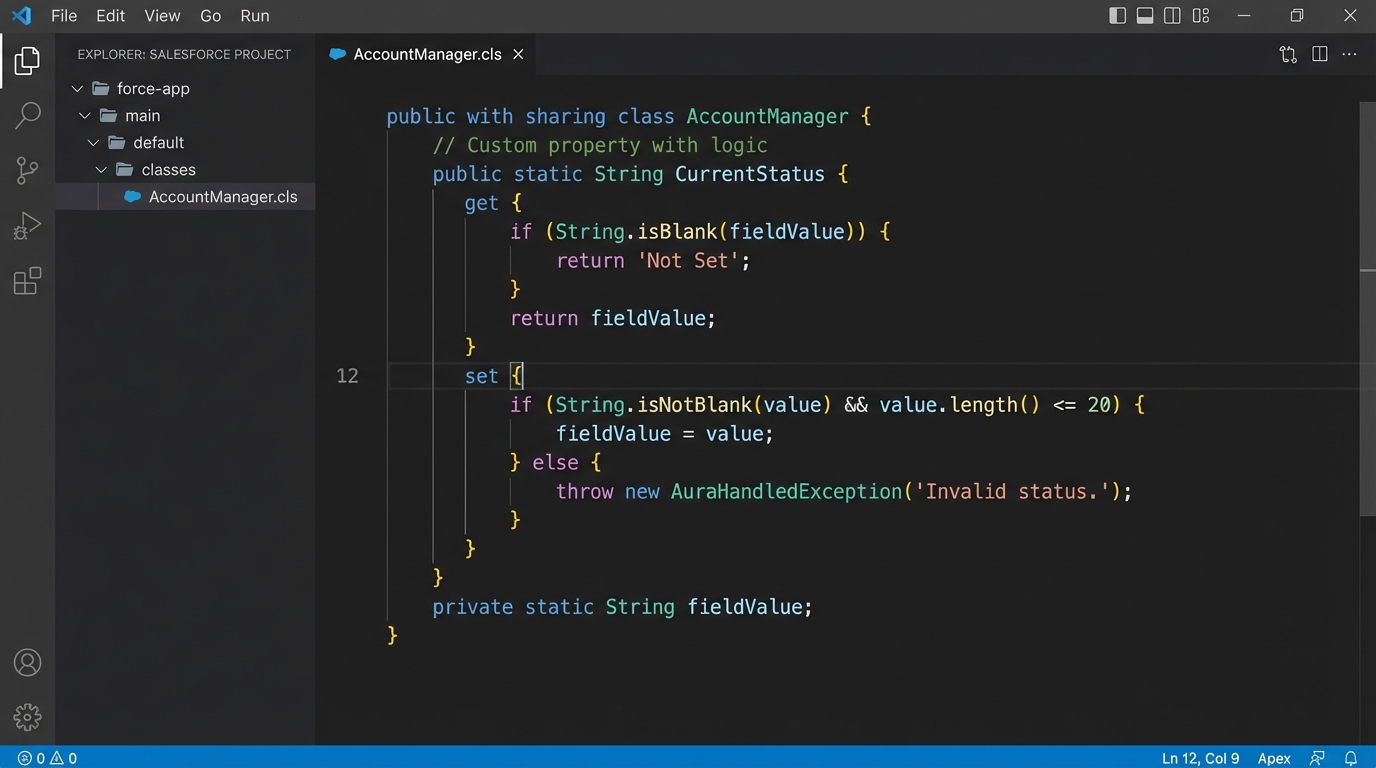
A clean code editor view showing Salesforce Apex property syntax with custom getter and setter logic.
The Power of Custom Getters and Setters
Here is where it gets interesting. You don't have to just accept whatever value someone hands you. You can put logic right inside the property itself. I often use this for basic data validation so the rest of my class doesn't have to worry about "bad" data. If you're trying to decide between Apex vs Flow for complex logic, these kinds of code-level controls are a huge reason to stick with Apex.
public class AccountWrapper {
    private Decimal rawBalance;

    public Decimal balance {
        get { return rawBalance; }
        set {
            if (value < 0) {
                throw new IllegalArgumentException('Balance cannot be negative');
            }
            rawBalance = value;
        }
    }
}
See what happened there? We just made it impossible for the balance to ever be negative. If someone tries it, the code blows up right then and there instead of causing a weird math error three methods later. That's a huge win for maintainability.
Pro Tip: Use automatic properties for simple data storage, but as soon as you find yourself writing "if" statements elsewhere to check a variable's value, it's time to move that logic into a custom setter.
Static Apex Properties and Why They Matter
Sometimes you need a value that stays the same across your entire transaction. That's where static properties come in. But look, there is a catch. Static properties can only talk to other static members. One thing that trips people up is trying to access an instance variable from a static getter. It won't work, and the compiler will let you know about it pretty quickly.
public class GlobalSettings {
    public static Boolean isFeatureEnabled {
        get {
            // Imagine a complex check here
            return true;
        }
    }
}
I use these all the time for things like recursion toggles in triggers or global configuration values. It keeps the API clean because you don't have to instantiate a class just to check a simple flag.
Improving Your Code Quality
Using Apex properties correctly is a major part of encapsulation. It sounds like a fancy computer science word, but it just means "mind your own business." A class should keep its internal state private and only show the world what it needs to. This is a common topic when you're preparing for a senior Salesforce developer interview because it shows you care about how your code affects the rest of the system.
When you use properties instead of public variables, you can change how you store data behind the scenes without breaking every other class that uses your code. Maybe today you store a name in one string, but tomorrow you want to split it into first and last name. If you used a property, you can just update the get method and no one else has to change a thing.
Key Takeaways
- Use automatic properties for simple data holders to keep your code concise.
- Add validation in setters to stop bad data from entering your objects.
- Prefer read-only properties for any value that is derived from other data.
- Master Apex properties to make your classes easier to test and maintain.
- Keep it simple. Don't over-engineer a property if a simple variable will do, but know when to make the switch.
At the end of the day, properties are about control. They give you a way to build "guardrails" around your data so that your code behaves exactly how you expect it to. Start looking at your existing classes - I bet there are at least two or three public variables that really should be properties with a bit of validation logic. Your future self will thank you when you're not chasing down weird null pointer exceptions at 4:00 PM on a Friday.




Leave a Comment