


Understanding the basics of Apex properties
If you are writing any kind of custom logic, you are going to run into Apex properties eventually. Most of the time we use them as shorthand for variables, but they can do more than that. I've seen plenty of developers stick a { get; set; } on everything without realizing they are missing some good ways to keep their code clean and secure.
So what are they? A property sits between a class variable and the code that wants it. Instead of letting anything grab or change the variable directly, you decide who can read the data, who can change it, and what happens when they try.
When to use different Apex properties
Not every variable needs to be wide open. In my experience, choosing the right type of property saves you a lot of debugging headaches down the road. You generally have three flavors to work with:
- Read-write: your standard
{ get; set; }. It's the most common, and also the most dangerous if you don't add any logic to it, because anyone can change the value. - Read-only: a
getwith noset. This is perfect for values that are calculated on the fly, like a total price or a formatted string. - Write-only: pretty rare. You might use one to pass a sensitive value into a class, say a password, without letting any other part of the code read it back out.
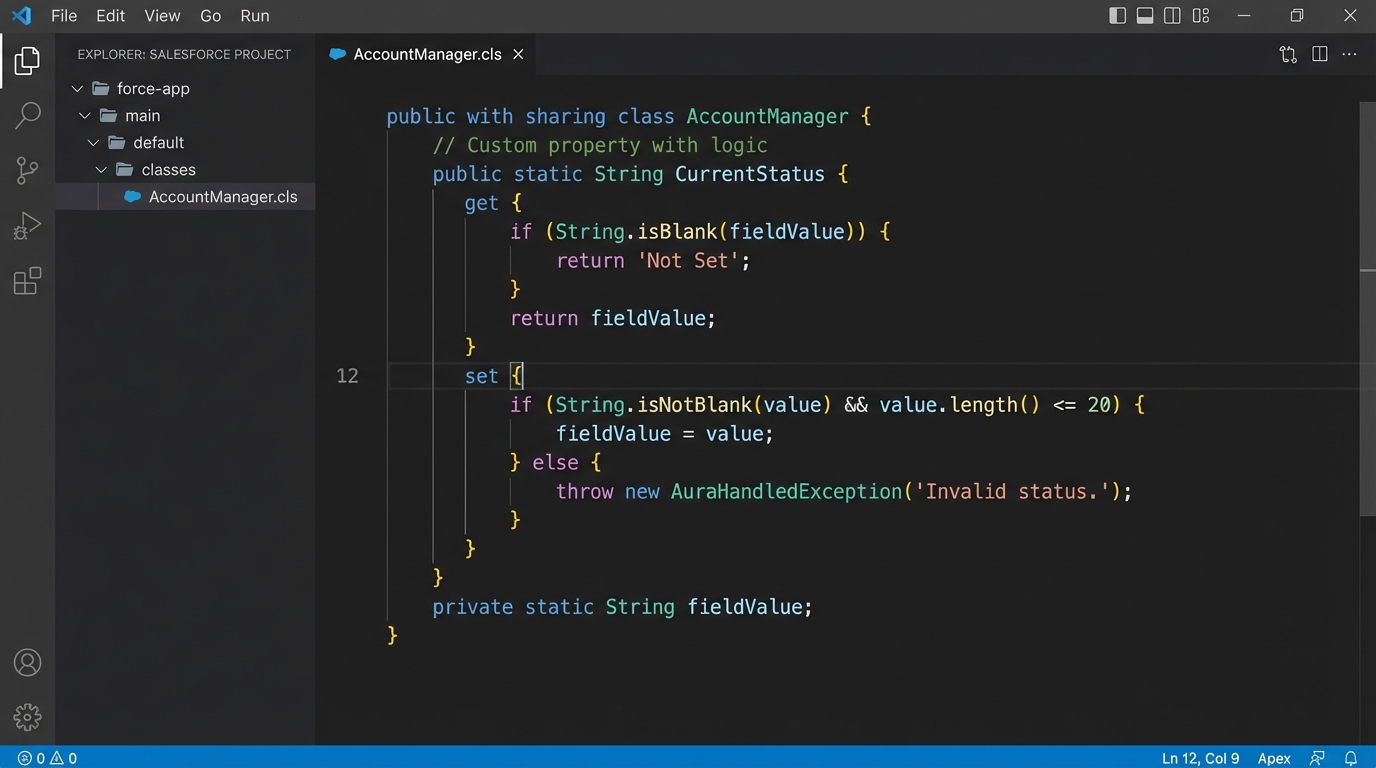
Apex property syntax with a custom getter and setter.
The power of custom getters and setters
You don't have to accept whatever value someone hands you. You can put logic right inside the property. I often use this for basic data validation so the rest of my class doesn't have to worry about bad data. If you're trying to decide between Apex vs Flow for complex logic, these code-level controls are a big reason to stick with Apex.
public class AccountWrapper {
    private Decimal rawBalance;

    public Decimal balance {
        get { return rawBalance; }
        set {
            if (value < 0) {
                throw new IllegalArgumentException('Balance cannot be negative');
            }
            rawBalance = value;
        }
    }
}
We just made it impossible for the balance to ever be negative. If someone tries it, the code blows up right then and there instead of causing a weird math error three methods later, which is a real win for maintainability.
Pro Tip: Use automatic properties for simple data storage, but as soon as you find yourself writing "if" statements elsewhere to check a variable's value, it's time to move that logic into a custom setter.
Static Apex properties and why they matter
Sometimes you need a value that stays the same across your entire transaction. That's where static properties come in, and there is a catch. Static properties can only talk to other static members. One thing that trips people up is trying to access an instance variable from a static getter. It won't work, and the compiler will let you know about it pretty quickly.
public class GlobalSettings {
    public static Boolean isFeatureEnabled {
        get {
            // Imagine a complex check here
            return true;
        }
    }
}
I use these all the time for things like recursion toggles in triggers or global configuration values. It keeps the API clean because you don't have to instantiate a class just to check a simple flag.
Improving your code quality
Using Apex properties correctly is a big part of encapsulation. It sounds like a fancy computer science word, but it just means "mind your own business." A class should keep its internal state private and only show the world what it needs to. This comes up a lot when you're preparing for a senior Salesforce developer interview because it shows you care about how your code affects the rest of the system.
When you use properties instead of public variables, you can change how you store data behind the scenes without breaking every other class that uses your code. Maybe today you store a name in one string, and tomorrow you want to split it into first and last name. With a property, you update the get method and no one else has to change a thing.
Key takeaways
- Use automatic properties for simple data holders to keep your code concise.
- Add validation in setters to stop bad data from entering your objects.
- Prefer read-only properties for any value that is derived from other data.
- Properties make your classes easier to test and maintain.
- Don't over-engineer a property if a simple variable will do, but know when to make the switch.
Properties are about control. They give you a way to build "guardrails" around your data so that your code behaves exactly how you expect it to. Go look at your existing classes: I bet there are at least two or three public variables that really should be properties with a bit of validation logic. Your future self will thank you when you're not chasing down weird null pointer exceptions at 4:00 PM on a Friday.



Leave a Comment