

What is a Salesforce DataRaptor and why should you care?
If you're working in OmniStudio, you've definitely heard of the Salesforce DataRaptor. The short answer? It's a declarative tool used to move data in and out of Salesforce while changing its shape along the way. Think of it as a translator that speaks both "Salesforce Object" and "JSON" fluently.
When I first started with OmniStudio back when it was still called Vlocity, I tried to write Apex for everything. It's what we're used to, right? But here's the thing. Using a Salesforce DataRaptor is usually much faster to build and way easier for the next person to maintain. You're basically mapping fields in a UI instead of writing lines of boilerplate code to parse JSON strings.
The four types you need to know
You aren't just dealing with one tool here. There are actually four distinct types, and picking the wrong one is a mistake I see all the time. Let's break them down.
- Extract: This is your standard "read" tool. It grabs data from Salesforce objects using logic similar to SOQL and spits it out as JSON.
- Turbo Extract: This is the high-performance version of an Extract. It's faster because it only hits one object (and its immediate parents). If you don't need complex formulas, use this.
- Load: This is your "write" tool. It takes a JSON payload and saves it back to Salesforce, whether you're creating new records or updating existing ones.
- Transform: This one doesn't touch the database at all. It just reshapes JSON. It's perfect for when you get a messy response from an external API and need to clean it up before showing it on a screen.
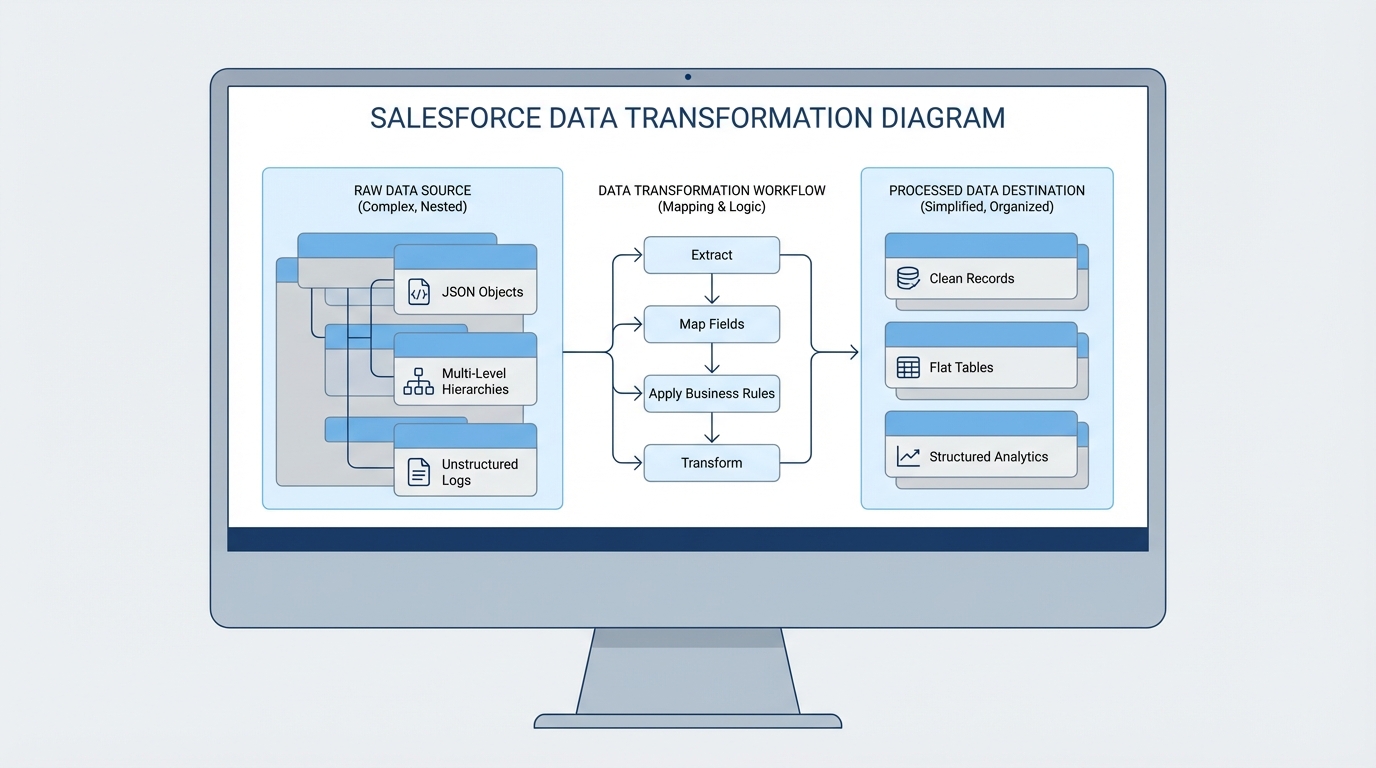
A technical diagram illustrating the data transformation process where complex input data is mapped and reshaped into a clean output format.
Common patterns for the Salesforce DataRaptor
So where does this actually fit into your project? Most of the time, you'll see them paired with OmniScripts or Integration Procedures. For example, you might use an Extract to pre-fill a form so a user doesn't have to type their own name and address. Then, you'd use a Load at the end to save their changes.
I've seen teams get into trouble by trying to do too much in a single mapping. If you're building something complex, you might want to look at Apex vs Flow logic to see if you're over-engineering your data layer. Usually, keeping your DataRaptors simple and focused is the way to go.
A quick look at how mapping works
Imagine you have a simple JSON object coming from a web form. You need to map those fields to the Contact and Account objects. In the UI, you'd just point "firstName" to "FirstName" and you're done. It looks a bit like this conceptually:
// This is what your form sends
{
  "userForm": {
    "fname": "Alex",
    "lname": "Smith",
    "workEmail": "[email protected]"
  }
}

// The DataRaptor maps it to Salesforce fields
// userForm.fname -> Contact.FirstName
// userForm.lname -> Contact.LastName
// userForm.workEmail -> Contact.Email
It's straightforward, but don't let the simplicity fool you. You can add formulas to concatenate strings, format dates, or even perform basic math before the data ever hits the database.
Best practices from the field
After a few years of doing this, I've picked up some habits that save a lot of headaches during deployments. First, follow strict OmniScript naming conventions for your DataRaptors too. Nothing is worse than trying to find a mapping named "TestDR123" six months later.
One thing that trips people up is trying to use a standard Extract when a Turbo Extract would be twice as fast. If you don't need complex formulas or multi-object joins, go Turbo every single time. Your page load speeds will thank you.
Also, watch out for nested loops. If you're mapping deeply nested JSON arrays, the performance can tank pretty quickly. If your mapping starts looking like a spiderweb, it might be time to use a Transform DataRaptor to flatten that data before you try to load it into Salesforce.
Key Takeaways for your next project
- Pick the right tool: Use Turbo Extract for simple reads and Transform for pure data reshaping.
- Stay declarative: Avoid Apex for simple data mapping; it's easier to maintain a Salesforce DataRaptor in the long run.
- Test as you go: Use the "Preview" tab constantly. It's the fastest way to catch a typo in your JSON paths.
- Watch the limits: Even though it's low-code, you can still hit governor limits if you're trying to process thousands of records at once.
At the end of the day, mastering the Salesforce DataRaptor is about understanding how your data needs to move. Once you get the hang of the mapping UI, you'll find you can build out complex data requirements in a fraction of the time it takes to write custom code. Just keep your mappings clean, name them well, and always check if a Turbo Extract can do the job first.




Leave a Comment