

The Foundation of Your Salesforce Sharing Model
When you start designing a Salesforce sharing model, you're basically deciding who can see what and why. It's one of those things that sounds simple on paper but gets messy fast if you don't have a plan. I've seen teams rush into this and end up with a "Public Read/Write" mess that takes months to untangle. Don't be that person.
Organization-Wide Defaults (OWD)
This is your baseline. It's the most restrictive you want your org to be. If a user doesn't own a record, what's the bare minimum they should see? You've got Private, Public Read Only, and Public Read/Write. My advice? Always start with Private. It's much easier to open up access later than it is to claw it back once people are used to seeing everything.
Role Hierarchy
Look, the role hierarchy isn't just an org chart. It's a vertical data pipe. If I'm a manager, I automatically see what my team sees. But one thing that trips people up is forgetting that roles don't work like profiles. If you're still fuzzy on that, check out this breakdown of Salesforce roles vs profiles to see how they play together.
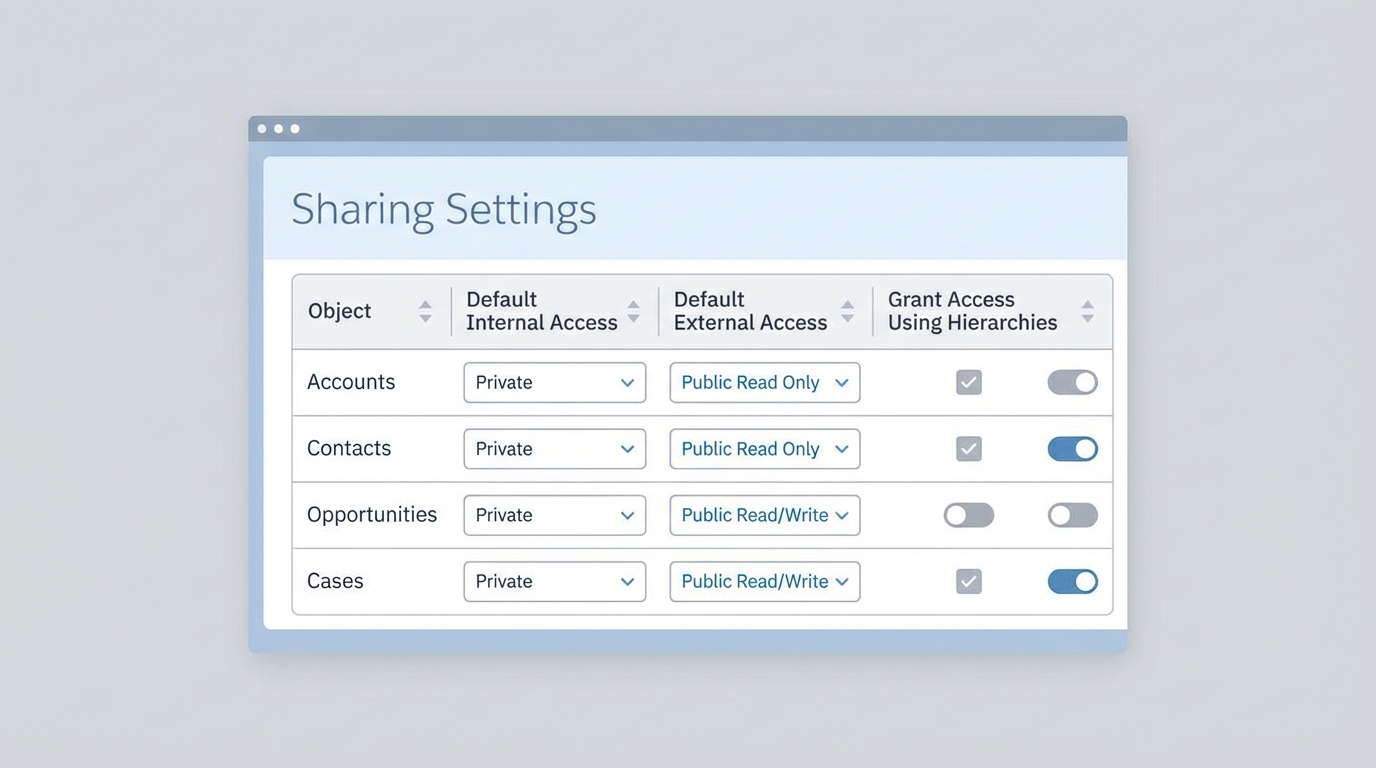
A professional UI mockup of a Salesforce sharing settings dashboard showing organizational data access levels.
Opening Access in Your Salesforce Sharing Model
Once you've set your OWD to Private, you'll need ways to let the right people in. This is where we move from the "baseline" to the "exceptions." You aren't just giving access away; you're building specific paths for data to flow to the people who actually need it to do their jobs.
Sharing Rules
These are your workhorses. You can share records based on who owns them or based on specific criteria, like "all Opportunities in California." They're great because they're declarative and easy to audit. If you want a deeper dive, I've written a guide to Salesforce sharing rules that covers the nuances of record security.
Manual Sharing
Sometimes a user just needs to hand off a record to a colleague for a one-off project. That's where manual sharing comes in. It's flexible, but it's also hard to track at scale. If your users are manually sharing hundreds of records a day, that's a red flag. It usually means your automated Salesforce sharing model is missing something important.
Pro tip: If you find yourself constantly using manual sharing for the same groups of people, stop. Create a Public Group or a Sharing Rule instead. Your future self will thank you during the next security audit.
Account, Opportunity, and Case Teams
I love teams because they're collaborative. They let you add multiple people to a single record with different roles (like "Sales Engineer" or "Legal Counsel"). It's much cleaner than creating a dozen custom lookup fields just to grant access. Plus, it makes reporting on who's working on what a whole lot easier.
Advanced Tools for Complex Requirements
Now, here's where it gets interesting. Sometimes the standard rules just won't cut it. Maybe you have a complex logic that depends on an external system or a territory structure that changes every week. In those cases, you have to go beyond the basic settings of the Salesforce sharing model.
Apex Managed Sharing
When the UI can't do what you need, you turn to code. Apex Managed Sharing lets you write triggers or classes to share records programmatically. It's powerful, but it's also a big responsibility. You have to handle the "Object__Share" records yourself, including what happens when an owner changes. Honestly, most teams get this wrong because they forget to handle the edge cases.
Territory Management
If you're in a big sales org, you're probably using Enterprise Territory Management. This isn't just about geography; it's about grouping accounts into logical buckets. It's a specialized part of the Salesforce sharing model that helps when accounts belong to multiple regions or sales reps. It's complex to set up, but for global companies, it's a lifesaver.
Public Groups and Queues
And don't forget about groups and queues. While they don't "share" records on their own, they are the building blocks for everything else. You can use Public Groups in your sharing rules to keep things organized. Queues are even better for Lead or Case management because they provide a "holding pen" where any member can pick up the work.
Key Takeaways
- Start Restrictive: Set your OWD to Private and use other tools to open it up.
- Stay Declarative: Use Sharing Rules and Teams before jumping into Apex. It's easier to maintain.
- Hierarchy Matters: Remember that access rolls up. If a manager shouldn't see it, their subordinates shouldn't own it.
- Audit Regularly: Sharing can get messy over time. Use tools to see who has access to what and why.
So, how many ways do we have to share? A lot. But you don't need to use all of them at once. The best Salesforce sharing model is the simplest one that still keeps your data secure. Start with the basics, listen to your users, and only add complexity when the business case actually demands it. If you can keep your sharing logic clear and documented, you'll save yourself a massive headache down the road.




Leave a Comment