


Everyone is talking about AI, and getting it in front of your customers is where it starts paying back. An Agentforce Experience Cloud deployment is one of the fastest ways to see a return on all that configuration work you have been doing. I have spent plenty of time wrestling with old-school chat bots, and this is much smoother than the routing we used to build by hand.
In a busy service environment you don't want your team answering the same five questions every day. Put an agent on your public site and customers get accurate answers 24/7 without a human staying up all night for it. That takes the repetitive load off the team so they can work on the hard stuff.
Why you should use Agentforce Experience Cloud for self-service
The short answer is speed. You can get a conversational interface live without a backend development project behind it. I have seen teams build custom chat from scratch, and it usually turns into a maintenance problem of API calls nobody wants to own. Here you are building on the foundation Salesforce already ships.
- Your support team stops getting buried under basic policy questions.
- Customers get answers immediately instead of waiting in a queue.
- The agent is always on, even on holidays or weekends.
- You can start small with just a few FAQs and grow from there.
Think about industries like airlines or utilities. They get hammered with questions about "How do I change my booking?" or "What's the cancellation fee?" If you have already documented those policies, you're halfway there. There are other 8 practical Agentforce use cases worth reading to see how this fits a broader strategy.
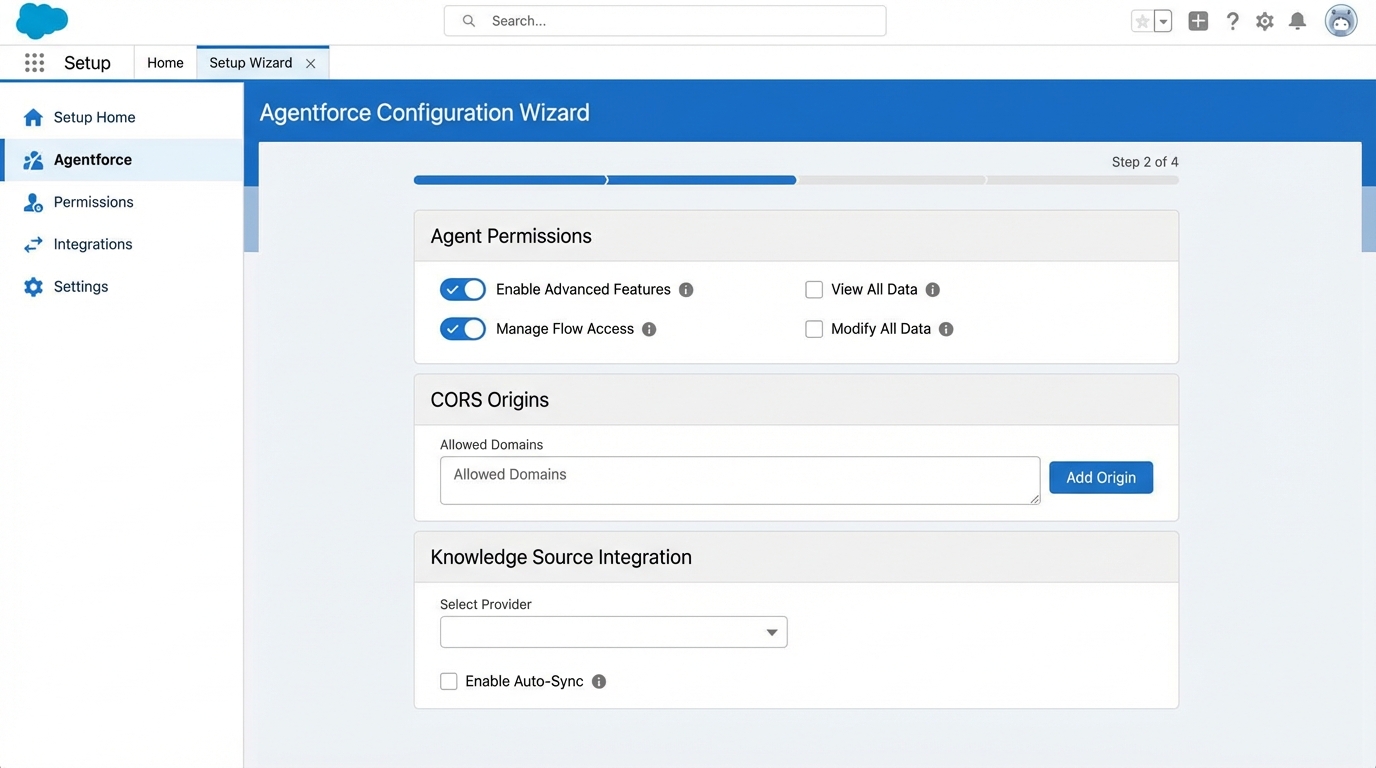
The Salesforce setup and security configuration screens behind an Agentforce self-service implementation.
Getting your Agentforce Experience Cloud setup right
Most people get stuck on permissions or CORS settings, so slow down on those two. If your FAQs are already in a structured format, a basic version of this can be running in about an hour. Here is the path I usually follow.
The configuration checklist
- Create the Service Agent. Start in the Agentforce setup and spin up a new agent specifically for service.
- Sort out permissions. This is where people trip up. You need to assign the right Permission Sets to your agent users or they won't be able to do their jobs.
- Messaging and Omni-Channel. Enable Messaging in your org and set up your Omni-Channel routing. If you've done this for human agents, it's the same logic.
- Queues and presence. Create a queue for the agent and set up a Presence Status. Don't forget the Presence Permission Set, or the system will never see the agent as "available."
- Deployment. Create your Messaging Channel and an Embedded Service Deployment. That is what actually hosts the chat window on your site.
- Routing Flow. Build an Omni-Channel routing Flow so that when a chat comes in, it goes to the AI agent first.
- Site setup. Head over to Digital Experiences and create your site. If you already have one, you're ahead of the game.
- Security whitelisting. Add your site's URL to the Trusted URLs and configure CORS. Skip this and the chat widget simply won't show up.
- Test and refine. Open the site, talk to the agent, and see how it handles your data.
The CORS settings catch people out. If your chat widget isn't appearing on your Experience Cloud site, nine times out of ten you forgot to whitelist the site's URL in the Security settings. Small step, lot of wasted afternoons.
Practical tips from the field
Your agent is only as good as the data you give it, so start with a small, high-value set. Take your top 10 most common support tickets and turn those into clear, structured documents. Agentforce RAG grounding is worth a read if you want to connect your data sources for more accurate responses.
Don't set it and forget it, either. Monitor the conversation logs and you'll quickly see where the agent struggles or what customers ask that you never covered. And always have a fallback. When the AI gets stuck there should be a clear path to transfer the conversation to a human agent. Nothing frustrates a customer more than an AI stuck in a loop.
Key takeaways
- Agentforce Experience Cloud is a way to scale your service without hiring more people.
- Permissions and CORS are the most common points of failure during setup.
- Structured data pays off: clean docs lead to clean answers.
- Always provide a "human" escape hatch for complex queries.
- Start small, test in a sandbox, and iterate based on real logs.
Once you get the routing and security settings down, this becomes a pretty repeatable process for any site you manage. It takes the basics off your support team before they burn out on them, and it shows up in CSAT.



Leave a Comment