


Agentforce Service Agent is Salesforce's bet on autonomous AI for customer service. It decides what to do based on the conversation instead of walking a pre-built decision tree. This guide covers what it actually does, the prerequisites you need before turning it on, how to structure topics and actions, and the guardrails that keep it from going off the rails.
What is the Agentforce Service Agent?
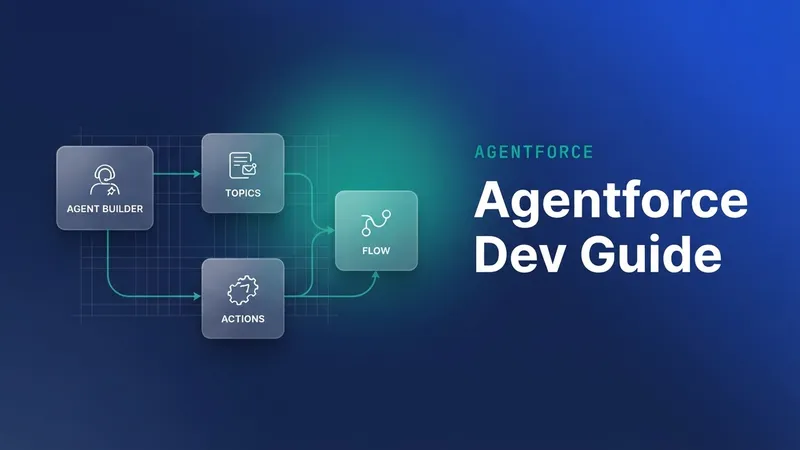
The Service Agent is one of three pre-built Agentforce templates (Sales, Service, Customer Insights). It's built for customer-facing conversations, and a turn runs in six moves:
- A customer sends a message over web chat, Slack, WhatsApp, or a MuleSoft channel.
- The agent classifies it into a topic: Order Status, Refunds, Product Info, Account Settings.
- Inside that topic it picks an action, the specific Apex class, Flow, or Prompt Template that runs: Look up Order, Calculate Refund, Update Address.
- The action runs grounded by Data Cloud retrieval-augmented generation (RAG), so the response uses your data rather than generic LLM training.
- The LLM phrases the result as a natural-language reply.
- If confidence is low, the agent hands off to a human through Omni-Channel.
The architecture difference from Einstein Bots: there's no scripted dialog tree. The agent reasons about the conversation in context.
Prerequisites
Before you can build the Service Agent, you need:
- Data Cloud, provisioned with at least one data space.
- Einstein Generative AI, turned on for your region (US, EU, APAC supported as of 2026).
- The Agentforce add-on SKU. Industries clouds bundle some allotment; otherwise it's a paid add-on on top of Sales or Service Cloud Enterprise+.
- Permissions. Admins setting it up need Customize Application, Data Cloud User, Use Agentforce, and Execute Prompt Template. See How to enable Agentforce in Salesforce for the full step-by-step.
Step 1: create the agent
Setup → Einstein → Agentforce Builder → New Agent, then choose the Service Agent template. The template ships with starter topics ("Inquire About Order Status", "Update Account Information") that you can keep, modify, or delete. Pick a clear name and a user the agent runs as. That user is the security context for every action it executes, so give it a dedicated integration user with a narrow profile rather than a real human's account.
Step 2: define topics
Topics are how the agent categorizes incoming messages. Each topic needs a name for internal use, a description, and a scope.
The description is the prose the agent reads to decide whether a message belongs here, so be specific. "Order Status: use this when the customer asks about an existing order's progress, shipment, or delivery date" routes correctly. "Order stuff" doesn't. Scope is the opt-in or opt-out setting that controls which conversations consider the topic at all.
Three to seven topics is the sweet spot. Too few and the agent picks the wrong action; too many and routing accuracy drops.
Step 3: attach actions
Each topic gets 1 to 10 actions, in three flavors:
| Action type | Use case |
|---|---|
| Apex class | Query Salesforce, call external APIs, complex logic |
| Flow | Multi-step record updates, approval routing, declarative |
| Prompt Template | Generative response with variables (draft email, summarize case) |
Every action has a description telling the agent when to invoke it. As with topics, that description is where the work is: it's how the LLM decides "this is the right action for this user message."
// Example: Apex action that looks up an order by number
@InvocableMethod(label='Get Order Status' description='Returns shipment status for a given order number')
public static List<OrderResult> getOrderStatus(List<OrderRequest> requests) {
  List<OrderResult> results = new List<OrderResult>();
  for (OrderRequest r : requests) {
    Order__c o = [
      SELECT Id, Status__c, Shipment_Date__c, Tracking_Number__c
      FROM Order__c WHERE Order_Number__c = :r.orderNumber LIMIT 1
    ];
    results.add(new OrderResult(o));
  }
  return results;
}
The @InvocableMethod description and the @InvocableVariable field descriptions are what the agent reads when it chooses an action. Write them the way you'd explain the method to a junior coworker, not the way you'd write a comment for a compiler.
Step 4: test in the Plan tab
The Plan tab simulates conversations. You type messages as a customer would, and Salesforce shows you which topic the agent classified them into, which action it picked, what the Apex or Flow returned, and what the final natural-language reply looks like. Iterate here until the agent picks the right topic and action about 95% of the time on representative test messages.
Step 5: deploy to a channel
Agentforce Service Agent connects to Embedded Service chat (the standard Salesforce chat widget), Slack through the Slack-Salesforce integration, WhatsApp through Service Cloud Voice and a WhatsApp BSP, and a direct REST endpoint for custom apps.
Start small when you deploy. An internal beta or a single low-traffic page comes before opening it to all customers.
Limits and guardrails
Three categories to watch.
- Governor limits. Each action is regular Apex, with the same SOQL, DML, and CPU limits. Bulk-safe code is non-negotiable here, because concurrent customer messages mean concurrent action invocations.
- Action timeout. The agent expects each action to return in ≤60 seconds. Queue long operations such as refund processing or third-party callouts with Queueable Apex or Platform Events, and have the agent say "I've started that, I'll follow up in a minute" instead of blocking.
- Topic boundary. Don't let one topic do too much. "Order Management" with 30 actions confuses the agent. Split it into "Order Status", "Order Cancellation", and "Order Returns".
Guardrails before launch
- Filter profanity and off-topic messages. The Einstein Trust Layer catches the obvious cases, but add a topic for "I don't know how to help with that" with a sensible response and a human handoff.
- Check PII redaction. Trust Layer redacts SSN and credit card patterns by default. Verify it in the Plan tab with synthetic data.
- Read the logs. Every conversation lands in AgentSession objects, so review them weekly for failed handoffs and topic misses.
- Wire the escalation path. Always have a "transfer to human agent" action connected to Omni-Channel. Customers will eventually need it, and an agent that traps them in a chat window is a churn driver.
When not to use the Service Agent
- Simple deflection. If your top five customer questions all have static FAQ answers, an Einstein Bot is cheaper and faster.
- Highly regulated workflows. Agent-driven decisions in healthcare, finance, and legal need extensive testing and may face compliance review. Start with Sales Agent or Customer Insights instead.
- Low conversation volume. Under roughly 50 conversations a month, the per-action cost outweighs the human-agent cost.
The Service Agent is a different paradigm from a chatbot. You stop scripting dialogs and start describing capabilities, then trust the LLM to orchestrate. Done well, it handles 60-80% of common customer questions autonomously and escalates the rest with full context. Done poorly, it confidently hallucinates wrong answers and damages your brand. The discipline above is what separates the two outcomes.
For the foundational setup (enabling Agentforce, prerequisites, permissions), see How to Enable Agentforce in Salesforce.


Leave a Comment