
Why the Salesforce SOAP API still matters
If you've been in the ecosystem for a while, you know that the Salesforce SOAP API is basically the "old reliable" of the integration world. It's been around forever, and while everyone talks about REST these days, SOAP is still the backbone of most heavy-duty enterprise setups. It's a protocol that uses XML to move data back and forth, and it's built on very strict rules.
In my experience, developers coming from modern web backgrounds tend to roll their eyes at XML. But look, when you're dealing with a legacy Java middleware or a strict .NET environment, this protocol is a lifesaver. It gives you a formal contract that doesn't leave much room for "guessing" what the data should look like. That's a huge win when you're building something that needs to stay stable for years.
The core pieces of the puzzle
To understand how this works, you've got to get comfortable with a few specific terms. It isn't as scary as it looks once you break it down. Here's what you're actually dealing with:
- The Envelope: Think of this as the digital packaging. It tells the system where the message starts and ends.
- The WSDL: This is the "instruction manual" for the API. It's an XML file that describes every single operation you can perform. If you haven't used one before, check out this guide on what is WSDL to get the full picture.
- Headers: This is where the "meta" stuff lives. You'll usually put your session ID or authentication tokens here so Salesforce knows who's knocking on the door.
- Body: This is the actual payload. If you're creating an Account, the Account data lives here.
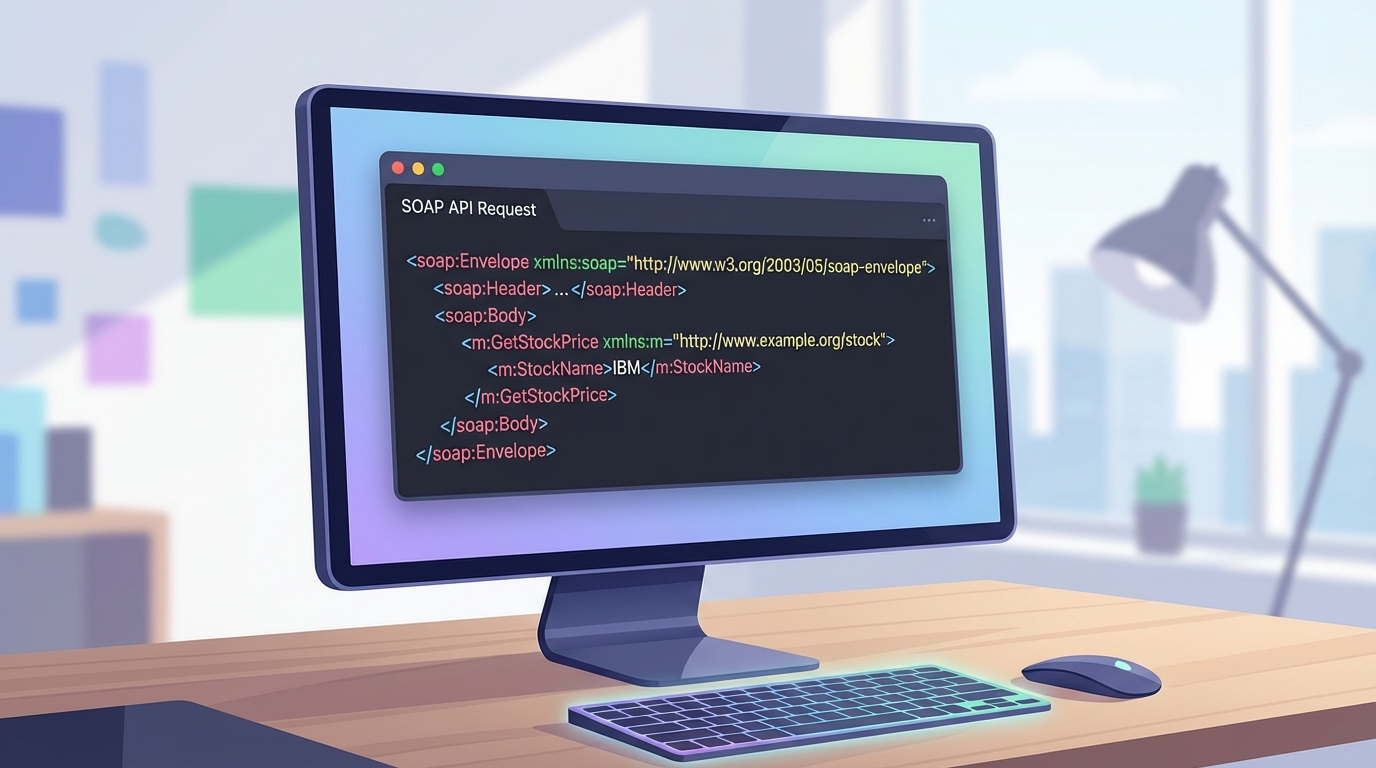
A realistic UI screenshot of a code editor displaying the structured XML of a SOAP API request with distinct header and body sections.
How to work with the Salesforce SOAP API
One thing that trips people up when using the Salesforce SOAP API for the first time is the choice of WSDL. You can't just download "the" WSDL and call it a day. You have to choose between the Enterprise WSDL and the Partner WSDL. Honestly, most teams get this wrong at the start of a project.
The Enterprise version is strongly typed and tied to your specific org's metadata. If you add a custom field, you have to download a new WSDL. The Partner version is more flexible and generic, which is why it's the go-to for ISVs. I've seen projects stall for days just because someone picked the wrong one. You can read more about the differences between Enterprise and Partner WSDLs to save yourself that headache.
Pro tip: Always cache your login session. I've seen so many integrations hit their API limits because they were calling the login() operation before every single data request. Don't do that. Log in once, keep the session ID, and only refresh it when it expires.
What a request actually looks like
So what does this actually mean in practice? When you send a query, it looks like a block of XML. It's more verbose than JSON, sure, but it's very clear. Here's a quick look at a standard query request:
<soapenv:Envelope xmlns:soapenv="http://schemas.xmlsoap.org/soap/envelope/" xmlns:urn="urn:partner.soap.sforce.com">
  <soapenv:Header>
    <urn:SessionHeader>
      <urn:sessionId>YOUR_SESSION_ID_HERE</urn:sessionId>
    </urn:SessionHeader>
  </soapenv:Header>
  <soapenv:Body>
    <urn:query>
      <urn:queryString>SELECT Id, Name FROM Contact LIMIT 5</urn:queryString>
    </urn:query>
  </soapenv:Body>
</soapenv:Envelope>
And that's it. It's just a structured message telling Salesforce, "Hey, here is my ID, please give me these five contacts." The system validates this against the WSDL, and if anything is out of place, it'll bark at you with a specific error code.
Choosing between SOAP and REST
So why would you use this instead of the REST API? The short answer? It depends on your stack. If you're building a mobile app, stay away from SOAP. The XML payloads are too heavy and will eat up data and battery life. REST is much better for that. But if you're working with an old-school ESB (Enterprise Service Bus) or a middleware tool like MuleSoft or Informatica, they often prefer the Salesforce SOAP API because of the strong typing.
I've written a deeper dive on SOAP vs REST if you're trying to make that call for a new project. But generally, if your tools can generate code from a WSDL, SOAP is going to save you a lot of manual mapping work. It's also great for complex transactions where you need a formal contract between systems.
Key Takeaways
- The Salesforce SOAP API is best for enterprise-level integrations with strict data contracts.
- You'll need to choose between the Enterprise WSDL (specific) and Partner WSDL (generic).
- XML is more verbose than JSON, so it's not ideal for mobile or low-bandwidth situations.
- Authentication usually happens via a login() call that returns a sessionId for the header.
- Tooling is great - most languages can auto-generate client code directly from the WSDL file.
At the end of the day, mastering the Salesforce SOAP API isn't about learning a "dead" technology. It's about having the right tool for the job when you're working in a complex corporate environment. It might not be as flashy as the new GraphQL or Pub/Sub APIs, but it's reliable, well-documented, and it gets the job done without any surprises. Next time you're looking at a massive data migration or a middleware sync, give it a serious look.




Leave a Comment