

Why the Salesforce SOAP API still matters
If you've been in the ecosystem a while, you know the Salesforce SOAP API is the "old reliable" of integration work. It's been around forever, and while everyone talks about REST these days, SOAP still carries most heavy-duty enterprise setups. It moves data as XML under a very strict set of rules.
Developers coming from modern web backgrounds tend to roll their eyes at XML. But when you're wired into a legacy Java middleware or a strict .NET environment, this protocol is a lifesaver. It hands you a formal contract that leaves little room for "guessing" what the data should look like, and that matters when you're building something that has to stay stable for years.
The core pieces of the puzzle
A few terms do most of the work here, and none of them are as scary as they look:
- The envelope is the digital packaging. It tells the system where the message starts and ends.
- The WSDL is the "instruction manual" for the API, an XML file that describes every single operation you can perform. If you haven't used one before, this guide on what is WSDL covers it.
- Headers carry the "meta" stuff. Your session ID or authentication token goes here so Salesforce knows who's knocking on the door.
- The body is the actual payload. If you're creating an Account, the Account data lives here.
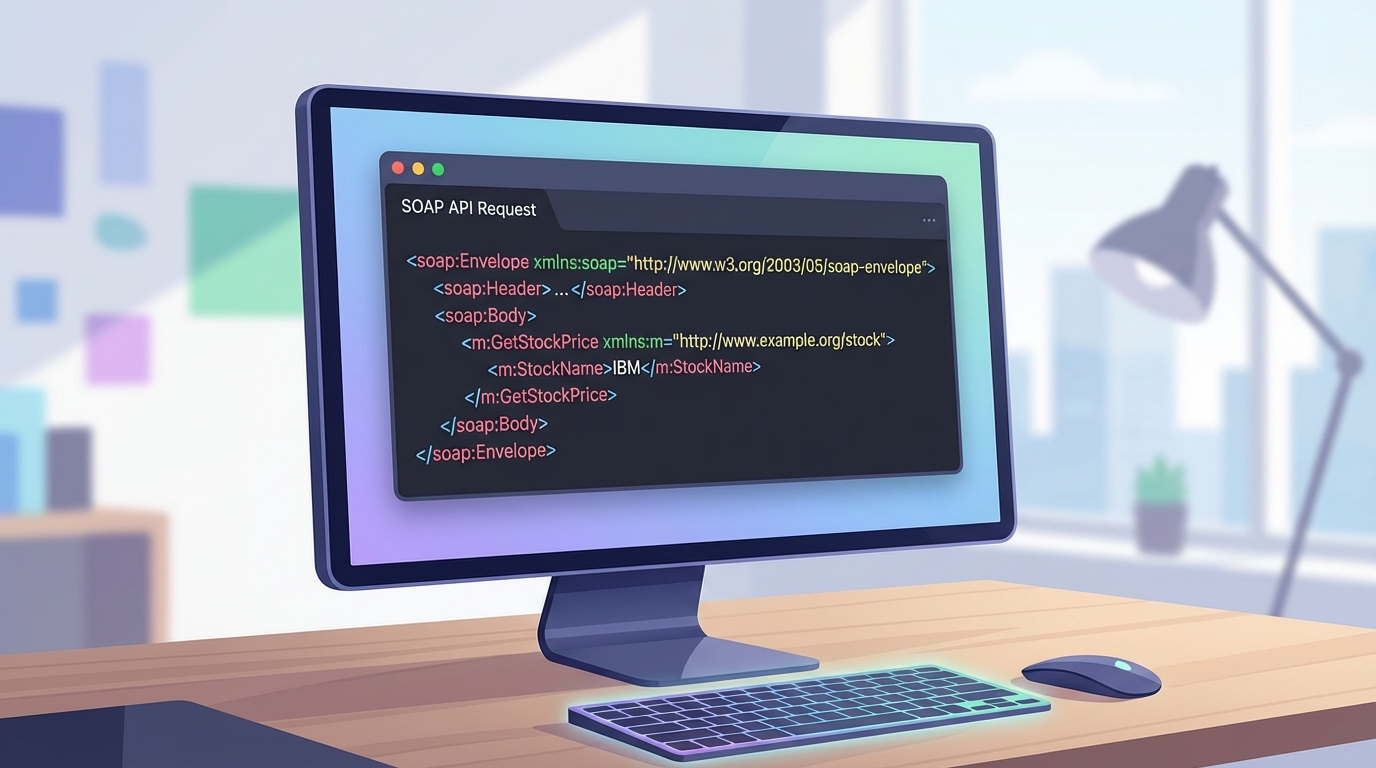
A code editor showing the XML of a SOAP API request with its header and body sections.
How to work with the Salesforce SOAP API
What trips people up on a first SOAP project is the choice of WSDL. You can't just download "the" WSDL and call it a day. You pick between the Enterprise WSDL and the Partner WSDL, and most teams get that choice wrong at the start.
The Enterprise version is strongly typed and tied to your specific org's metadata, so adding a custom field means downloading a new WSDL. The Partner version is more flexible and generic, which is why it's the go-to for ISVs. I've seen projects stall for days just because someone picked the wrong one. The differences between Enterprise and Partner WSDLs are worth reading before you commit.
Pro tip: always cache your login session. I've seen so many integrations hit their API limits because they were calling the login() operation before every single data request. Log in once, keep the session ID, and refresh it only when it expires.
What a request actually looks like
A query goes over the wire as a block of XML. More verbose than JSON, sure, but very clear:
<soapenv:Envelope xmlns:soapenv="http://schemas.xmlsoap.org/soap/envelope/" xmlns:urn="urn:partner.soap.sforce.com">
  <soapenv:Header>
    <urn:SessionHeader>
      <urn:sessionId>YOUR_SESSION_ID_HERE</urn:sessionId>
    </urn:SessionHeader>
  </soapenv:Header>
  <soapenv:Body>
    <urn:query>
      <urn:queryString>SELECT Id, Name FROM Contact LIMIT 5</urn:queryString>
    </urn:query>
  </soapenv:Body>
</soapenv:Envelope>
That's a structured message telling Salesforce, "Hey, here is my ID, please give me these five contacts." The system validates it against the WSDL, and if anything is out of place, it'll bark at you with a specific error code.
Choosing between SOAP and REST
So why would you use this instead of the REST API? It depends on your stack. If you're building a mobile app, stay away from SOAP. The XML payloads are too heavy and will eat up data and battery life, and REST handles that much better. But if you're working with an old-school ESB (Enterprise Service Bus) or a middleware tool like MuleSoft or Informatica, they often prefer the Salesforce SOAP API because of the strong typing.
I've written more on SOAP vs REST if you're trying to make that call for a new project. But generally, if your tools can generate code from a WSDL, SOAP saves you a lot of manual mapping work. It also holds up for complex transactions where you need a formal contract between systems.
Key takeaways
- The Salesforce SOAP API is best for enterprise-level integrations with strict data contracts.
- You'll need to choose between the Enterprise WSDL (specific) and Partner WSDL (generic).
- XML is more verbose than JSON, so it's not ideal for mobile or low-bandwidth situations.
- Authentication usually happens via a login() call that returns a sessionId for the header.
- Most languages can auto-generate client code directly from the WSDL file.
SOAP isn't as flashy as the newer GraphQL or Pub/Sub APIs, but it's reliable and well documented, and it gets the job done without surprises. Next time you're looking at a massive data migration or a middleware sync, give it a serious look.


Leave a Comment