

Why you need a record-triggered flow delete in your toolkit
Ever had a client ask you to track exactly who deleted an Account and why? Setting up a record-triggered flow delete is the most efficient way to handle these scenarios without writing a single line of code. I've seen plenty of admins try to build complex workarounds, but honestly, this native trigger is usually all you need to keep your data clean and your stakeholders happy.
Record deletions can be messy. If a sales rep deletes a lead, that data is gone unless you have a solid audit trail. But it's not just about auditing. You might need to notify a manager or clean up some orphaned records that didn't get caught by a master-detail relationship. In my experience, these flows are the unsung heroes of org maintenance. So, how do we actually build one that won't break the first time someone does a bulk cleanup?
When you're dealing with a high volume of deletions, you also need to think about how to handle bulk record processing in Flows so you don't hit governor limits. Let's break down the configuration so you can get this running in your sandbox today.
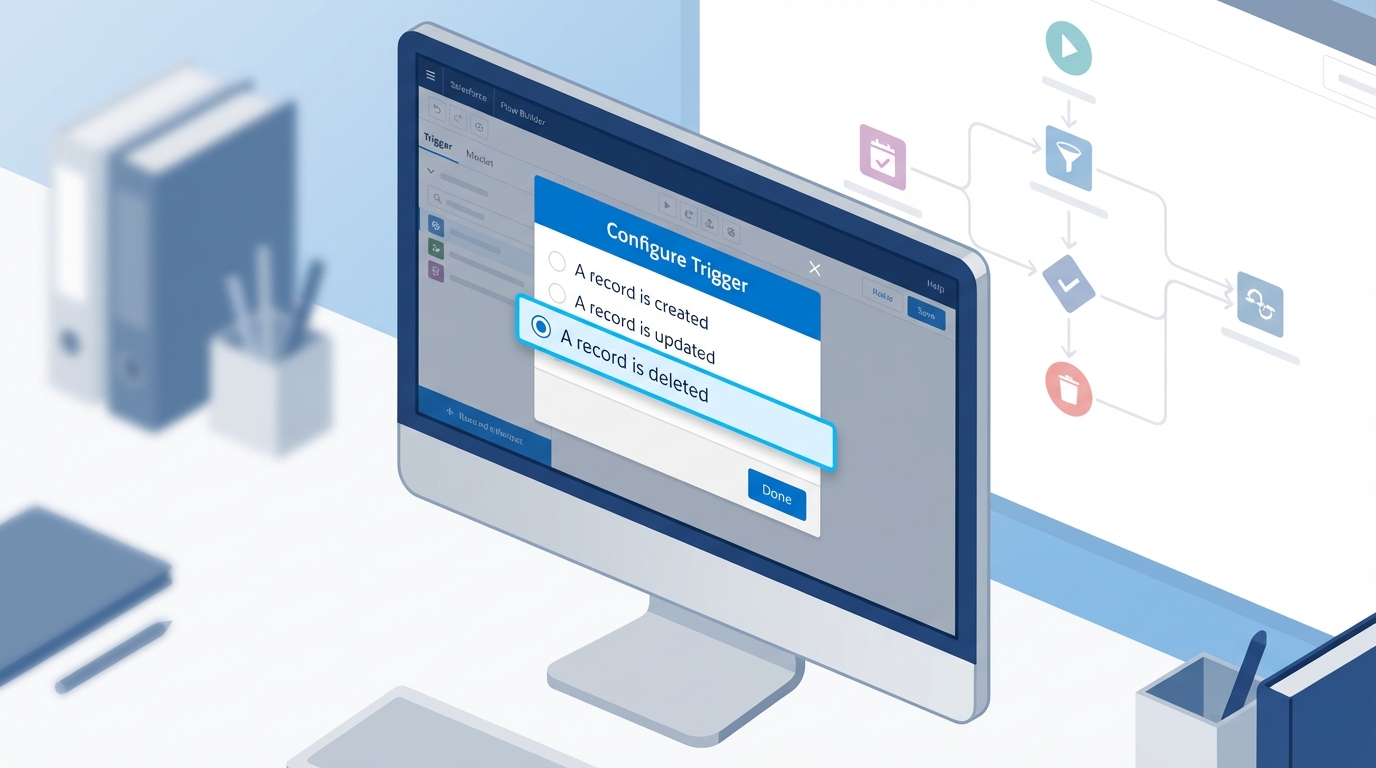
A realistic interface mockup of the Salesforce Flow Builder showing the configuration settings for a record-triggered flow set to run when a record is deleted.
How to build a record-triggered flow delete step-by-step
Look, the process is pretty straightforward, but there are a few spots where people usually trip up. Here's the thing: you have to remember that by the time the flow finishes its work, the record is technically gone. That changes how you interact with the data.
1. Configure the trigger
Start by creating a new Record-Triggered Flow from the Setup menu. Pick the object you want to watch - let's say it's the Account object. Under the trigger options, you'll want to select "A record is deleted". For the optimization setting, you'll see "Actions and Related Records" is your only choice here. That's fine, because we're usually doing post-delete tasks anyway.
2. Accessing the deleted data
One thing that trips people up is wondering where the data goes. Even though the record is being removed, Salesforce gives you a "last look" at the data. You have full access to all the field values through the $Record global variable. If you need the Account Name, the Owner ID, or a custom field value for an email alert, it's all right there waiting for you.
Pro Tip: Don't try to update the record that's being deleted. It's a waste of time. The flow has access to the data for the sake of other actions, like creating an audit log or notifying a system, but you can't "save" the record from within this specific flow type.
3. Adding your actions
Now you can add your logic. Most of the time, I'm using a "Create Records" element to write to a custom "Deletion Audit" object. You'll want to map fields like the Record ID, the name of the person who deleted it (using $User.Id), and the date. But you could also send a Slack message or even trigger an outbound call to another system.
When should you ditch Flow for Apex?
I'm a big fan of clicks-not-code, but there's a limit. Here's where it gets interesting. If you need to stop the deletion from happening - maybe you want to block anyone from deleting an Account that has active Opportunities - Flow won't help you. You can't throw a "validation error" in a delete flow to stop the transaction.
In those cases, choosing the right Salesforce tool means moving over to an Apex "before delete" trigger. Apex allows you to use the addError() method to stop the user in their tracks. But if you just need to log what happened after the fact, stick with the record-triggered flow delete. It's easier to maintain and much faster to deploy.
Key Takeaways
- A record-triggered flow delete is the best tool for auditing, notifications, and light cleanup.
- You still have access to
$Recordvalues even though the record is in the process of being removed. - Always test your flow with multiple records to make sure your logic is bulk-safe.
- If your goal is to prevent the deletion entirely, you'll need to write an Apex trigger instead.
Setting up a record-triggered flow delete doesn't take long, but it adds a lot of security and transparency to your org. I've seen too many admins realize they needed an audit trail only after a major data loss incident. Don't wait for that to happen. Get your tracking in place now, and you'll thank yourself later when you can actually answer the question: "Wait, who deleted that Account?"




Leave a Comment