
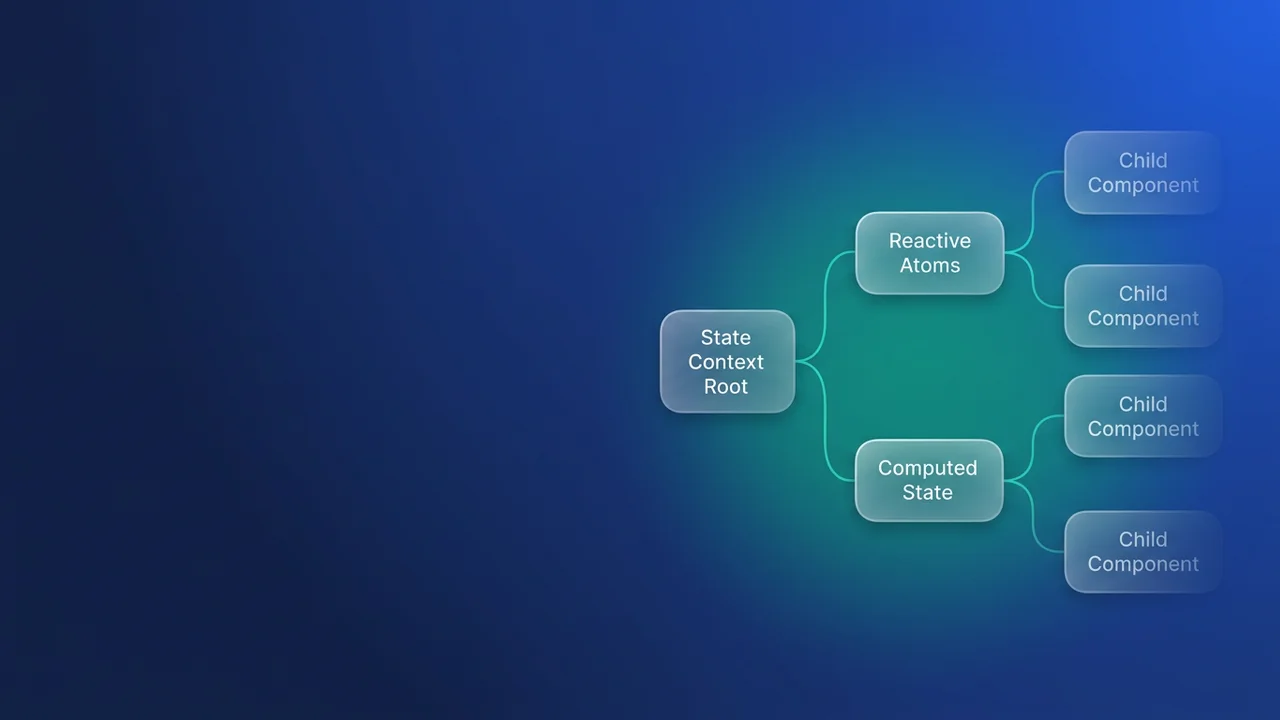

LWC state management for complex architectures
State management in Lightning Web Components (LWC) uses the @lwc/state library to keep application data consistent across components, which pays off most in applications that are large or deeply nested. It moves data handling away from direct component interaction models such as property passing and events.
Why centralized state
Traditional component communication patterns (parent properties, custom events, or even Lightning Messaging Service) get cumbersome once state has to travel across many nested components. A state manager changes that: data manipulation logic lives in the state manager instead of the UI components, components subscribe to a single source of truth, and reactivity means only the dependent components re-render when state mutates.
The parts of a Salesforce LWC state manager
A state manager is a JavaScript module defined with the defineState function imported from @lwc/state. The function takes a callback that receives the core primitives you build the state definition from.
1. The state factory (defineState)
defineState creates the state manager definition. It holds the state logic and returns an instantiation function.
import { defineState } from "@lwc/state";

const stateManager = defineState(({ atom, computed, setAtom }) => {
    // State logic defined here
    // ... returns Public API
});

export default stateManager;
2. Atoms (the source of truth)
An atom wraps one discrete piece of reactive data. It is the building block, and the definitive source for that specific variable.
const formData = atom({});
const hasUnsavedChanges = atom(false);
When an action updates an atom's value, every component subscribing to it gets a reactive update.
3. Computed values (derived state)
computed values are state derived from one or more atoms. They recalculate only when their atomic dependencies change, so nothing is processed for no reason. Deriving a full name from first and last name atoms is the standard example.
4. Actions and state mutation (setAtom)
Actions are standard JavaScript functions inside the state manager definition. They are the only mechanism permitted to modify atom values, which keeps mutation predictable and auditable. Inside an action, setAtom performs the mutation.
const handleChange = (newFormData) => {
    // Logic to process new data
    setAtom(hasUnsavedChanges, true); // Mutating an atom
};
5. The public API
The object returned by the defineState callback is the public API. It controls what consuming components can read (atoms and computed values) and what they can execute (actions).
Sharing state through context
State managers are shared across the component hierarchy using context, managed by the fromContext utility from @lwc/state.
The provider component
A component that initializes the state manager instance becomes the provider for all its descendants in the DOM tree. You do that by calling the instantiated manager in its JavaScript class.
// Survey.js (Provider)
import { LightningElement } from 'lwc';
import formStateManager from 'c/formStateManager';

export default class Survey extends LightningElement {
    // Instantiating the manager makes it available via context
    form = formStateManager();
}
The consumer component
Any descendant component, however deep it sits, retrieves the nearest available instance using fromContext.
// BannerUnsavedChanges.js (Consumer)
import { fromContext } from '@lwc/state';
import formStateManager from 'c/formStateManager';

export default class BannerUnsavedChanges extends LightningElement {
    // 'form' now holds a reference to the shared state instance
    form = fromContext(formStateManager);

    get show() {
        // Accessing reactive properties
        return this.form.value.hasUnsavedChanges;
    }
}
Resolution works by proximity: fromContext follows the DOM tree upward and resolves to the nearest initialized provider. That is what makes scoped state possible, since multiple independent instances of the same state manager can exist on the same page, each serving a different sub-tree.
Example walkthrough: survey form
In a complex survey, data input components need to signal changes, and a banner component needs to react to the overall form status.
formStateManager.js holds the central logic:
import { defineState } from "@lwc/state";

const stateManager = defineState(({ atom, computed, setAtom }) => {

    const formData = atom({});
    const hasUnsavedChanges = atom(false);

    const handleChange = (newFormData) => {
        // In a real scenario, we would merge formData here
        setAtom(hasUnsavedChanges, true);
    };

    const save = () => setAtom(hasUnsavedChanges, false);

    return {
        hasUnsavedChanges,
        handleChange,
        save
    };
});
export default stateManager;
The inputName.js consumer handles user input and invokes the state manager's action:
// inputName.js
import { LightningElement } from 'lwc';
import { fromContext } from '@lwc/state';
import formStateManager from 'c/formStateManager';

export default class InputName extends LightningElement {
    form = fromContext(formStateManager);

    handleChange() {
        // Calls the action defined in the state manager
        this.form.value.handleChange();
    }
}
The bannerUnsavedChanges.js consumer reads the status reactively:
// bannerUnsavedChanges.js
import { LightningElement } from 'lwc';
import { fromContext } from '@lwc/state';
import formStateManager from 'c/formStateManager';

export default class BannerUnsavedChanges extends LightningElement {

    form = fromContext(formStateManager);

    get show() {
        // Accesses the atom value via the reactive wrapper
        return this.form.value.hasUnsavedChanges;
    }
}


Leave a Comment