
Evaluating Salesforce Integration Platforms: Beyond Brand Familiarity
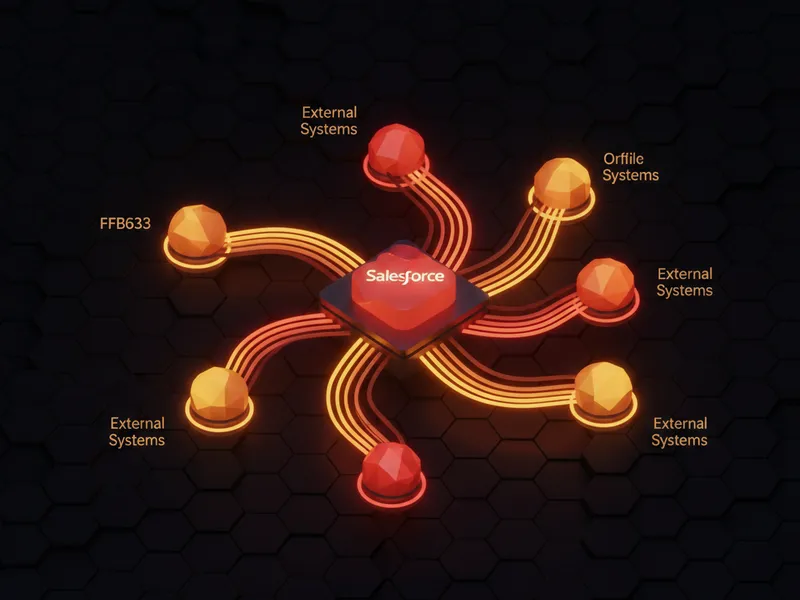
Selecting an Integration Platform as a Service (iPaaS) or custom integration strategy for Salesforce requires a technical assessment focused on use case complexity, governance overhead, and long-term maintainability, rather than vendor familiarity. While discussions often default to enterprise solutions, the optimal tool depends heavily on the specific data choreography required between Salesforce and external systems (e.g., ERPs, CRMs, specialized SaaS).
Architectural Considerations Based on Use Case Complexity
The definition of "Salesforce integration" varies significantly across requirements:
- Simple Data Synchronization: Scenarios requiring reliable, bidirectional field mapping between two systems (e.g., basic record creation/update) might not necessitate heavy infrastructure.
- Complex Choreography and Logic: Requirements involving conditional branching, data enrichment, complex routing, retry logic, transaction management, and comprehensive error visibility demand robust workflow capabilities.
Architects must prioritize the platform's ability to embed business process logic versus merely passing data structures.
Platform Archetypes and Technical Fit
The landscape of integration tools can be broadly categorized based on the level of architectural control and business process automation they afford:
1. Enterprise-Grade Integration Platforms (High Governance, High Control)
MuleSoft (Anypoint Platform): Remains a strong contender for large-scale enterprise environments mandating strict governance, deep architectural layering (API-led connectivity), and centralized management across a complex ecosystem. It offers comprehensive control necessary for mission-critical, multi-system interactions.
Boomi: Suitable for organizations already invested in broader enterprise integration infrastructure. It excels when the focus is on managing connections within a mature integration fabric rather than isolated workflow automation.
2. Workflow and Business Automation Platforms
Workato: Positioned well when Salesforce is one component within a broader organizational automation strategy, often allowing business analysts or process owners to configure logic alongside technical teams. Evaluate its capacity for transactional integrity when dealing with Salesforce governor limits.
3. Specialized or Domain-Specific Connectors
Celigo: Frequently utilized when a specific external system, such as an ERP (e.g., NetSuite), is central to the data flow. Evaluate its pre-built connectors and mapping capabilities against the specific custom object and field structures in your org.
4. Lightweight Automation Tools (Low Operational Weight)
Tools like Zapier and Make (formerly Integromat) are highly effective for simple, low-consequence flows. However, developers should anticipate limitations when workflows carry significant operational weight, requiring sophisticated error handling, idempotency controls, or deep Salesforce API pattern adherence.
5. Flexible Middle-Ground Platforms
Platforms occupying a middle ground (e.g., Latenode, or similar modern automation frameworks) aim to bridge the gap. They offer greater flexibility in terms of custom code execution, advanced transformations, branching logic, and direct HTTP/API interaction compared to basic connector tools, without the significant licensing cost and architectural footprint of full-scale enterprise platforms. These are valuable when integration logic mirrors complex business rules directly against Salesforce data.
Long-Term Maintainability Metrics
When assessing suitability, technical teams must look past the initial implementation success and focus on operational stability:
- Schema Drift Resilience: How easily can the platform adapt when custom fields are added, removed, or modified in Salesforce or the connected system?
- Debugging Visibility: What is the fidelity of error logs? Can an admin or developer quickly pinpoint the exact step, API call, or data transformation that failed?
- Developer Friction: How often does a minor process change necessitate developer intervention versus being manageable through the platform's UI or configuration layer?
Key Takeaways
- Logic vs. Connectivity: The choice hinges more on how much process logic the integration itself needs to execute, rather than the sheer quantity of available connectors.
- Scale Governance: High-governance, high-volume environments generally require the control offered by platforms like MuleSoft.
- Operational Fitness: For integrations that form a core part of the operational model, flexibility, error handling robustness, and long-term maintainability outweigh initial setup simplicity.
- Validate Post-Implementation: Always solicit feedback regarding tool performance after six months of production use, covering scenario management like schema changes and exception backlogs.




Leave a Comment