


If you have spent any time in the cloud world lately, you have definitely heard of Platform as a Service. It is that middle ground where you get to build and run apps without the headache of managing the actual servers or the operating system underneath.
What exactly is Platform as a Service?
The simplest way to think about it is that the provider gives you a pre-configured environment. You bring your code, and they handle the rest. I have seen so many teams waste weeks trying to configure Linux distros or patch security holes in their middleware when they could have just used a managed platform to get to market faster.
When you use Platform as a Service, you are getting a stack that usually includes the runtime (like Node.js or Java), the database, and the deployment tools all in one package. You don't have to worry about the "plumbing" of the internet, so you can focus on the logic that actually makes your business money.
One thing that trips people up is where the line is drawn. In my experience, the easiest way to remember it is that you own the application and the data. The provider owns everything else. If you are curious about how this fits into the bigger picture, there is a guide on comparing IaaS PaaS SaaS models with the full breakdown.

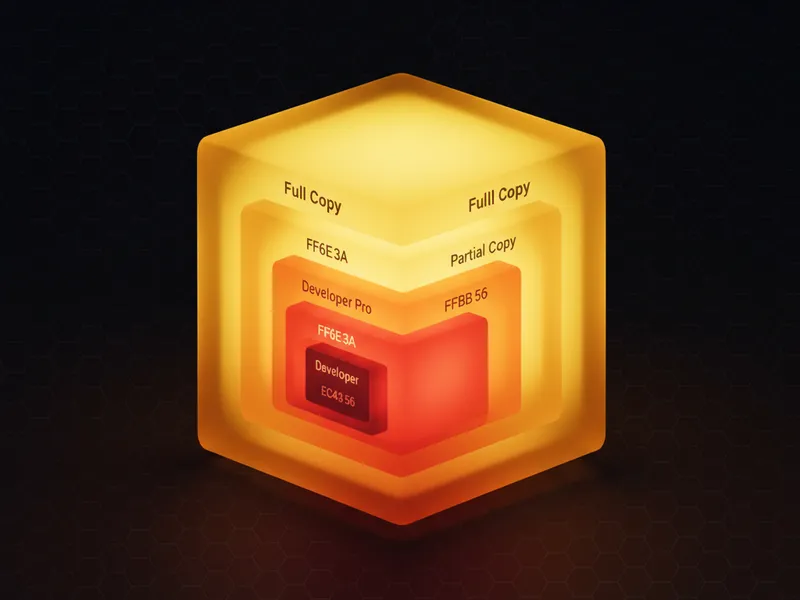
A professional 3D isometric diagram illustrating the layers of cloud computing, showing the relationship between hardware infrastructure, the developer platform, and the final application.
When to choose Platform as a Service over other models
So when does it make sense to go this route? Most teams get this wrong by trying to build everything from scratch. If you are building a web app, an API, or a microservice, this is usually your best bet. It suits developer-centric teams that want to practice DevOps without hiring five full-time site reliability engineers.
The trade is speed against control. If you need to do very specific performance tuning at the kernel level, you might want to look at Infrastructure as a Service instead. But for 90 percent of the projects I have worked on, the speed you get from a managed platform outweighs the need for that level of control.
Pro tip: Watch out for vendor lock-in. If you use a lot of proprietary managed services from one provider, moving your app later can be a real pain. Try to keep your code as portable as possible.
The trade-offs you need to know
Nothing is free in this world, and that includes the convenience of cloud platforms. Here are a few things I always tell my clients to look out for:
- Cost can scale faster than you expect. Managed services often cost more than raw servers once you hit a certain volume.
- You are at the mercy of the provider's uptime. If their platform goes down, your app goes down, and there isn't much you can do but wait.
- Limited customization. You can't always install that one weird library you found on GitHub if the platform doesn't support it.
It is a lot like renting a furnished apartment. You can move in today and everything works. But if you hate the couch, you can't exactly throw it out and buy a new one. You have to live with the choices the landlord made.
Why developers love Platform as a Service
It makes life easier. I remember the first time I used a platform like Heroku or Google App Engine. Being able to just type a command like git push heroku main and see my app go live in seconds felt like magic. No more manually SSHing into boxes or messing with FTP.
Most of these platforms come with built-in tools for things like:
- Automatic scaling when your traffic spikes.
- Integrated databases that you don't have to patch.
- CI/CD pipelines that just work out of the box.
- Monitoring and logging so you actually know why your app crashed at 3 AM.
If you are coming from a heavy CRM background, you might already be using these concepts without realizing it. Building on the Salesforce platform is a form of this, though it often leans closer to Software as a Service depending on how much custom code you are writing.
Key takeaways
- Platform as a Service lets you focus on code and data while the provider handles the OS and hardware.
- It is the fastest way to get an application from a developer's laptop to a production environment.
- You gain speed and simplicity but lose some granular control over the infrastructure.
- It is the ideal choice for modern web apps, APIs, and teams that want to stay lean.
Choosing a platform is really about deciding what your time is worth. If you want to spend your weekend tuning server configurations, go with IaaS. If you would rather spend it building features that users actually care about, Platform as a Service is the way to go. Just keep an eye on your monthly bill as you scale.


Leave a Comment