

If you've spent any time in a complex org, you've probably realized that messy code is a one-way ticket to technical debt, which is where Apex Design Patterns come in. I've seen teams struggle with hitting governor limits just because they're querying the same metadata over and over again in different parts of a transaction.
So what are we actually talking about here? Look, Apex Design Patterns aren't just academic concepts for people with computer science degrees. They're practical, reusable ways to structure your code so it doesn't break the moment you try to scale. Since Salesforce is a multi-tenant environment, we have to adapt standard patterns to play nice with things like SOQL limits and heap size.
Why Apex Design Patterns actually matter for your org
In my experience, developers usually start looking into patterns when their triggers start getting out of control. But you shouldn't wait for a "CPU Time Limit Exceeded" error to start writing better code. Using these structures helps you avoid duplicate logic and makes your unit tests way easier to write. It's really about making your future life easier when you have to come back and modify this code six months from now.
While there are dozens of patterns out there, two of them do the heavy lifting in most Salesforce projects: Singleton and Factory. Let's break them down based on how I actually use them in the field.
Mastering the Singleton Pattern in Salesforce
The Singleton Pattern is all about making sure a class only has one instance during a single execution context. Why does this matter? Imagine you have a custom object that stores discount rates for different regions. If you have three different triggers and five service classes all trying to get those rates, you could end up running the same SOQL query eight times. That's a waste of resources.
One thing that trips people up: Singletons in Apex only last for the duration of the transaction. They don't persist across different users or different requests, but they're a lifesaver for staying under limits during bulk processing.
Here's a typical way I'd set this up to manage regional discounts. We keep the constructor private so nobody can use the "new" keyword outside the class, and we provide a static method to get the instance.
public class RegionDiscountManager {
    private static RegionDiscountManager instance;
    private Map<String, Decimal> regionDiscountMap;

    // Private constructor - no "new" allowed elsewhere
    private RegionDiscountManager() {
        regionDiscountMap = new Map<String, Decimal>();
        for (Region_Discount__c rd : [SELECT Region__c, Discount__c FROM Region_Discount__c]) {
            if (rd.Region__c != null) {
                regionDiscountMap.put(rd.Region__c.toLowerCase(), rd.Discount__c);
            }
        }
    }

    public static RegionDiscountManager getInstance() {
        if (instance == null) {
            instance = new RegionDiscountManager();
        }
        return instance;
    }

    public Decimal getDiscount(String region) {
        if (region == null) return 0;
        return regionDiscountMap.get(region.toLowerCase());
    }
}
Now, when you use this in a trigger, it doesn't matter if you're processing 1 record or 200. The query only runs once. It's a simple change that makes a massive difference in performance.
trigger CaseTrigger on Case (before insert) {
    RegionDiscountManager rdm = RegionDiscountManager.getInstance();
    for (Case c : Trigger.new) {
        c.Discount__c = rdm.getDiscount(c.Region__c);
    }
}
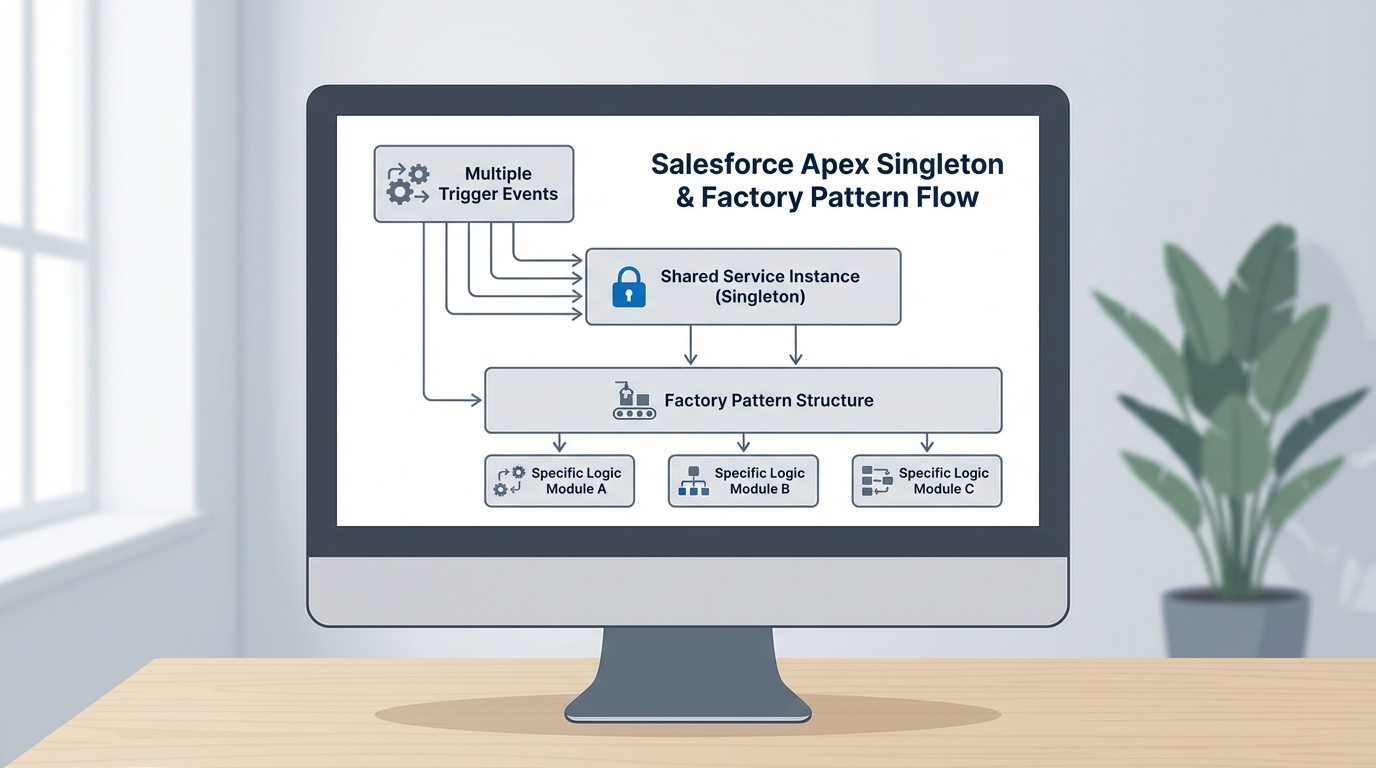
A professional architecture diagram showing the relationship between a Singleton service instance and a Factory pattern logic dispatcher in a Salesforce environment.
Simplifying logic with the Factory Pattern
Next up is the Factory Pattern. This is what you use when you need to create different objects based on some criteria, but you don't want to clutter your main code with 50 "if-else" statements. I find this especially useful when business logic changes based on an Account type or a Lead source.
If you're still deciding between Apex vs Flow for this kind of logic, the Factory pattern is a strong argument for using code when the branching logic gets too complex for a canvas. Here's how you'd set up a discount strategy factory.
public interface IDiscountStrategy {
    Decimal calculate(Decimal amount);
}

public class CustomerDiscount implements IDiscountStrategy {
    public Decimal calculate(Decimal amount) { return amount * 0.10; }
}

public class PartnerDiscount implements IDiscountStrategy {
    public Decimal calculate(Decimal amount) { return amount * 0.20; }
}

public class DiscountFactory {
    public static IDiscountStrategy getStrategy(String accType) {
        if (accType == 'Customer') return new CustomerDiscount();
        if (accType == 'Partner') return new PartnerDiscount();
        return new CustomerDiscount(); // default
    }
}
The beauty of this is that your trigger or service class doesn't need to know how the discount is calculated. It just asks the factory for a strategy and runs it. This makes your Apex Design Patterns implementation much cleaner and easier to extend. If you add a new "Distributor" type later, you just create one new class and update the factory. You don't have to touch your existing logic.
Key Takeaways
- Singleton: Use this to cache data or settings for the duration of a transaction. It's your best friend for avoiding redundant SOQL.
- Factory: Use this to handle complex branching logic. It keeps your main code clean by moving object creation to a dedicated spot.
- Keep it simple: Don't use a pattern just for the sake of using one. If a simple helper method works, stick with that.
- Bulkification: Always remember that these patterns should support bulk record processing, not hinder it.
Why this matters for your career
Honestly, most teams get this wrong. They write "spaghetti code" that works for a week and then falls apart when the data volume grows. Knowing when and how to apply Apex Design Patterns is what separates a junior dev from a senior architect. It's about building systems that last.
If you're looking to level up further, I'd suggest checking out some of the new features in the Salesforce Spring 26 release, as some of the new Apex features might change how you think about data handling. But at the end of the day, the fundamental patterns stay the same.
Start small. Try implementing a Singleton for your next custom metadata lookup. You'll notice the difference in your debug logs immediately, and your team will thank you for the cleaner code.




Leave a Comment