

Before you decide to delete Salesforce role entries in your org, you need to pause. It feels like a simple cleanup task, but it's one of those things that can quietly break your entire security model if you aren't careful. I've seen teams try to delete Salesforce role hierarchies to "simplify" things, only to realize they've accidentally locked a manager out of their team's records.
Look, we've all been there. You're cleaning up an old org and you see a role that looks redundant. But here's the thing: roles aren't just labels. They are the backbone of how your data flows. If you delete Salesforce role records without checking who or what is still using them, you're asking for a headache. Let's break down what actually happens when you hit that delete button.
Why you shouldn't just delete Salesforce role records blindly
The biggest risk is data visibility. Roles drive the hierarchy, which in turn drives sharing. If you've spent time reading a guide to Salesforce sharing rules, you know how much weight the hierarchy carries. When you remove a role, you aren't just deleting a name. You're potentially cutting off access for everyone above that role in the tree.
So why does this matter? Because Salesforce uses the role hierarchy to roll up access. If a role is gone, the "Grant Access Using Hierarchies" setting for your objects might not behave the way you expect. It's not just about the users currently in the role, either. It's about every report, dashboard, and sharing rule that points to it. Honestly, most teams get this wrong because they only look at the User list.
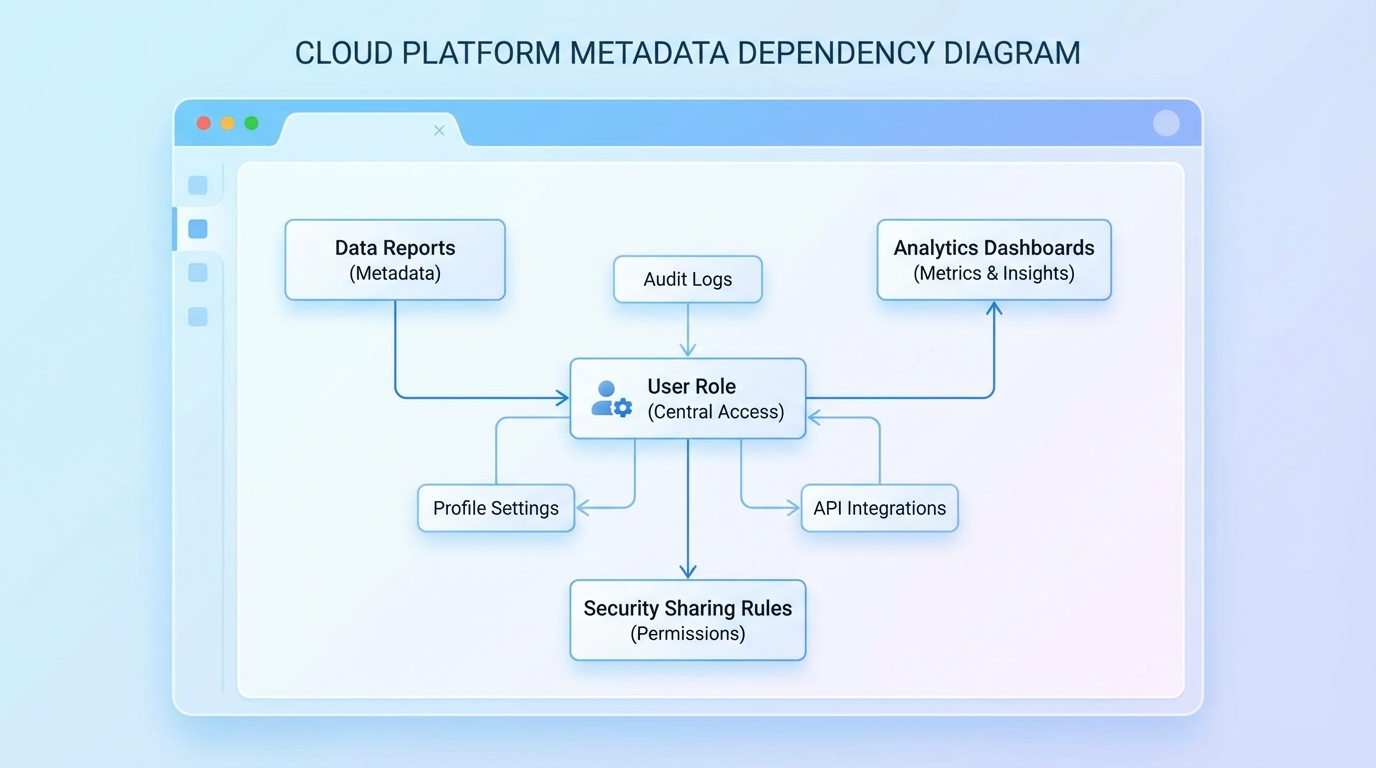
A technical diagram showing the interconnected dependencies between a user role and various system elements like reports and sharing rules.
Checking for active users before you delete Salesforce role
This is the most obvious step, but people still miss it. You technically can't delete a role if it's assigned to active users anyway, but the UI doesn't always show you the full impact. I always prefer to run a quick query to see exactly who we're talking about. It's faster and more reliable than clicking through pages of users.
SELECT Id, Name, Email, UserRoleId FROM User WHERE UserRoleId = '00EXXXXXXXXXXXX'
Now, if that query returns zero rows, you're off to a good start. But don't celebrate yet. You still need to check if that role is referenced in your automation. If you have a Flow or an Approval Process that looks for a specific UserRole.Name, your logic is going to fail the moment that role is gone. I've seen plenty of Apex triggers break because someone hardcoded a role ID or name from five years ago.
One thing that trips people up is the difference between active and inactive users. Even if a user is inactive, they might still be assigned to the role. While it won't stop the deletion, it's better to keep your metadata clean and reassign them first.
The hidden references in your code
Don't forget about custom code. While we often talk about Salesforce roles vs profiles in terms of basic access, developers often use role names in Apex to handle complex logic. A quick search in your IDE for the role name or developer name is a lifesaver. It takes two minutes and saves you from a production error later.
Here's where it gets interesting. Sometimes roles are used in public groups or sharing sets for Experience Cloud. If you delete the role, those groups might become empty, and your external users could lose access to their records instantly. That's a bad day for everyone involved.
Your pre-deletion checklist
So what should you actually do before you actually delete Salesforce role hierarchies? Here is the checklist I use for every project:
- Reassign your users: Move active users to their new roles before you try to delete anything.
- Audit your sharing rules: See if the role is used as a target or a source for sharing.
- Scan your automation: Look through Flows, Approval Processes, and those old Workflow Rules.
- Check your code: Search your entire codebase for the role's Developer Name or ID.
- Update your reports: Any report filtered by "My Team" or specific roles might need a look.
One more thing: validate everything in a sandbox. I know it's tempting to just do it in production, but visibility changes are hard to undo once the recalculation starts. Run your cleanup in a full copy sandbox first and check your key dashboards. If the numbers change, you know you've missed a reference.
Key Takeaways
- Data visibility is tied to the role hierarchy - deleting a role can block access for managers.
- Always query the User object to find assigned users before attempting a deletion.
- Automation and Apex often reference roles by name or ID; check these before you delete anything.
- Test the change in a sandbox to ensure reports and dashboards still show the correct data.
The short answer? Don't rush it. Take ten minutes to run your queries and check your references. It's much easier to do the prep work now than to try and recreate a deleted role hierarchy on a Friday afternoon when everything is breaking.




Leave a Comment