


Before you delete Salesforce role entries in your org, stop for a minute. It feels like a simple cleanup task, and it can break your entire security model without any warning if you aren't careful. I've seen teams delete Salesforce role hierarchies to "simplify" things, only to find they had locked a manager out of their team's records.
You're cleaning up an old org and you spot a role that looks redundant. Roles are the backbone of how your data flows, so deleting one without checking who or what is still using it is asking for a headache. Here is what actually happens when you hit that delete button.
Why you shouldn't just delete Salesforce role records blindly
The biggest risk is data visibility. Roles drive the hierarchy, and the hierarchy drives sharing. If you've spent time reading a guide to Salesforce sharing rules, you know how much weight it carries. Remove a role and you are potentially cutting off access for everyone above that role in the tree.
Salesforce uses the role hierarchy to roll up access. If a role is gone, the "Grant Access Using Hierarchies" setting for your objects might not behave the way you expect. The users currently in the role are only part of it: every report, dashboard, and sharing rule that points at the role is affected too. Most teams get this wrong because they only look at the User list.
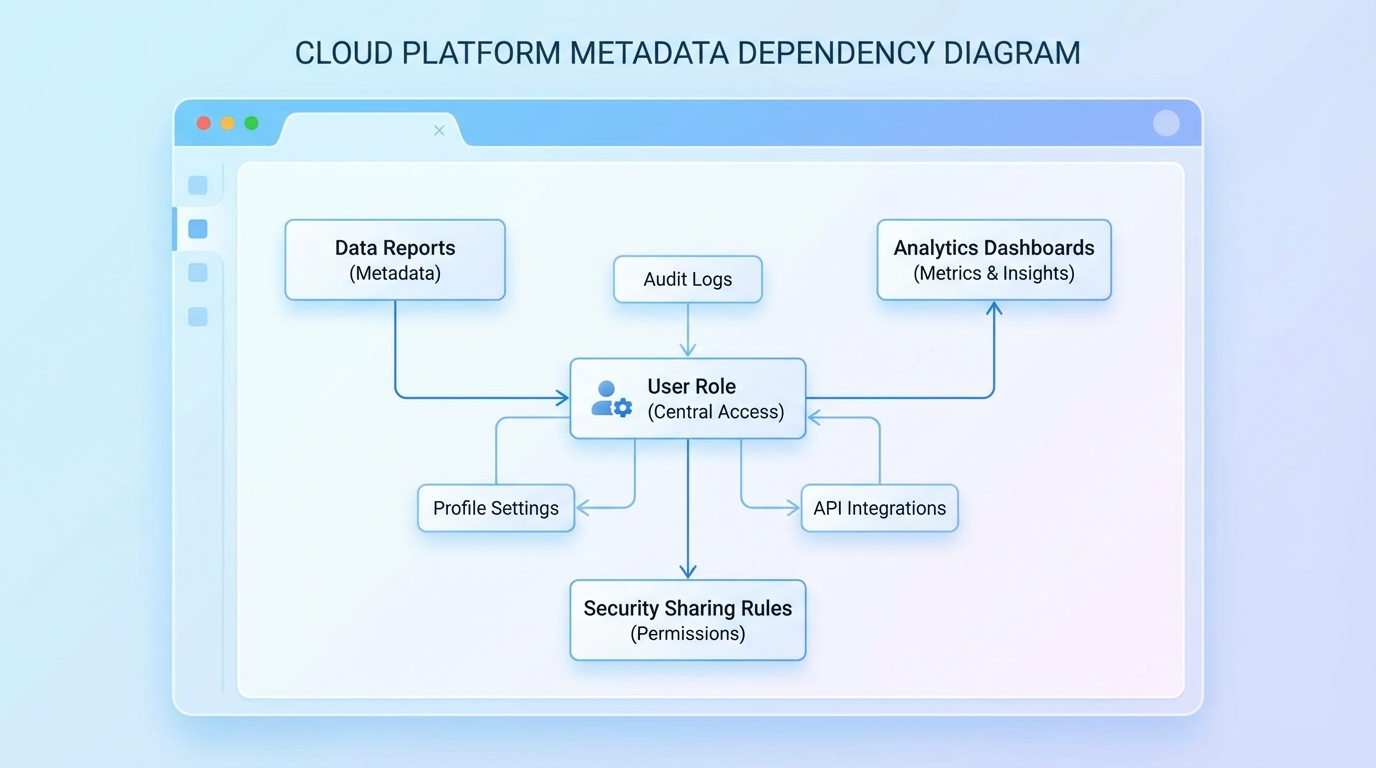
A technical diagram showing the interconnected dependencies between a user role and various system elements like reports and sharing rules.
Checking for active users before you delete Salesforce role
This is the most obvious step and people still miss it. You technically can't delete a role that is assigned to active users anyway, but the UI doesn't always show you the full impact. I prefer to run a quick query to see exactly who we're talking about. It's faster and more reliable than clicking through pages of users.
SELECT Id, Name, Email, UserRoleId FROM User WHERE UserRoleId = '00EXXXXXXXXXXXX'
If that query returns zero rows, you're off to a good start. Don't celebrate yet. You still need to check whether the role is referenced in your automation. If you have a Flow or an Approval Process that looks for a specific UserRole.Name, your logic is going to fail the moment that role is gone. I've seen plenty of Apex triggers break because someone hardcoded a role ID or name from five years ago.
The difference between active and inactive users trips people up. Even if a user is inactive, they might still be assigned to the role. That won't stop the deletion, but it's better to keep your metadata clean and reassign them first.
The hidden references in your code
Don't forget about custom code. We usually discuss Salesforce roles vs profiles in terms of basic access, but developers also use role names in Apex to handle complex logic. A quick search in your IDE for the role name or developer name is a lifesaver. It takes two minutes and saves you from a production error later.
Roles also show up in public groups and in sharing sets for Experience Cloud. If you delete the role, those groups might become empty, and your external users could lose access to their records instantly. That's a bad day for everyone involved.
Your pre-deletion checklist
So what should you actually do before you delete Salesforce role hierarchies? Here is the checklist I use for every project:
- Reassign your users: move active users to their new roles before you try to delete anything.
- Audit your sharing rules: check whether the role is used as a target or a source for sharing.
- Scan your automation: look through Flows, Approval Processes, and those old Workflow Rules.
- Check your code: search your entire codebase for the role's Developer Name or ID.
- Update your reports: any report filtered by "My Team" or by specific roles might need a look.
One more thing: validate everything in a sandbox. I know it's tempting to just do it in production, but visibility changes are hard to undo once the recalculation starts. Run your cleanup in a full copy sandbox first and check your key dashboards. If the numbers change, you know you've missed a reference.
Key takeaways
- Data visibility is tied to the role hierarchy, so deleting a role can block access for managers.
- Always query the User object to find assigned users before attempting a deletion.
- Automation and Apex often reference roles by name or ID; check these before you delete anything.
- Test the change in a sandbox to confirm reports and dashboards still show the correct data.
Don't rush it. Take ten minutes to run your queries and check your references. Doing the prep work now is much easier than recreating a deleted role hierarchy on a Friday afternoon while everything is breaking.



Leave a Comment