
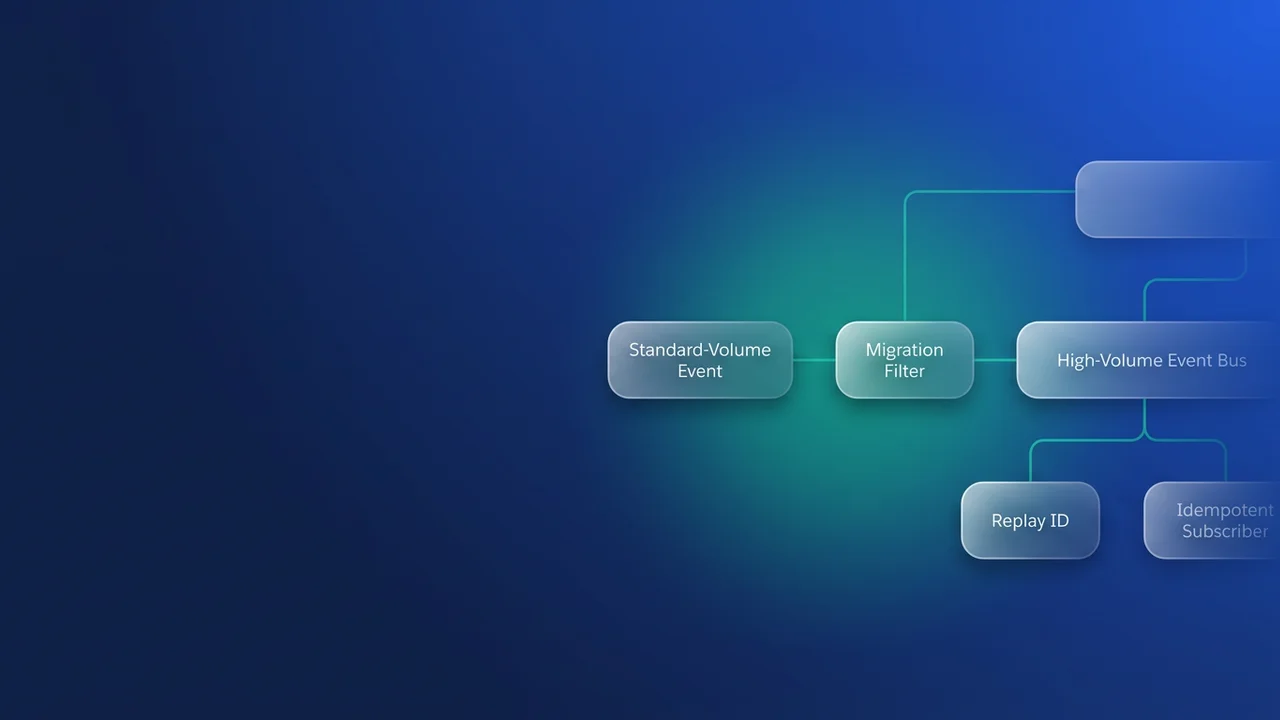

Any custom platform event defined in API 44.0 or earlier is standard-volume, and the Platform Events Developer Guide says that event type retires in Summer '27. Moving to high-volume takes more than changing a setting, because retention, allocation counting and redelivery all affect the code that consumes the event. The job is to move each event and make sure every subscriber can handle duplicates and replay.
Find the standard-volume events in your org
From API version 45.0, new custom event definitions are high-volume by default, and you can no longer define new standard-volume ones. That means the list of affected events is closed: definitions created at API 44.0 or earlier that nobody has migrated since.
If you only have one or two events, Setup > Platform Events shows the event type on each definition's detail page. If you have more, retrieve the metadata and read two fields, eventType and publishBehavior.
sf project retrieve start \
  --metadata "CustomObject:Shipment_Status__e" \
  --metadata "CustomObject:Invoice_Posted__e" \
  --target-org prod-readonly

grep -H -E "<eventType>|<publishBehavior>" \
  force-app/main/default/objects/*__e/*.object-meta.xml
A standard-volume definition looks like this:
<CustomObject xmlns="http://soap.sforce.com/2006/04/metadata">
    <deploymentStatus>Deployed</deploymentStatus>
    <eventType>StandardVolume</eventType>
    <label>Shipment Status</label>
    <pluralLabel>Shipment Statuses</pluralLabel>
    <publishBehavior>PublishAfterCommit</publishBehavior>
</CustomObject>
Record both values in your inventory. Next to each event, list every publisher (Apex, Flow, API clients) and every subscriber (triggers, flows, CometD, Pub/Sub API, empApi components, event relays).
What changes when an event becomes high-volume
Migration doesn't change how publishing works. High-volume events publish asynchronously, and standard-volume events have done the same since Spring '21. If your code already treats a successful publish as "queued", that assumption still holds afterwards.
Retention and allocation counting do change. The standard-volume column below comes from the standard-volume allocations page; the high-volume column is per the Default Platform Event Allocations page at the time of writing.
| Axis | Standard-volume (API 44.0 and earlier) | High-volume |
|---|---|---|
| Retention | 24 hours | 72 hours |
| Publishing per hour | 100,000 Performance/Unlimited and Enterprise; 1,000 Developer/Professional | 250,000 Performance/Unlimited and Enterprise; 50,000 Developer |
| Delivery per 24 hours | 50,000 Performance/Unlimited; 25,000 Enterprise; 10,000 Developer and Professional (API add-on) | 50,000 Performance/Unlimited; 25,000 Enterprise and Professional (API add-on); 10,000 Developer |
| What counts toward delivery | CometD clients | Pub/Sub API, CometD, empApi components, event relays. Apex triggers, flows and Process Builder excluded |
On standard-volume, CometD clients that go over the delivery allocation receive 403::Organization total events daily limit exceeded. An add-on adds 100,000 delivered events per day, and Salesforce recommends keeping CometD delivery under 5 million events per day.
With 72 hours of retention instead of 24, a subscriber that was down over a weekend can catch up through replay. The flip side is that a client replaying from the earliest retained event can receive up to three days of history, so it has to deduplicate.
On high-volume, both allocations are rolling windows (the last hour and the last 24 hours), and each delivery to an API client counts. Say four external consumers each receive 7,000 events in a day. That is 28,000 deliveries against a 25,000 Enterprise allocation, even though only 7,000 events were published. Triggers and flows don't count toward delivery, so moving a consumer out of an external client and into Apex is a legitimate way to free up headroom.
Publish behaviour and allOrNone
Review publishBehavior while you migrate, because it controls what allOrNone means for API publishers. Under Publish Immediately, the allOrNone header is ignored for API publishes, and Apex cannot undo the publish with Database.setSavepoint() and Database.rollback(). Under Publish After Commit, the header applies to the initial enqueuing, and a rollback to a savepoint also removes the event. If an external system sends batches that must land together, use Publish After Commit with allOrNone set to true.
In Apex, a successful Database.SaveResult from EventBus.publish tells you the event was queued. Set the idempotency key at the publisher, because that is where the business meaning of the change is known.
public with sharing class ShipmentStatusPublisher {
    public static void publishChanges(List<Shipment__c> shipments) {
        List<Shipment_Status__e> events = new List<Shipment_Status__e>();
        for (Shipment__c s : shipments) {
            events.add(new Shipment_Status__e(
                Tracking_Number__c = s.Tracking_Number__c,
                Status__c = s.Status__c,
                // The same business change always yields the same key
                Idempotency_Key__c = s.Tracking_Number__c + ':' + s.Status__c + ':' + s.LastModifiedDate.getTime()
            ));
        }
        List<Database.SaveResult> results = EventBus.publish(events);
        for (Integer i = 0; i < results.size(); i++) {
            if (!results[i].isSuccess()) {
                // Nothing reached the bus for this record; success would only mean queued
                System.debug(LoggingLevel.ERROR, 'Publish failed for '
                    + events[i].Tracking_Number__c + ': ' + results[i].getErrors()[0].getMessage());
            }
        }
    }
}
Salesforce retries publishing internally on an at-least-once basis, so a subscriber can receive the same event twice. Order is guaranteed only within the batch of a single publish request, and subscribers receive events in replay ID order. Across separate requests, there is no ordering guarantee.
Harden every subscriber for duplicates and replay
For how platform events compare with the other streaming options, see the streaming API mechanisms guide. Any subscriber that writes something non-repeatable, such as an invoice line, a history row or an outbound call, needs a durable record of which keys it has already processed. A subscriber that posts invoices and assumes exactly-once delivery will post some of them twice, and reversing those postings is usually harder than fixing the trigger.
Apex triggers
The claim pattern below works because Processed_Event__c.Idempotency_Key__c is a Unique External ID field. A redelivered event fails the claim insert with DUPLICATE_VALUE and is skipped. If the real work fails, the trigger throws EventBus.RetryableException. The transaction then rolls back along with the claims, and the retry processes cleanly.
trigger ShipmentStatusSubscriber on Shipment_Status__e (after insert) {
    List<Processed_Event__c> claims = new List<Processed_Event__c>();
    for (Shipment_Status__e evt : Trigger.new) {
        claims.add(new Processed_Event__c(
            Idempotency_Key__c = evt.Idempotency_Key__c,
            Replay_Id__c = evt.ReplayId
        ));
    }
    Database.SaveResult[] claimResults = Database.insert(claims, false);

    // Keyed by tracking number so two events for one shipment in a batch do not collide
    Map<String, Shipment__c> shipments = new Map<String, Shipment__c>();
    List<Shipment_History__c> history = new List<Shipment_History__c>();

    for (Integer i = 0; i < claimResults.size(); i++) {
        Shipment_Status__e evt = Trigger.new[i];
        if (!claimResults[i].isSuccess()) {
            Database.Error err = claimResults[i].getErrors()[0];
            if (err.getStatusCode() == StatusCode.DUPLICATE_VALUE) {
                continue; // processed on an earlier delivery
            }
            throw new EventBus.RetryableException('Claim failed: ' + err.getMessage());
        }
        shipments.put(evt.Tracking_Number__c, new Shipment__c(
            Tracking_Number__c = evt.Tracking_Number__c,
            Status__c = evt.Status__c
        ));
        history.add(new Shipment_History__c(
            Tracking_Number__c = evt.Tracking_Number__c,
            Status__c = evt.Status__c,
            Event_Uuid__c = evt.EventUuid
        ));
    }

    try {
        upsert shipments.values() Shipment__c.Tracking_Number__c;
        insert history;
    } catch (DmlException e) {
        throw new EventBus.RetryableException(e.getMessage());
    }
}
If a trigger processes part of a batch and then stops early (for example, to stay inside governor limits), call EventBus.TriggerContext.currentContext().setResumeCheckpoint(evt.ReplayId) with the last event it completed. The next invocation resumes after that event.
The trigger stores EventUuid for tracing. The developer guide's page on defining events names it as the field to use to uniquely identify an event message. It is always unique, system-populated, read-only and available in API version 52.0 and later. Don't dedupe on ReplayId, which isn't guaranteed to be unique when Salesforce maintenance activities occur and isn't guaranteed to be contiguous. Don't dedupe on EventUuid either. If the source system re-sends a change or a publishing job reruns, Apex creates a new message with a new EventUuid, so the business key stays the dedupe key.
Flows
Platform event-triggered flows get the same at-least-once delivery. When the write is naturally idempotent, such as setting a status, upsert the target by external ID, and a repeat delivery does no harm. When it isn't, use Create Records on the claim object first, with a fault path that ends the flow quietly on a duplicate. A Get Records check followed by a Decision looks simpler, but two interviews running at the same moment can both pass the check, so only the unique field stops the second write.
Pub/Sub API and CometD clients
External clients carry the most risk because they own their replay position. Pub/Sub API is pull-based. The server sends only as many events as the client has requested, so the client has to request more as each batch is used up. Save the replay ID after an event has been processed. If you save it before, a crash between saving and processing loses that event for good.
// Field names assume @grpc/proto-loader with keepCase: false; Salesforce's sample uses snake_case.
const TOPIC = '/event/Shipment_Status__e';
const BATCH = 100;
const lastReplayId = await checkpointStore.get(TOPIC); // Buffer (replay ID is bytes) or null

const stream = pubSubClient.Subscribe(authMetadata);
let remaining = BATCH;

// Only the first request positions the stream
stream.write({
  topicName: TOPIC,
  replayPreset: lastReplayId ? 'CUSTOM' : 'LATEST',
  replayId: lastReplayId || undefined,
  numRequested: BATCH
});

async function handle(fetchResponse) {
  if (fetchResponse.events.length === 0) return; // keepalive, nothing to process
  for (const consumerEvent of fetchResponse.events) {
    const payload = await decodeAvro(consumerEvent.event);
    await applyIfNew(payload.Idempotency_Key__c, payload);
    await checkpointStore.set(TOPIC, consumerEvent.replayId);
  }
  remaining -= fetchResponse.events.length;
  if (remaining <= 0) {
    // Follow-up requests carry no replay fields
    stream.write({ topicName: TOPIC, numRequested: BATCH });
    remaining = BATCH;
  }
}

// Chain responses so batches are processed and checkpointed in arrival order
let chain = Promise.resolve();
let failed = false;
stream.on('data', (fetchResponse) => {
  chain = chain
    .then(() => { if (!failed) return handle(fetchResponse); })
    .catch((err) => {
      failed = true;
      console.error('Subscriber stopped; a restart resumes from the last checkpoint', err);
      stream.end();
    });
});
On high-volume, a stored replay ID stays usable for 72 hours. If a client has been down for longer, replay can't fill the gap and you have to reconcile from the source system. CometD clients have the same options: -1 for new events only, -2 for everything retained, or a specific stored ID.
Migration steps and a test plan
- Finish the inventory described above and sort the events by how many subscribers each one has.
- Look in Setup in a sandbox for a migration option. Salesforce staff have said a migration tool reached preview, but nobody has confirmed whether it is available in your org. If it is there, run it in a sandbox before production.
- If it isn't there, take the manual path. Create a parallel high-volume definition with the same fields plus
Idempotency_Key__c, deploy hardened subscribers to it, then switch the publishers over. Keep the old subscribers running until the old event's 24-hour retention has emptied, then remove them. - Watch allocations through the REST limits resource during the first week.
curl -s "$INSTANCE_URL/services/data/v66.0/limits" \
  -H "Authorization: Bearer $ACCESS_TOKEN" \
  | jq 'with_entries(select(.key | test("PlatformEvents")))'
The test plan has three scenarios, each with a pass condition. For duplicate injection, publish the same key in two separate requests and assert that only one history row exists (see the Apex test below). For outage replay, stop the Pub/Sub client, publish 500 events and restart it an hour later. Assert that every event was processed once and that the checkpoint equals the last replay ID, which also proves the client keeps requesting batches past the first 100. For load, run a realistic day of fan-out and read the limits output.
@isTest
private class ShipmentStatusSubscriberTest {
    @isTest
    static void duplicateEventIsProcessedOnce() {
        String key = 'TRK-1001:Shipped:1791363600000';
        Shipment_Status__e evt = new Shipment_Status__e(
            Tracking_Number__c = 'TRK-1001', Status__c = 'Shipped', Idempotency_Key__c = key);

        Test.startTest();
        EventBus.publish(evt);
        Test.getEventBus().deliver();
        EventBus.publish(evt.clone());
        Test.getEventBus().deliver();
        Test.stopTest();

        System.assertEquals(1, [SELECT COUNT() FROM Shipment_History__c WHERE Tracking_Number__c = 'TRK-1001']);
    }
}
Timeline and the conflicting dates
| Source | What it says | Status |
|---|---|---|
| Platform Events Developer Guide | Standard-volume custom platform events will be retired in Summer '27 | Official, re-checked 7 October 2026 |
| Earlier release note | The Summer '25 retirement was postponed | Reported; the Help page could not be retrieved |
| Salesforce staff, Trailblazer Community | Migration tool in preview, GA planned for Summer '26, later "aiming" for Winter '27 | Unconfirmed staff comments |
| Community user, September | No migration button in a pre-release Winter '27 org | Single report |
Some staff comments in the same community threads put the retirement itself in Winter '27. Those comments are unconfirmed. Winter '27 is now live and the guide still says Summer '27, so the guide's date is the one to plan against.
I would still plan to finish well before Summer '27, because of how much work sits behind each event. Every subscriber needs an idempotency key, a claim pattern and correct checkpoint handling, each of those needs a test, and the migration tool may not be in your org when you want it. Check each release's notes in case the date moves.
What to watch for
- Recreating an event changes its API name. Search Apex, flows, Pub/Sub topic names, CometD channels and permission sets for the old name.
- Messages retained on the old event will not appear on a new definition. Let the old subscribers drain before you remove them.
- Ordering is guaranteed only within one publish request. If a subscriber needs sequence across requests, carry a timestamp or version field on the event and compare it before writing.
- On high-volume, delivery usage multiplies with each external API client. Adding one dashboard subscriber can push an Enterprise org past 25,000.
- On standard-volume, Developer and Professional orgs publish only 1,000 events per hour, so load tests there hit that ceiling long before production would.
- Alert when a stored replay ID is older than about 60 hours, so there is still time to replay before the 72-hour window closes.

Leave a Comment