


If you've spent any time in a mature org, you've had to deal with Salesforce Large Data Volumes. It usually starts with a single report that takes forever to load, and before you know it the whole system feels like it's wading through molasses. "Large" is relative, though. For some orgs it's a million records; for others we're talking billions.
The threshold that matters is when your org starts feeling heavy. Queries that used to take milliseconds start timing out, and users complain that their list views spin forever. I've seen teams ignore those early warning signs, only to have a critical data load fail right when they needed it most.
Why Salesforce Large Data Volumes break things
When you hit that LDV threshold, the standard ways of doing things stop working. Your triggers start hitting governor limits because they're processing too much at once. Or you're seeing those dreaded "UNABLE_TO_LOCK_ROW" errors during a bulk update. It's frustrating, but it usually means your architecture needs a tune-up.
One thing that trips people up is data skew, which can absolutely murder your performance. If you have ten thousand contacts all linked to one parent account, Salesforce has to work ten times harder to figure out who can see what. It's a classic bottleneck, and I see it in almost every old org I audit.
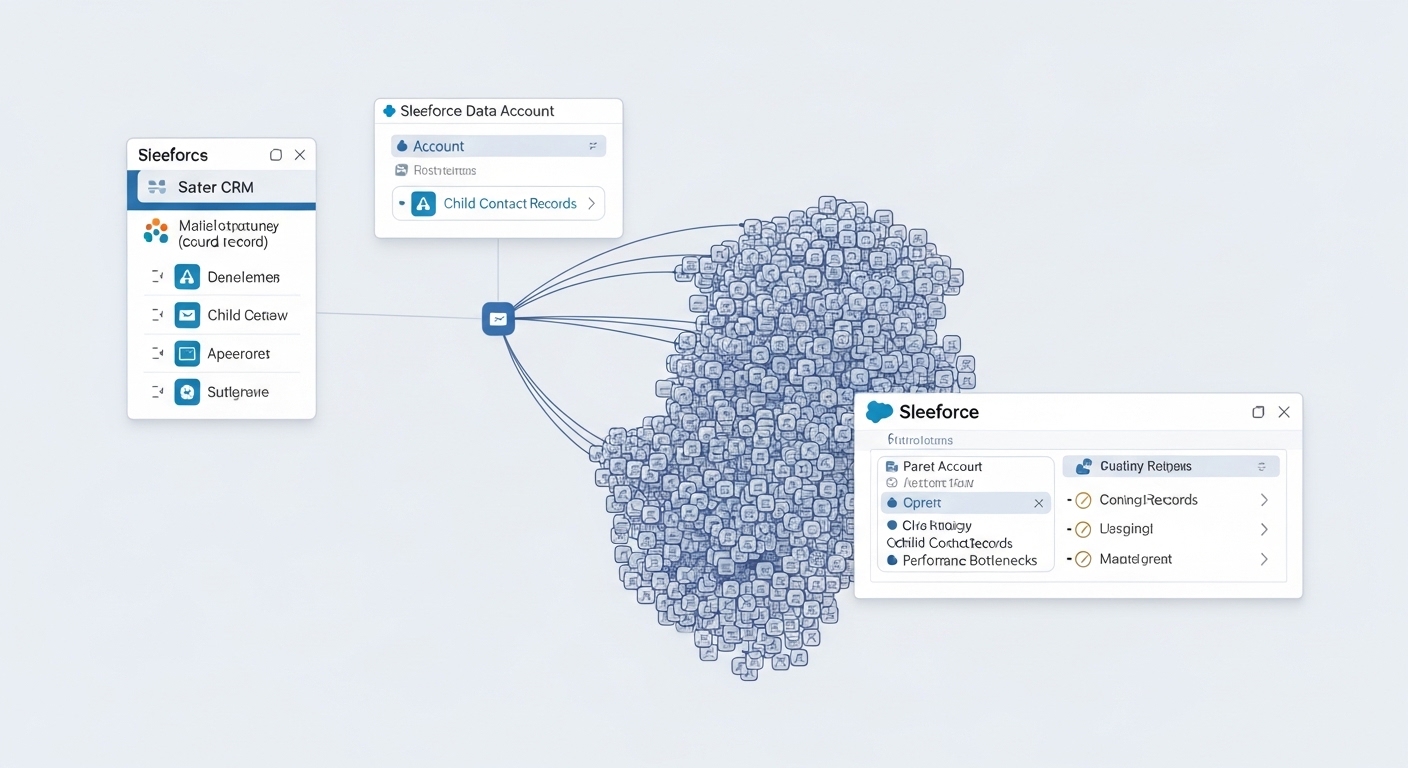
Data skew drawn out: one parent, thousands of children, one very unhappy sharing engine.
Strategies for managing Salesforce Large Data Volumes
You don't need to be a data scientist to handle this, but you do need a plan. Throwing more code at the problem and hoping it goes away does not work. Here are the big moves that make a difference in the real world.
1. Fix your data model
Keep your relationships as simple as you can. If you have a high-volume object, don't clutter it with a dozen lookups that nobody uses. I've found that moving to a master-detail relationship helps with some things, but it also makes record locking more likely. It's a trade-off. Also, try to avoid many-to-many relationships on objects that grow by millions of rows a year.
2. Get serious about indexing
When you're deep in Salesforce Large Data Volumes territory, standard fields like CreatedDate or Name are already indexed, but that's often not enough. If you're constantly filtering by a custom "Region" field, you need to make it an External ID or ask Salesforce Support for a custom index. And please, stop using "CONTAINS" in your SOQL. It forces a full table scan, which is about the slowest way to find data.
3. Use skinny tables
Hardly anyone reaches for this one. If you have an object with 100 fields but your users only ever report on five of them, a skinny table can help. It creates a separate table with just those fields, skipping the overhead of the main table. It sounds like magic, but you have to ask Salesforce to turn it on for you.
4. Move heavy work to the background
If a user clicks "Save," they shouldn't have to wait for 50 other records to update. I usually tell people to move heavy logic to Async Apex whenever they can. Whether it's a Queueable job or a Batch process, keeping the UI snappy is priority number one. If you're building LWCs that need to show this data, you might want to use Apex cursors to stream large datasets instead of loading everything at once.
5. Archive your old stuff
Most teams try to keep every single record from 2012 in their live system. Do you really need ten-year-old task logs? Probably not. Move that data to an external database or use Big Objects. Big Objects suit Salesforce Large Data Volumes that just need to sit there for compliance but don't need editing day to day.
If your query takes more than a few seconds, don't just blame the platform. Check your filters first. Most "slow" Salesforce issues are actually just bad SOQL.
6. Optimize your triggers
If you have five different triggers on one object, you're asking for trouble. Stick to a one-trigger-per-object pattern and make sure your code is bulkified. I've seen triggers that work fine with 10 records and completely explode when a data load hits them with 200. Always test your logic against the maximum batch size.
7. Virtualize when possible
Sometimes the best way to handle data in Salesforce is to not have it in Salesforce at all. If you have 50 million rows of order history in a SQL database, use Salesforce Connect to show it as an External Object. It keeps your storage costs down and your org running lean.
Practical checklist for your next audit
- Check which objects have more than 1 million records and see if they have custom indexes.
- Look for SOQL queries using "!=" or "NOT LIKE", which are performance killers.
- Identify "hot" records with too many child relationships to avoid locking issues.
- Review your Batch Apex jobs to see if any are running for hours on end.
- Set up a data retention policy so you aren't paying for storage you don't need.
Key takeaways
- Selectivity is king: if your queries aren't selective, your performance will tank.
- Async is your friend: don't make users wait for complex calculations.
- Archive early: don't wait until you hit 90% storage capacity to think about a purge.
- Watch for skew: distribute your data to keep the sharing engine happy.
Managing Salesforce Large Data Volumes is one of those things that separates the junior admins from the architects. There's no single "fix"; it's a habit of clean data and efficient code. Keep your Salesforce Large Data Volumes strategy simple: index what you search, archive what you don't use, and always, always bulkify your logic. Your users (and your sanity) will thank you later.



Leave a Comment