
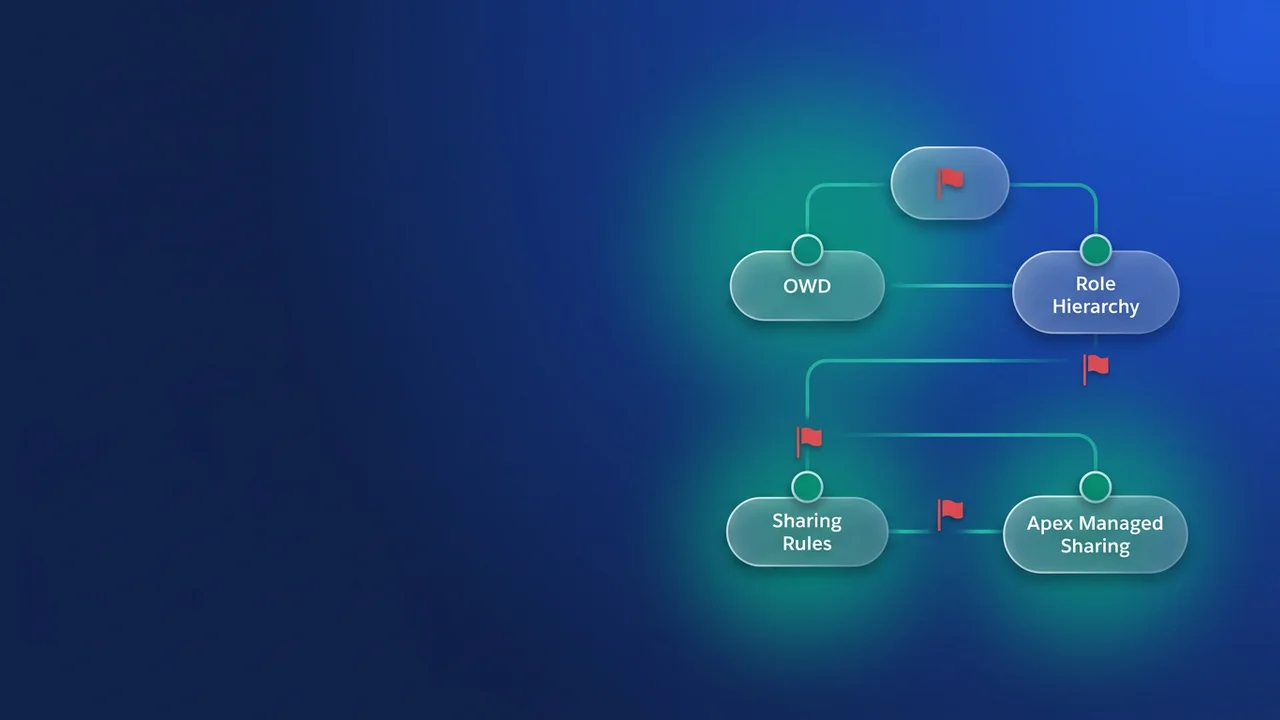

A sharing model fails quietly, then all at once
Nothing in a sharing model fails the build. If a nightly job deletes four thousand share rows another team's code created, Apex raises nothing to say those rows belonged to someone else: the deployment is green, and records stop being visible to people who used to see them. The bill arrives later, as an audit finding or a batch job blowing DML row limits two years after go-live. What follows is the design review I run over a sharing model, for readers who already know what OWD, role hierarchy and share objects do.
The examples come from a freight org: Shipment__c for consignments, Claim__c for damage and loss, and a Carrier_Assignment__c junction linking carrier users to the shipments they are moving. There is a customer portal where shippers track their own consignments.
Match the mechanism to the relationship, not to the ticket
Every sharing requirement arrives as a sentence about people. The design job is working out which of three shapes it actually is.
- Structural and stable. “Terminal managers see everything their terminals own.” That is ownership plus role hierarchy, and no code belongs anywhere near it.
- Attribute-based and set-shaped. “Everyone in Claims Investigations sees shipments flagged for investigation.” That is a sharing rule pointed at a public group.
- Record-specific and computed. “A carrier's dispatchers see the shipments they are assigned to, and only while assigned.” That is Apex managed sharing, because no declarative rule can express a junction row.
The common failure is solving the second problem with the third mechanism, or the first with the second. The second shape is also where orgs quietly run out of room. An object gets 300 sharing rules by default, of which at most 50 can be criteria-based. Support can raise those to 500 and 200. Read the pair together: the ceiling on total rules is about 1.7 times the default. If you sit at 240 rules on Shipment__c and the plan is to file a case, you have bought maybe a year.
Once an object passes roughly half its rule budget, I stop adding rules and move the variability into group membership. One rule sharing to a public group, plus code or flow maintaining that group's members, replaces the twenty per-region rules about to become forty. Name the trade-off in review, because it is real: group membership is far less visible than a list of rules in Setup, and it needs its own tests and monitoring.
Criteria-based rules carry a second cost: they recalculate when the criteria field changes. Keying a rule on Shipment_Status__c, which changes a dozen times between pickup and delivery, buys recalculation churn and users watching access flicker on and off across the record's lifecycle. Key on something that changes once, like Origin_Terminal__c, or do not use a criteria rule here.
| Mechanism | Survives an owner change | Who can create or change it | Where it runs out |
|---|---|---|---|
| OWD + role hierarchy | Access re-derives from ownership | Admins, in Setup | One hierarchy has to model every structural relationship in the org |
| Ownership / criteria sharing rules | Rule-defined, not row-defined | Admins, in Setup | 300 per object, 50 criteria-based; Support ceiling 500 / 200 |
| Manual (user-managed) sharing | Not maintained on owner change | Users, ad hoc, outside anything you control | Invisible to code; nobody can tell you why a grant exists |
| Apex managed sharing | Maintained when the owner changes or is deactivated | Only users with “Modify All Data” | Share rows count against 10,000 DML records and 50,000 SOQL records per transaction |
| Experience Cloud sharing set | Access derives from the account/contact match | Admins, per site | Access is not extended to superiors in the role hierarchy |
| Share group | n/a | Admins, per sharing set | Not available to users with Customer Community Plus and Partner Community licenses |
Scope every Apex share delete by RowCause
Apex managed sharing on a custom object runs through Shipment__Share, and four fields carry the model: ParentId, UserOrGroupId, AccessLevel, RowCause. RowCause, surfaced in the UI as the “Reason” field, is the one people treat as decoration. With a custom Apex sharing reason, referenced in code as Schema.Shipment__Share.RowCause.Carrier_Assignment__c, it is the only thing marking a share row as belonging to your code rather than someone else's.
Here is the version I find most often, usually written by someone told to “just rebuild the shares”:
// Do not ship this.
public static void rebuildCarrierAccess(Set<Id> shipmentIds) {
    delete [SELECT Id FROM Shipment__Share WHERE ParentId IN :shipmentIds];
    insert buildCarrierShares(shipmentIds);
}
The WHERE clause names one thing: the parent. So the delete takes every deletable share row on those shipments: the manual share an ops lead granted last week, and rows written under every other Apex sharing reason in the org, including ones another team ships from another repo. The rebuild restores only the carrier rows, because that is all this class knows how to build. Apex raises nothing to mark the difference; the loss surfaces as missing access, not as an error.
I have watched this run nightly for four months in an org where another team owned an escalation sharing reason on the same object. Nobody connected the dots until an access review asked why investigators had stopped opening cases on shipments assigned to them. They had lost read access on every shipment the nightly job touched, and had been raising tickets against the wrong system since spring.
The fix is a WHERE clause:
public with sharing class CarrierAccessService {

    private static final String REASON =
        Schema.Shipment__Share.RowCause.Carrier_Assignment__c;

    public static void syncCarrierAccess(Map<Id, Set<Id>> groupIdsByShipmentId) {
        delete [
            SELECT Id
            FROM Shipment__Share
            WHERE ParentId IN :groupIdsByShipmentId.keySet()
              AND RowCause = :REASON
        ];

        List<Shipment__Share> fresh = new List<Shipment__Share>();
        for (Id shipmentId : groupIdsByShipmentId.keySet()) {
            for (Id groupId : groupIdsByShipmentId.get(shipmentId)) {
                fresh.add(new Shipment__Share(
                    ParentId      = shipmentId,
                    UserOrGroupId = groupId,
                    AccessLevel   = 'Edit',
                    RowCause      = REASON
                ));
            }
        }

        Database.insert(fresh, false);
    }
}
Correctness is the first argument for that filter; volume is the second. Share rows are records, counting against the same ceilings as anything else: 50,000 records retrieved by SOQL and 10,000 processed by DML per synchronous transaction, across 100 queries and 150 DML statements. Take 400 shipments in a job scope, each carrying around 30 share rows once you count every reason plus manual grants. The unscoped version retrieves 12,000 rows and attempts to delete 12,000, which is past the DML row limit before it inserts anything. The scoped version touches only the six rows per shipment this code owns: 2,400 deleted, 2,400 inserted, inside one transaction.
There is a second reason to prefer this over manual sharing. Apex managed sharing is maintained when the record owner changes or is deactivated; user-managed sharing is not. For a relationship like a carrier assignment, which outlives whichever dispatcher owns the shipment this week, that alone is decisive. The cost is identity: only users with “Modify All Data” can add or change Apex managed sharing on a record. If your recalculation is reachable from a trigger any dispatcher can fire, or from an integration user, that identity has to hold the permission or the write fails. Decide it at design time.
Experience Cloud sharing points the other way
External sharing is where internal habits do the most damage, because the vocabulary looks familiar and the behaviour is not. A sharing set is not a sharing rule. It grants site users access to any record associated with an account or contact that matches the user's account or contact, through access mappings you define per object, which can follow indirect lookups from the user to the target record. Mappings grant Read Only or Read/Write, and objects whose org-wide default is Public Read/Write are excluded.
Then the line nobody remembers: “Record access granted to users via a sharing set isn't extended to their superiors in the role hierarchy.” Roll-up is so automatic internally that architects stop noticing they depend on it; externally it is absent. The shipper's dispatcher sees her own account's shipments; her manager, above her in the partner account's role hierarchy, sees nothing. That gets logged as “the role hierarchy is broken” and gets fixed by widening OWD. If those managers need visibility, design it as its own grant.
Share groups travel the other direction: they share records owned by high-volume Experience Cloud site users with authenticated internal and external users. When a shipper logs a Claim__c in the portal and that portal user owns the record, a share group is how the Claims Investigations team sees it at all. One constraint decides whether the design is even available: “Share groups functionality isn't available to users with Customer Community Plus and Partner Community licenses.” Check the licence mix before you draw the diagram.
Three questions before you widen anything
When someone cannot see what they need, there are exactly three places the block can sit, and they are independent axes of control:
- Can they see the object at all? Object permissions, on a permission set.
- Can they see this field? Field-level security, on a permission set.
- Can they see this row? Sharing.
Effective access is the intersection of the three. Sharing governs record visibility and nothing else. It cannot hide a field from someone who can already open the record, and it cannot grant a field the user has no FLS on. Answer all three before changing anything.
Conflating them is how security regressions ship as bug fixes. A report comes back with blanks, someone concludes “they don't have access”, and the fix is a new criteria-based rule handing a whole team read access to the object. The blanks were FLS on two fields. The rule shipped, the org now shares records with a group that never needed them, and the change record says the access issue was resolved. Worse, where several rules overlap and grant different levels, the most permissive wins, so the widest rule anyone ever added defines your real security posture. Reason enough to keep the rule count low enough to read in one sitting.
What to watch for
- “Apex sharing reasons and Apex managed sharing recalculation are only available for custom objects.” Standard objects need a different plan; do not design a reason-scoped model for
Caseand discover this at build time. - A
RowCause-scoped delete protects other reasons from your code. It does not protect your code from theirs. One writer per reason, enforced in review. AccessLevelis Read (Read Only), Edit (Read/Write) or All (Full Access), and where a user holds several shares the most permissive applies. Removing one grant does not remove access if another still stands, a common false negative when testing a revocation path.- The 300 limit includes criteria-based rules. Do the arithmetic on the total, not on the 50-rule criteria bucket alone.
- The “Modify All Data” requirement is fixed; the running identity of each entry point into your sharing code is your decision.

Leave a Comment