

Ever hit that wall where your code just stops dead with a nasty error message? I'm talking about the Salesforce Mixed DML error, a classic headache that happens when you try to update a User and an Account in the same transaction. It's one of those things that every developer runs into eventually, and honestly, it can be a real pain if you don't know why it's happening.
What exactly is Salesforce Mixed DML?
So, here's the deal. Salesforce splits objects into two camps: setup objects and non-setup objects. A Mixed DML error occurs when you try to perform a DML operation (like insert, update, or delete) on both types in a single transaction. Salesforce basically says, "Wait, I can't let you do that."
Setup objects are things that change the configuration of your org. Think about Users, Groups, Permission Sets, or Queues. Non-setup objects are your actual data - things like Accounts, Contacts, Leads, and any custom objects you've built. When you mix them, the system gets worried about transactional integrity. But don't worry, it's a common hurdle and there are easy ways around it.
The error you'll see
Usually, your debug logs will throw something like this:
System.DmlException: DML operation on setup object is not permitted after you have updated a non-setup object type
It's pretty direct, but it doesn't always tell you where the conflict started. I've seen teams spend hours hunting down which trigger or flow caused the initial update that locked the transaction.
Why does Salesforce Mixed DML happen?
Salesforce is all about keeping things stable. If a transaction fails, it needs to roll everything back. Mixing configuration changes (setup objects) with business data (non-setup objects) makes that rollback process incredibly complex for the platform. To keep the org from ending up in a "half-baked" state where a user is created but their account isn't, Salesforce just blocks the whole thing from the start.
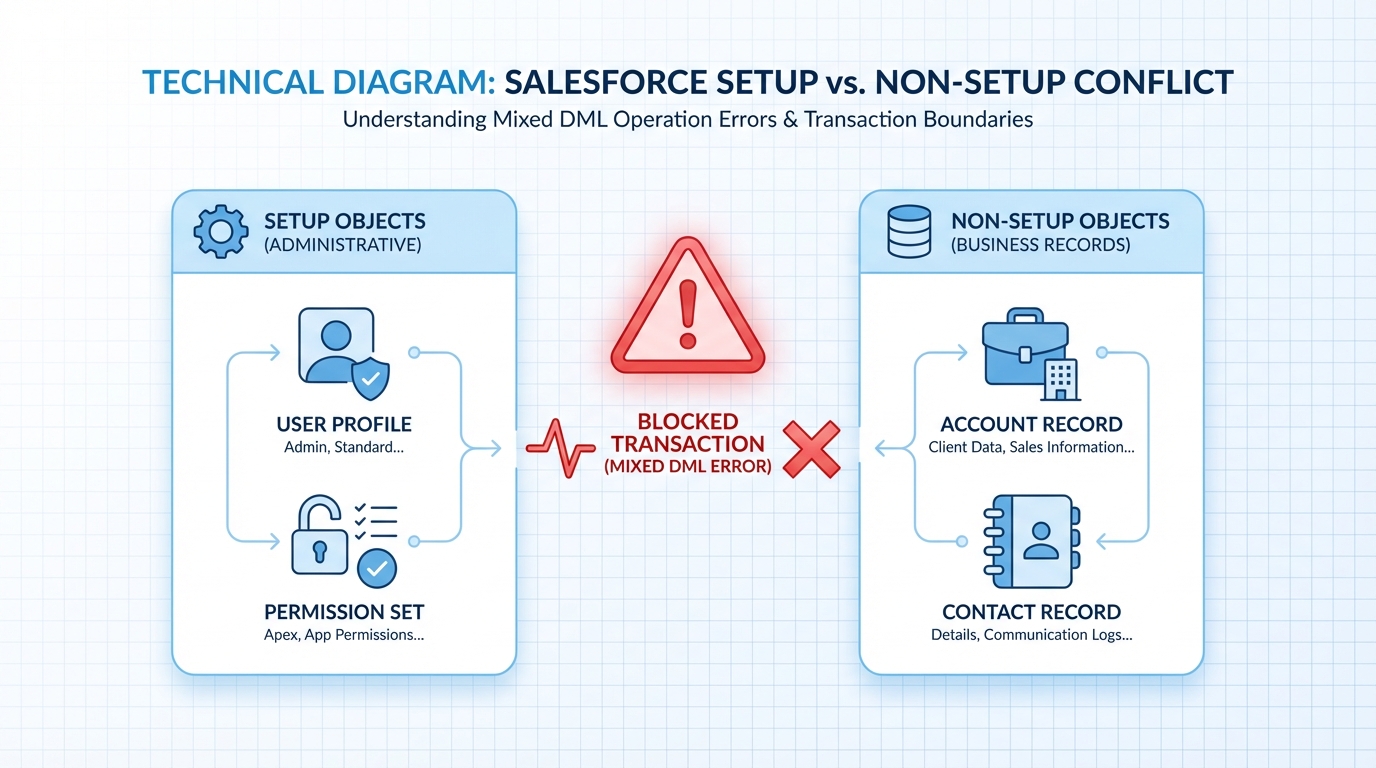
A technical diagram showing the conflict between Salesforce Setup objects and Non-Setup objects, represented by a red warning symbol between administrative and business record icons.
Common scenarios for Salesforce Mixed DML
In my experience, this usually pops up in three places. First, when you're automating user creation. Maybe you have a trigger that creates a User record whenever a specific Contact is marked as a "Partner." Second, when you're managing group memberships or queues alongside record updates. And third, and this is the big one, in unit tests.
When I first worked with complex test classes, I'd constantly hit this. I'd create a test User, then try to create some test Accounts for that user to own. If you don't isolate those steps, the test will crash every time. Sometimes you might even be trying to assign records to inactive users and hit this exact issue because of how the records are being handled.
An example of what fails
// This code will fail every single time
Account acc = new Account(Name = 'Cloud Services Inc');
insert acc; // Non-setup DML

User newUser = new User(
    Username = '[email protected]',
    LastName = 'Dev',
    Email = '[email protected]',
    Alias = 'ndev',
    TimeZoneSidKey = 'America/New_York',
    LocaleSidKey = 'en_US',
    EmailEncodingKey = 'UTF-8',
    ProfileId = [SELECT Id FROM Profile WHERE Name='Standard User' LIMIT 1].Id
);
insert newUser; // BOOM: Salesforce Mixed DML error
How to fix the Salesforce Mixed DML error
The short answer? You have to break the transaction into two pieces. You want the setup DML to happen in its own little bubble, separate from the account or contact updates. The most common way to fix a Salesforce Mixed DML error is by using asynchronous Apex. If you're weighing whether to solve this with code or a tool, my breakdown of Apex vs Flow might help you decide.
- Use @future methods: Move your setup object logic into a method with the
@futureannotation. This tells Salesforce to run that code whenever it has a free second, in a completely new transaction. - Queueable Apex: This is a bit more modern than @future. It gives you more control and lets you chain jobs together. If you're dealing with a lot of data, check out my guide on how to stay under asynchronous Apex limits.
- System.runAs() in Tests: In your test classes, wrap your User creation in
System.runAs(thisUser) { ... }. This creates a separate context and usually clears up the error for testing purposes.
Pro Tip: If you're using Record-Triggered Flows, you can often avoid this by using the "Run Asynchronously" path or by separating your logic into a subflow that runs after the main transaction finishes.
Fixed code using @future
public class UserHandler {
    @future
    public static void insertUserAsync(String profileId, String email) {
        User u = new User(
            Username = email,
            LastName = 'Async',
            Email = email,
            Alias = 'async',
            TimeZoneSidKey = 'America/Los_Angeles',
            LocaleSidKey = 'en_US',
            EmailEncodingKey = 'UTF-8',
            ProfileId = profileId
        );
        insert u;
    }
}

// In your main code
Account a = new Account(Name = 'Acme Corp');
insert a;

// This moves the setup DML to a separate transaction
UserHandler.insertUserAsync(someProfileId, '[email protected]');
Key Takeaways
- Salesforce Mixed DML happens when you update configuration (Users, Groups) and data (Accounts, Contacts) in one go.
- The restriction is there to protect the integrity of your org's metadata and data during rollbacks.
- Async Apex is your best friend here. Use
@futureorQueueableto split the work. - In unit tests,
System.runAs()is the standard way to bypass the issue. - Always keep an eye on your triggers. A hidden trigger on a standard object is often the "secret" source of a mixed DML conflict.
Look, hitting this error isn't a sign of bad code; it's just a sign that your business logic is getting more complex. Now that you know how to split those transactions, you can get back to building without the platform getting in your way. Just remember to pick the right async tool for the job and your org will stay happy.




Leave a Comment