

Why you'll need Salesforce manual sharing
If you've ever had a frustrated user ping you because they can't see a specific record, you've probably looked into Salesforce manual sharing as a quick fix. It's one of those tools that feels like a safety valve. When your Org-Wide Defaults (OWD) and hierarchy are locked down tight, manual sharing lets you grant access to a single record without overhauling your entire security model. It's about being surgical rather than using a sledgehammer.
Look, we've all been there. A sales rep needs to help out on a deal that's technically owned by another team. You don't want to change your Salesforce roles vs profiles setup just for one-off collaboration. That's where this feature shines. It lets owners or admins pick a user, a group, or a role and say, "Hey, you get to see this specific record, and here's the level of access you get."
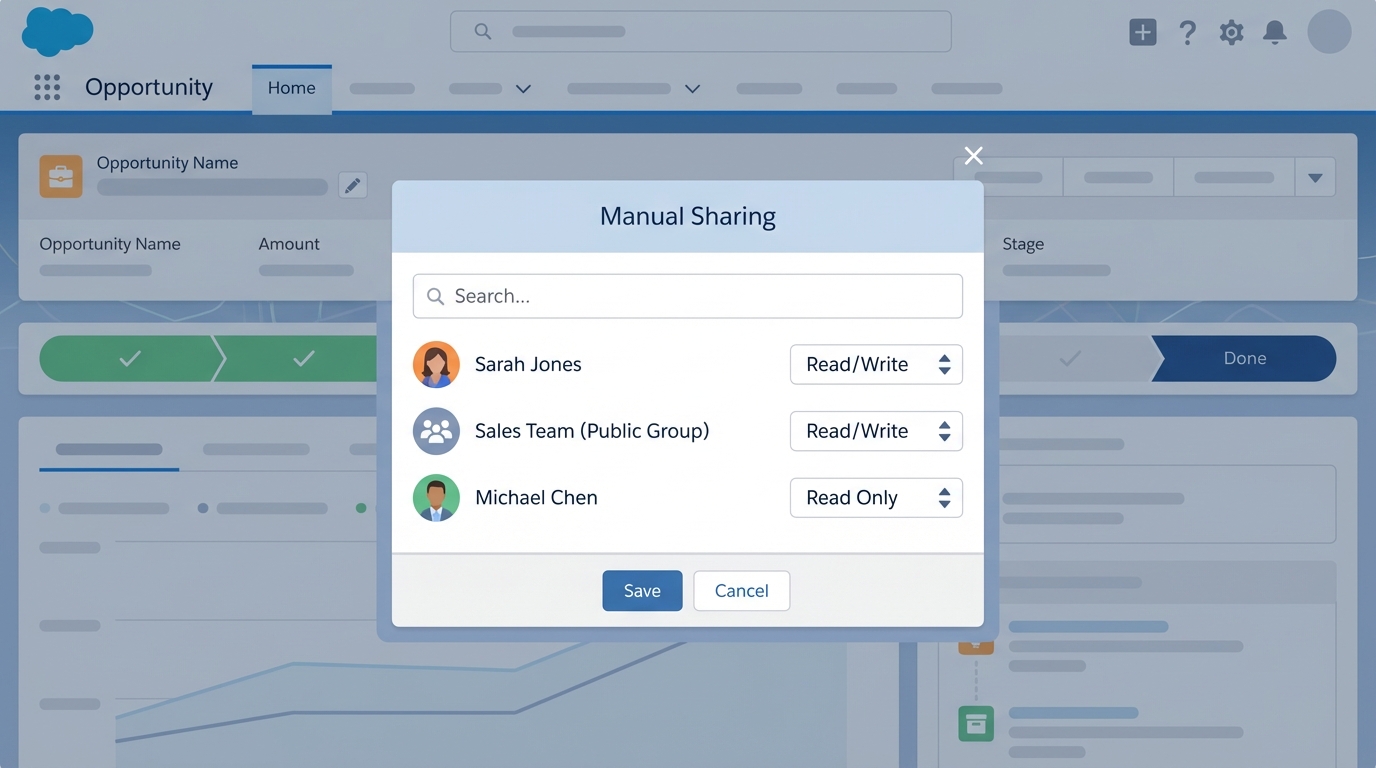
A professional UI mockup showing the Salesforce manual sharing dialog where specific users are granted individual access levels to a record.
Common scenarios for Salesforce manual sharing
So when should you actually use it? In my experience, it's best for the exceptions to the rule. If you find yourself manually sharing every single record, your sharing rules are probably broken. But for these situations, it's perfect:
- One-off collaborations where a user needs to jump into a record they don't normally touch.
- Temporary access for a contractor who just needs to update a few specific accounts.
- Executive overrides where a leader needs visibility into a sensitive record that's otherwise hidden.
But here's the thing: manual sharing is "manual" for a reason. It doesn't scale well. If you're doing this 50 times a day, you need to look at automation. I've seen teams try to manage thousands of manual shares and it always ends in a messy audit trail that nobody wants to touch.
How Salesforce manual sharing works under the hood
If you're a dev or a curious admin, you should know that Salesforce doesn't just "remember" these shares in thin air. It uses something called a Share table. Every object has one. If you have a custom object called Project__c, there's a hidden table called Project__Share. For accounts, it's AccountShare.
Each row in that table is like a permission slip. It tells the system who gets access (UserOrGroupId), which record they get (ParentId), and what they can do with it (AccessLevel). The most important part for us is the RowCause. When you share something through the UI, the RowCause is set to "Manual". This is how Salesforce knows to keep that share separate from the ones created by your automated rules.
Pro Tip: If you change the owner of a record, Salesforce wipes out all the manual shares for that record. I've seen this trip up so many admins during data migrations. Always back up your share tables if you're doing a big owner shuffle!
Creating shares: UI vs Apex
Most of your users will just use the "Sharing" button on the record page. It's simple and it works. But sometimes you need to get fancy with code. When you're weighing Apex vs Flow for sharing, Apex gives you the most control over those share tables.
Here's a quick look at how you'd do this in Apex for a custom object:
// Quick example of sharing a record via code
CustomObject__Share jobShare = new CustomObject__Share();
jobShare.ParentId = 'a0Bxxxxxxxxxxxx'; // The record ID
jobShare.UserOrGroupId = '005xxxxxxxxxxxx'; // The User ID
jobShare.AccessLevel = 'Edit'; // Give them edit rights
jobShare.RowCause = Schema.CustomObject__Share.RowCause.Manual;
insert jobShare;
The limits of Salesforce manual sharing
Before you go all-in, you need to know the catches. First, manual shares don't cascade. If you share an Account, it doesn't automatically mean the user gets access to every related custom object record unless those are controlled by parent. You have to be intentional about what you're opening up.
Second, permissions still matter. You can't share a record with someone if they don't even have "Read" access to that object on their profile. Manual sharing only handles the record-level access, not the object-level security. And honestly, it's a bit of a pain to report on. You can't just run a standard report to see every manual share in the system; you usually have to query the share tables directly or use a specialized tool.
Key Takeaways
- Salesforce manual sharing is for exceptions, not for your main security strategy.
- Shares are stored in object-specific tables like
AccountShareorCustomObject__Share. - Manual shares are deleted automatically if the record owner changes.
- Users still need object-level permissions (Profile/Permission Set) to see the records you share.
- Always prefer automated sharing rules if the logic is predictable and repeatable.
At the end of the day, manual sharing is a great tool to have in your back pocket. It's the quickest way to solve "I can't see this" problems without breaking your wider security architecture. Just make sure you aren't using it as a crutch for a poorly designed role hierarchy. Keep it simple, document why you're doing it, and your future self will thank you during the next security audit.




Leave a Comment