


What Dreamforce 2025 for Admins means for your day-to-day
I just got back from the keynote, and Dreamforce 2025 for Admins was a bit of a whirlwind. If you've been in the ecosystem for a while, you've seen plenty of "next big thing" announcements, but this year felt different. The demos leaned less on flashy AI and more on tools that handle the repetitive parts of our jobs.
We've all spent too much time clicking through Setup menus or trying to remember why we built a specific flow three years ago. The updates coming out of Dreamforce 2025 for Admins are aimed squarely at that, and they will show up in your backlog.
Setup is getting a major upgrade
The biggest news is Setup powered by Agentforce. It's currently in pilot, but the goal is simple: let you build configuration using natural language. Instead of manually creating every field and object, you just describe what you need. I've seen teams spend days on basic data modeling that could now take minutes.
Building new things is only half of it. One of the most useful features is Flow Summarization. If you've ever inherited a "spaghetti flow" from a previous admin, you'll love this. You can ask the AI to document the intent and logic of a flow so you don't have to reverse-engineer it yourself. It's a huge step for maintaining clarity in your org.
Better deployments with Dreamforce 2025 for Admins
DX Inspector is finally adding the ability to deploy metadata and data at the same time, which matters for anyone who manages sandboxes. Honestly, this is probably the most overlooked feature from the event, and it's a massive productivity boost.
In my experience, moving reference data is always the part that breaks the deployment flow. You push your new fields, then you realize you forgot to load the custom setting records or the pricebook entries. Now you can do it all in one operation. This makes managing your different sandbox types much less of a headache.
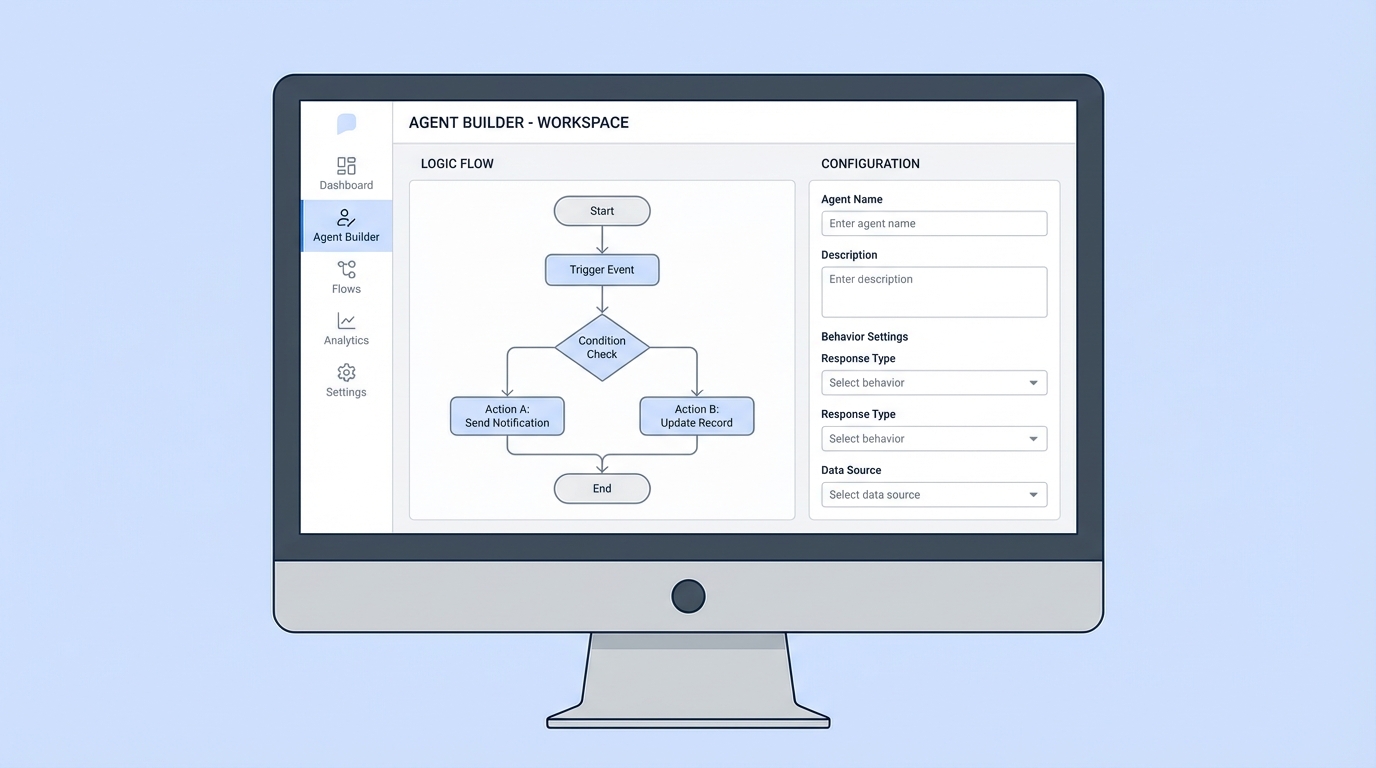
The Agent Builder interface, with its logic diagram and configuration panels.
Agent Builder and conversational authoring
We're moving away from building flows and toward building agents. The new Agent Builder is much more user-friendly. You author agents by describing their behavior in plain English, and you still keep full control over what they do.
One thing that trips people up with AI is the "black box" feeling. You don't know why it's giving a certain answer. The improved simulator shows you the logic behind the scenes, which is vital for debugging. If you're curious about how this works in the wild, check out these practical Agentforce use cases to see what's possible.
"The real win for admins isn't the AI itself - it's the time we get back. If I can spend thirty minutes less on documentation and manual data loads every day, that's time I can spend on strategy and governance."
Security and Slack integration
Security was another big focus at Dreamforce 2025 for Admins. Salesforce is giving us tighter control over Connected Apps. You'll be able to limit exactly which external apps can access your data, which is a big deal for keeping your org secure. It's not the most exciting update, but it's the one that keeps you out of trouble with your IT audit team.
Then there's Auto Slack, which gets the Salesforce and Slack connection down to a three-step setup. If your users are struggling with adoption because they hate switching between tools, this is going to help. It keeps the work where the people already are.
Key takeaways for Dreamforce 2025 for Admins
- Get on the pilot for Setup powered by Agentforce. It's the future of how we'll configure orgs.
- Start using DX Inspector for combined metadata and data pushes to save time on sandbox refreshes.
- Use Flow Summarization to clean up your technical debt before it gets out of hand.
- Review your Connected App policies before the new usage requirements kick in.
The role of the admin is changing. We're moving from "form builders" to architects of these new AI agents, and the updates from Dreamforce 2025 for Admins are all about making that transition easier. Start small, pick one new tool to master, and go from there.


Leave a Comment