
Three ways to Call Apex from LWC
Look, if you've been building components for any length of time, you know that Lightning Data Service (LDS) is great. But eventually, you'll hit a wall where you need to Call Apex from LWC to handle complex logic, heavy SOQL, or multi-object operations. It's just part of the job. I've seen teams get tangled up choosing between wire and imperative calls, so let's clear that up right now.
In my experience, you'll usually stick to three main patterns. Each has its own place in your toolkit, and picking the wrong one usually leads to weird UI bugs or performance lags that are a pain to fix later.
1. Using @wire with a property
This is the go-to move for read-only data. It's reactive, which means if your input parameters change, the wire service automatically handles the refresh for you. You don't have to write extra logic to "re-fetch" data. But here's the catch: your Apex method must have @AuraEnabled(cacheable=true). If you forget that, the wire simply won't work. If you're wondering why that annotation is so picky, you might want to check out this guide on why we use @AuraEnabled in the first place.
// Apex
@AuraEnabled(cacheable=true)
public static List<Account> getTopAccounts(Integer limitCount) {
    return [SELECT Id, Name FROM Account LIMIT :limitCount];
}

// LWC
@wire(getTopAccounts, { limitCount: '$limitCount' })
accounts;
2. Using @wire with a function
Sometimes you need to do more than just dump data into a variable. Maybe you need to format a date, calculate a total, or trigger some other logic as soon as the data arrives. That's when you use a wired function. It gives you the same reactivity as a property but lets you crack open the response and handle errors or data transformation manually.
@wire(getTopAccounts, { limitCount: '$limitCount' })
wiredAccounts({ error, data }) {
    if (data) {
        this.processedAccounts = data.map(acc => ({...acc, customLabel: 'Client: ' + acc.Name}));
    } else if (error) {
        this.error = error;
    }
}
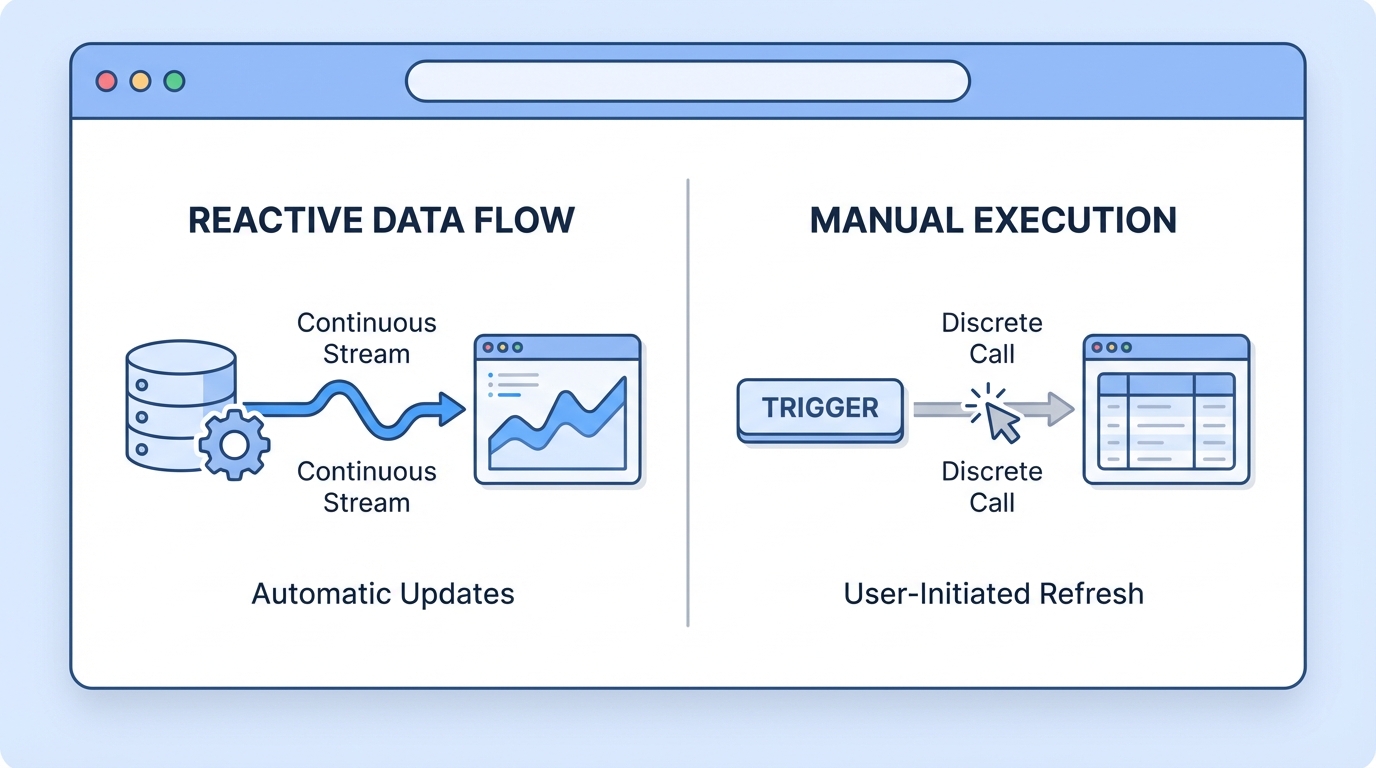
An architectural diagram illustrating the difference between reactive data streams and event-driven imperative function calls in a Salesforce development environment.
3. Imperative Apex calls
Now, here's where things get interesting. When you Call Apex from LWC imperatively, you're calling it like a standard JavaScript promise. You use this when you want control. You don't want the data to load automatically; you want it to load when a user clicks a "Save" button or when a specific event fires. Since these calls can perform DML (updates, deletes, etc.), they don't require the cacheable attribute. In fact, if you're doing anything that changes data, you must use an imperative call.
I've seen developers try to force @wire to work for search bars, but honestly, an imperative call with a debounce is usually much cleaner. It prevents the server from being hammered every time the user hits a key.
When to Call Apex from LWC vs using LDS
Before you start writing a custom controller, ask yourself: "Can I just use Lightning Data Service?" Salesforce has done a lot of work to make LDS fast. If you're just grabbing a single record or doing basic CRUD, use getRecord or updateRecord. It handles the cache across your entire browser tab automatically. You only need to Call Apex from LWC when you're dealing with multiple records, complex joins, or logic that's too heavy for the client side.
If you find yourself needing to move massive amounts of data, you should look into how to stream large datasets with Apex Cursors. It's a much better approach than trying to return 10,000 rows in a single list and watching your browser crash.
Key Takeaways for Developers
- Use @wire for displaying data that should stay in sync with the UI.
- Use Imperative calls for DML, button clicks, or when you need to control the exact timing of the execution.
- Always use cacheable=true for @wire, or it will return an error every time.
- refreshApex is your best friend when you need to force a wired property to update after a change.
Common pitfalls to avoid
One thing that trips people up is the "Read-Only" nature of cacheable Apex. If you try to perform a DML operation inside a method marked cacheable=true, Salesforce will throw a fit. It's a security and consistency thing. Also, remember that wired data is immutable. If you try to change a value inside this.accounts.data[0].Name, it's going to fail. You'll need to create a shallow copy of that data first.
So, which one should you pick? The short answer is: start with @wire if you're just showing data. If that feels too restrictive or you need to save a record, switch to an imperative call. It's better to keep your LWC lean and let Apex do the heavy lifting when the SOQL gets messy. Just make sure you're handling your promises correctly with .then() and .catch() so your users aren't staring at a broken screen when something goes wrong on the server.




Leave a Comment