

Why Salesforce Flow error handling is a must for email
We've all been there. You build a beautiful Flow that sends a notification, but then a user changes an email address to something invalid and the whole thing crashes. Proper Salesforce Flow error handling is what separates a "works on my machine" project from a professional, production-ready solution.
Automated emails are usually the backbone of approvals or customer alerts. When they fail because of governor limits or bad data, it doesn't just stop an email - it can roll back your entire database transaction. That's a bad day for everyone. My goal is always to make sure that if an email fails, the business process stays alive and someone gets notified to fix it.
The Fault Connector: Your first line of defense
Standard Salesforce Flow error handling usually starts with the Fault connector. You've probably seen that little red path you can drag off a "Send Email" action or a "Update Records" element. Use it. If you don't, the Flow just fails with a generic "unhandled exception" and your user gets a nasty red error message.
- Log the error: Create a custom object called
Error_Log__c. Capture the Flow name, the element that failed, and the fault message. - Notify the right people: Don't just send another email (which might also fail). Use a Chatter post or a custom notification to alert the admin team.
- Update the record status: If the email fails, I like to update a field on the record like
Email_Status__cto "Failed." It makes it way easier for users to see what happened without calling support.
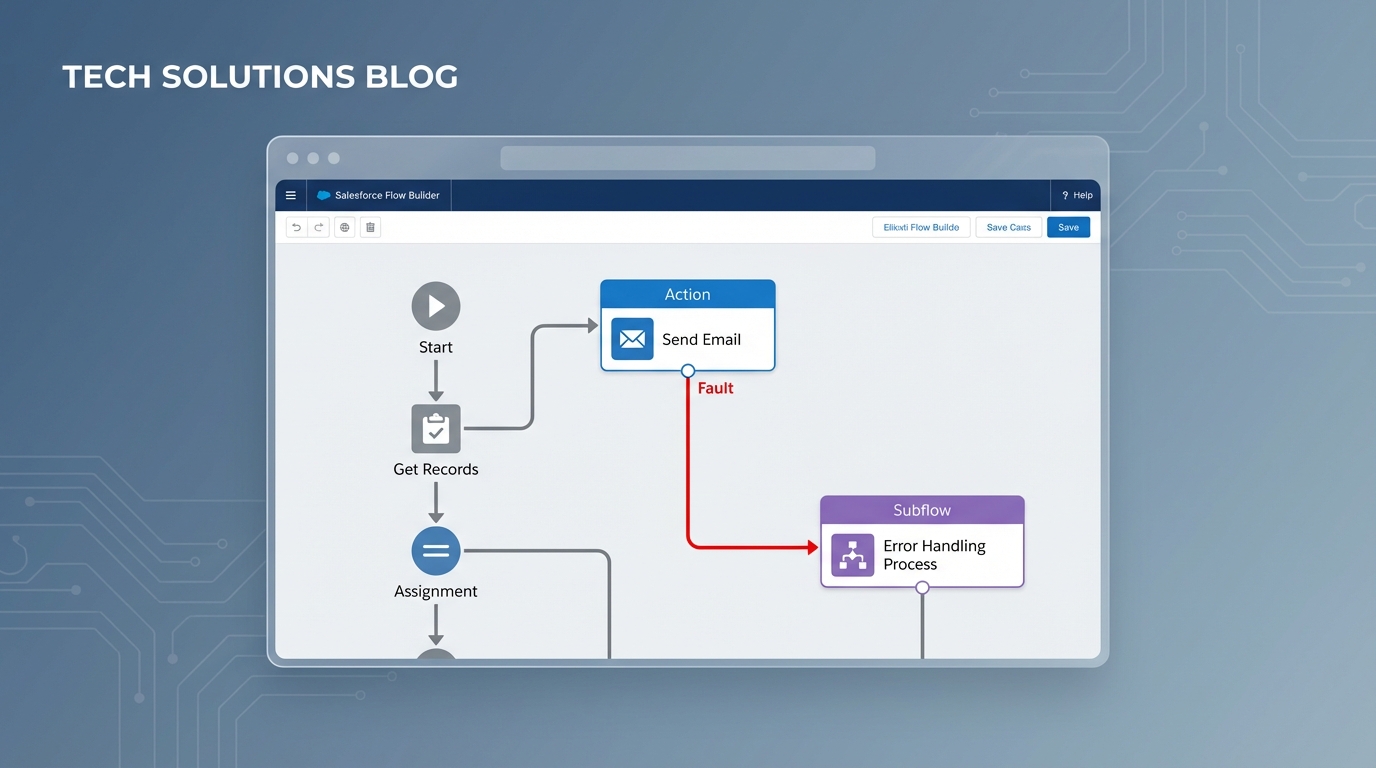
A Salesforce Flow Builder canvas showing a fault path connecting an email action node to a centralized error handler subflow.
Centralize your logic with a Subflow
One thing that trips people up is rebuilding the same error logic in twenty different Flows. Honestly, that's a maintenance nightmare. Instead, I always build a single "Error Handler" subflow. It takes in variables like the Record ID and the Fault Message, and then it handles the logging and notifications in one place. If you ever want to change how you log errors, you only have to fix it once.
Advanced patterns for Salesforce Flow error handling
Sometimes the basic fault path isn't enough, especially when you're worried about database rollbacks. If your Flow hits an error and rolls back the transaction, it might also roll back the very Error Log record you just tried to create. Talk about frustrating. This is where we need to get a bit more creative with our Salesforce Flow error handling strategy.
Using Platform Events to bypass rollbacks
Here's a trick I use when I need to make sure a log survives a crash. Instead of creating a record directly in the Fault path, publish a Platform Event. Since Platform Events can be set to "Publish Immediately," they aren't tied to the main transaction. Even if the Flow fails and rolls back the record updates, the Platform Event stays published, and a separate trigger can write that error log for you.
Using Queueable Apex for retries
For more complex scenarios, you might want to use a bit of code. I've seen teams use a simple Invocable Apex action to handle retries. This is great for transient issues where the mail server might just be busy for a second. By pushing the work to an asynchronous job, you keep the user experience snappy and gain more control over the retry logic.
public class ErrorLogger implements Queueable {
    private String recordId;
    private String message;
    public ErrorLogger(String recordId, String message){
        this.recordId = recordId;
        this.message = message;
    }
    public void execute(QueueableContext ctx){
        Error_Log__c e = new Error_Log__c();
        e.Record_Id__c = recordId;
        e.Error_Message__c = message;
        insert e;
    }
}
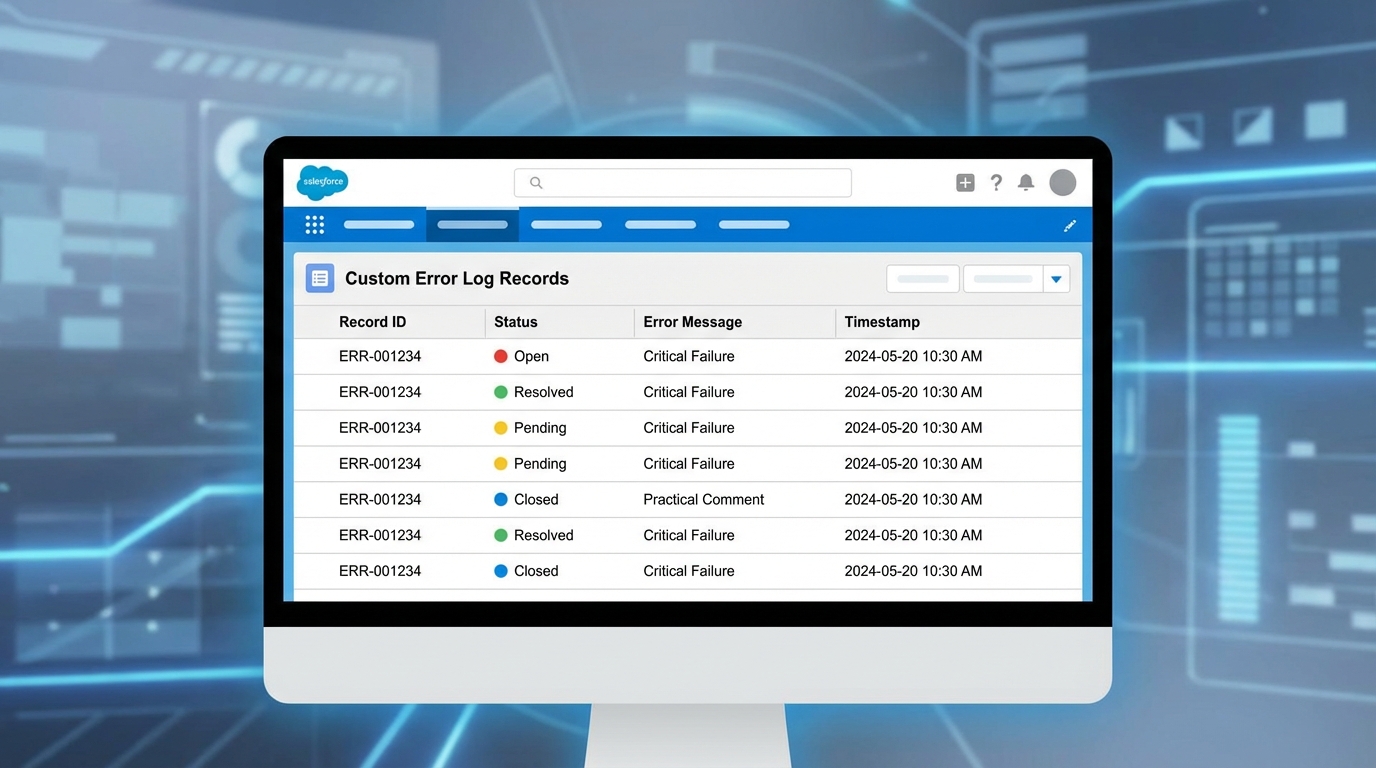
A realistic Salesforce Lightning UI mockup showing a list of error log records in a professional table format.
Handling limits and bad data
So why do these emails fail in the first place? Usually, it's one of three things: invalid email formats, hitting the daily single-email limit, or permission issues. If you're sending emails with CC and BCC collections, you're even more likely to hit those limits if you aren't careful.
Pro tip: Always validate the email address field with a Decision element before you ever hit the Send Email action. It's much cheaper to catch a bad address early than to handle a fault later.
If you are dealing with high volumes, you should look into keeping your data clean and potentially move the email logic to a scheduled path or an asynchronous job to avoid hitting governor limits in the middle of a user's save operation.
Key Takeaways for Salesforce Flow error handling
- Never leave a data element without a Fault path: It's the simplest way to prevent "silent" failures.
- Use a Subflow: Don't repeat yourself. Centralize your error logging.
- Think about rollbacks: Use Platform Events if you need to ensure your error logs are actually saved when the Flow crashes.
- Validate early: Use Decision elements to check for empty or invalid email addresses before the "Send" action.
- Human remediation: Give your users a "Retry" button or a clear status message so they can fix the data themselves.
At the end of the day, Salesforce Flow error handling isn't just about catching bugs - it's about building trust with your users. When things go wrong (and they will), you want to be the admin who already has a log and a solution ready before the user even notices the problem. Start small by adding fault paths to your most critical email Flows and grow your framework from there. You'll thank yourself during the next major release.



Leave a Comment