


Why Salesforce Flow error handling is a must for email
We've all built a Flow that sends a notification and then watched it crash because a user changed an email address to something invalid. Proper Salesforce Flow error handling is what separates a "works on my machine" project from something you can run in production.
Automated emails are usually the backbone of approvals or customer alerts. When they fail because of governor limits or bad data, the damage goes past the email: it can roll back your entire database transaction. My goal is always to make sure that if an email fails, the business process stays alive and someone gets notified to fix it.
The fault connector, your first line of defense
Standard Salesforce Flow error handling usually starts with the Fault connector, that little red path you can drag off a "Send Email" action or an "Update Records" element. Use it. If you don't, the Flow just fails with a generic "unhandled exception" and your user gets a nasty red error message.
Log the error to a custom object called Error_Log__c, capturing the Flow name, the element that failed, and the fault message. Then notify the right people without sending another email, which might also fail: a Chatter post or a custom notification will reach the admin team. I also like to update a field on the record itself, something like Email_Status__c set to "Failed," because it makes it way easier for users to see what happened without calling support.
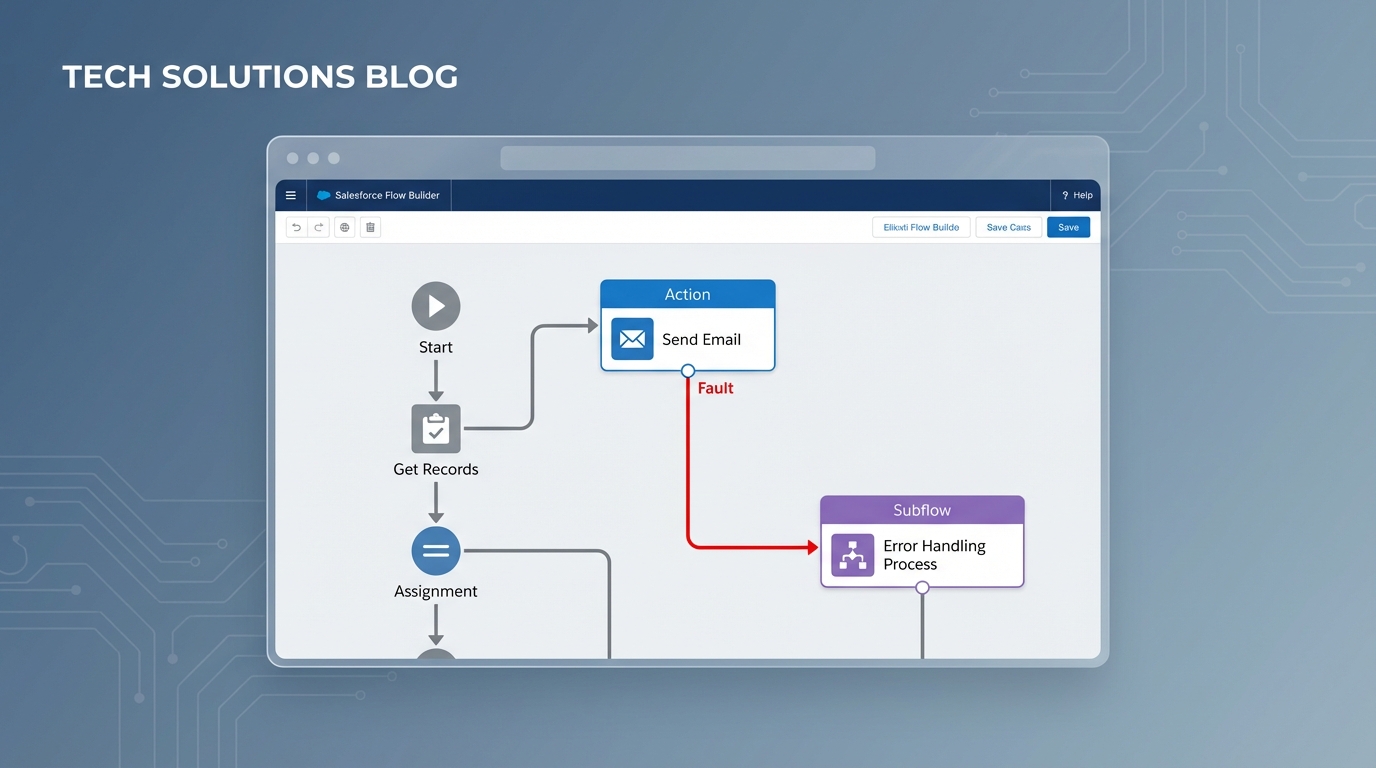
A Salesforce Flow Builder canvas showing a fault path connecting an email action node to a centralized error handler subflow.
Centralize your logic with a Subflow
One thing that trips people up is rebuilding the same error logic in twenty different Flows. That's a maintenance nightmare. I always build a single "Error Handler" subflow instead. It takes in variables like the Record ID and the Fault Message, then handles the logging and notifications in one place. When you want to change how you log errors, you only have to fix it once.
Advanced patterns for Salesforce Flow error handling
Sometimes the basic fault path isn't enough, especially when you're worried about database rollbacks. If your Flow hits an error and rolls back the transaction, it might also roll back the very Error Log record you just tried to create. This is where the Salesforce Flow error handling strategy has to get a bit more creative.
Using Platform Events to bypass rollbacks
Here's a trick I use when I need to make sure a log survives a crash. Instead of creating a record directly in the Fault path, publish a Platform Event. Since Platform Events can be set to "Publish Immediately," they aren't tied to the main transaction. Even if the Flow fails and rolls back the record updates, the Platform Event stays published, and a separate trigger can write that error log for you.
Using Queueable Apex for retries
For more complex scenarios, you might want to use a bit of code. I've seen teams use a simple Invocable Apex action to handle retries, which works well for transient issues where the mail server is just busy for a second. Pushing the work to an asynchronous job keeps the user experience snappy and gives you more control over the retry logic.
public class ErrorLogger implements Queueable {
    private String recordId;
    private String message;
    public ErrorLogger(String recordId, String message){
        this.recordId = recordId;
        this.message = message;
    }
    public void execute(QueueableContext ctx){
        Error_Log__c e = new Error_Log__c();
        e.Record_Id__c = recordId;
        e.Error_Message__c = message;
        insert e;
    }
}
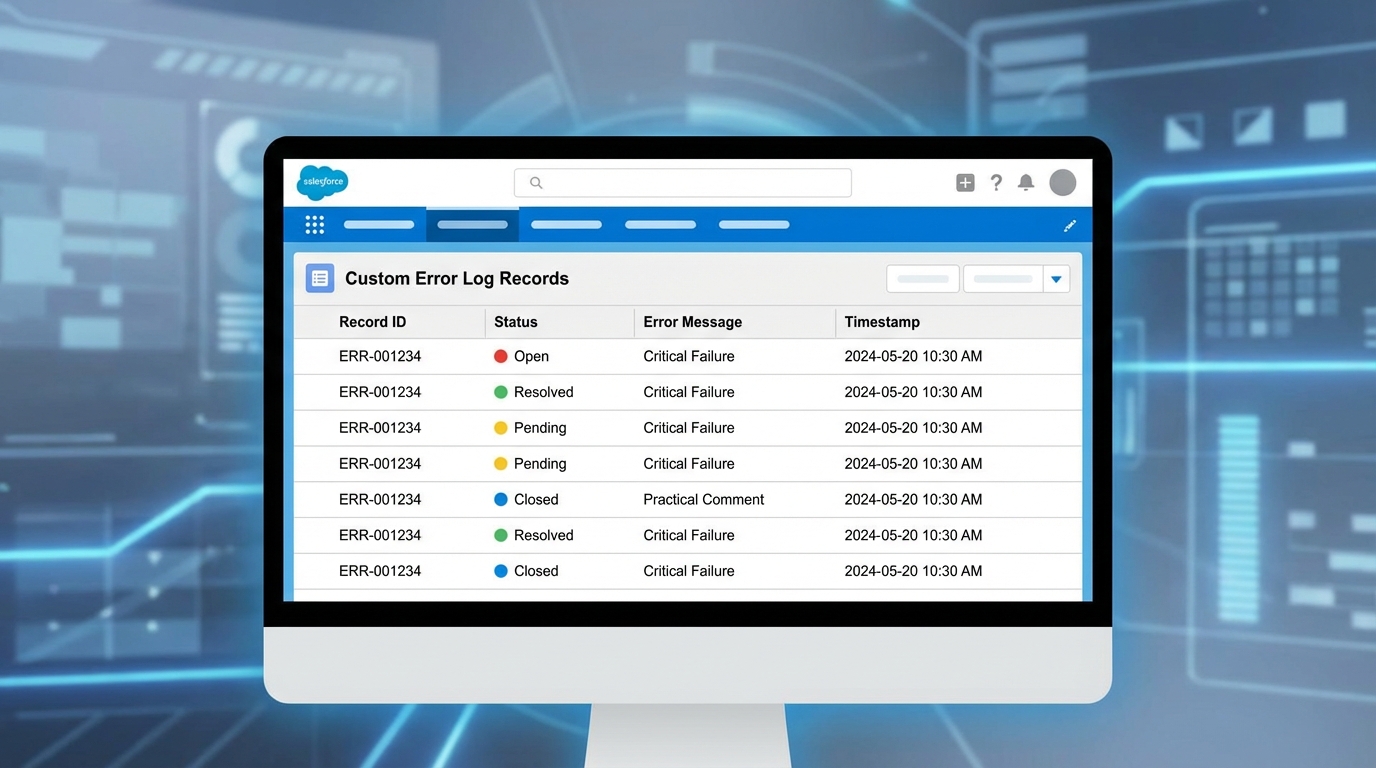
A realistic Salesforce Lightning UI mockup showing a list of error log records in a professional table format.
Handling limits and bad data
So why do these emails fail in the first place? Usually it's one of three things: invalid email formats, hitting the daily single-email limit, or permission issues. If you're sending emails with CC and BCC collections, you're even more likely to hit those limits if you aren't careful.
Pro tip: Always validate the email address field with a Decision element before you ever hit the Send Email action. It's much cheaper to catch a bad address early than to handle a fault later.
If you are dealing with high volumes, you should look into keeping your data clean and consider moving the email logic to a scheduled path or an asynchronous job to avoid hitting governor limits in the middle of a user's save operation.
Key takeaways for Salesforce Flow error handling
- Never leave a data element without a Fault path. It's the simplest way to prevent silent failures.
- Centralize your error logging in a subflow instead of repeating it in every Flow.
- Use Platform Events if you need your error logs to survive a rollback when the Flow crashes.
- Validate early with Decision elements, checking for empty or invalid email addresses before the "Send" action.
- Give your users a "Retry" button or a clear status message so they can fix the data themselves.
Salesforce Flow error handling is really about building trust with your users. When things go wrong (and they will), you want to be the admin who already has a log and a solution ready before the user even notices the problem. Start small by adding fault paths to your most critical email Flows and grow your framework from there. You'll thank yourself during the next major release.


Leave a Comment