

The Core Differences in Validation Rules vs Triggers
We've all been there. You're looking at a new business requirement and trying to decide between validation rules vs triggers to keep your data clean. It's one of those fundamental choices that can either make your life easy or leave you with a technical debt nightmare six months down the road.
Look, I'm a big fan of keeping things simple. If you can solve a problem without writing a single line of code, you're usually winning. But sometimes, a formula just won't cut it. I've seen teams try to force complex logic into massive, unreadable formulas when they really should have just moved that logic into Apex.
So, how do you actually choose? Let's break down the practical differences so you can make the right call for your org.
1. Purpose and Scope
Validation rules are your first line of defense for data quality. Their whole job is to stop a record from being saved if it doesn't meet your criteria. Think of them as a gatekeeper. They're perfect for simple checks, like making sure a phone number is formatted correctly or ensuring a "Reason" field is filled out when an Opportunity is lost.
Triggers are a different beast entirely. An Apex trigger is programmatic. It doesn't just check data; it can change data, create related records, or even talk to external systems. While you can use them to throw errors, that's usually just a small part of what they're doing.
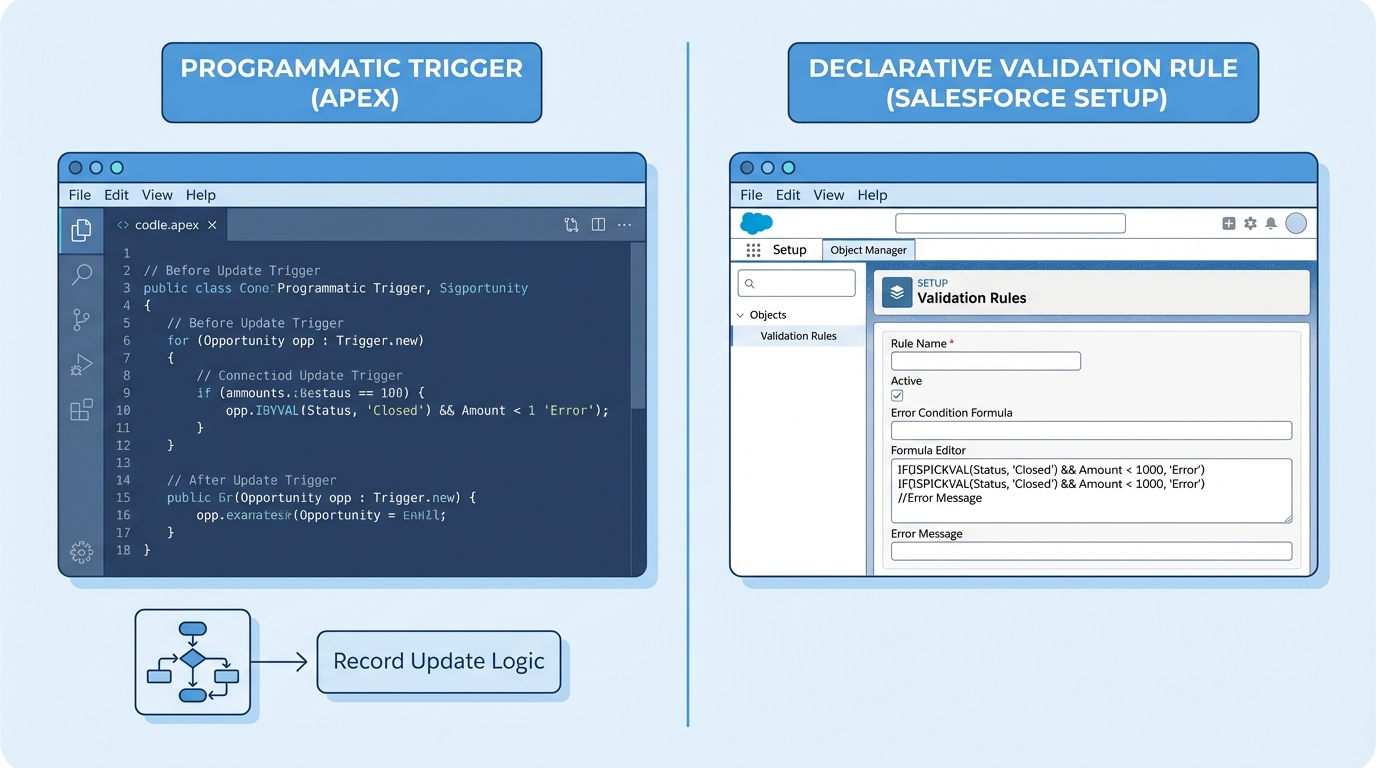
A side-by-side comparison of a programmatic Apex code editor and a standard Salesforce validation rule formula interface.
2. Complexity and Logic
Validation rules use formulas. If you can't express your logic in a formula, you can't use a validation rule. They're great for things like a validation rule for Customer ID formatting where the logic is self-contained within that one record.
Triggers handle the messy stuff. If you need to query three other objects, check a custom setting, and then decide whether to allow the save, you're in trigger territory. Formulas can't look at other records or perform complex math across collections. Code can.
Pro tip: If your validation rule formula is starting to look like a novel, it's a sign that you might need to move that logic into a Flow or a trigger. Maintainability is key.
3. Execution Timing
Timing is everything in Salesforce. Validation rules run very early in the save process. If the rule evaluates to true, the whole thing stops right there. The user sees an error, and no data is committed to the database.
Triggers give you more options. You have "before" triggers, which are great for updating fields on the same record, and "after" triggers, which you use for logic that needs the record ID or needs to update other related records. One thing that trips people up with validation rules vs triggers is that validation rules actually run multiple times during certain operations, like a lead convert or an upsert.
When to Choose Validation Rules vs Triggers for Your Project
Choosing between validation rules vs triggers often comes down to who needs to maintain the system. If you have a team of admins, they can easily tweak a validation rule in the UI. If you bury that logic in a trigger, they're stuck waiting for a developer to write code, run tests, and deploy a change set.
4. User Feedback and UX
This is where validation rules really shine. They provide immediate, clear feedback. You can put the error message right next to the field that's causing the problem. It's a smooth experience for the user.
Triggers can also show errors using the addError() method, but it's often less "pretty." If you're running a bulk upload through the Data Loader, a trigger error might just look like a cryptic row failure in a CSV. But for a user in the browser, a well-written addError() message still gets the point done.
5. Bulk Behavior and Performance
Here's the thing: validation rules are bulk-safe by default. Salesforce handles the heavy lifting for you. You don't have to worry about governor limits when writing a formula.
Triggers are a different story. If you don't write your trigger to handle collections of records, you'll hit SOQL limits faster than you can say "System.LimitException." You have to be intentional about bulkification. I always tell junior devs that if they aren't thinking about how their code handles 200 records at once, they aren't ready to push to production.
6. Testing and Deployment
Validation rules don't require Apex test classes. You can just build them, test them manually in a sandbox, and move them over. It's fast and efficient.
Triggers require at least 75% test coverage, but honestly, you should be aiming for 100% logic coverage. You need to write positive tests, negative tests, and bulk tests. It adds a lot of overhead to your development cycle. When you're deciding when to use code over automation, always factor in the time it takes to write and maintain those tests.
Comparing the Two Side-by-Side
| Feature | Validation Rules | Apex Triggers |
|---|---|---|
| Configuration | Declarative (No-code) | Programmatic (Code) |
| Maintenance | Easy for Admins | Requires Developers |
| Complexity | Simple formula logic | Advanced business logic |
| Error Messages | Field-level or Page-level | Custom via addError() |
| Unit Tests | Not Required | Mandatory |
Key Takeaways
- Use validation rules for simple, single-object data integrity checks.
- Go with triggers when you need to perform DML on other objects or call external services.
- Validation rules are easier to maintain and don't require deployment of test classes.
- The validation rules vs triggers debate usually ends with "use the simplest tool that works."
- Always keep the end-user in mind; if they need to fix the data, make sure the error message makes sense.
In my experience, the best approach is to start with a validation rule. If you find yourself hitting the limits of what a formula can do - or if you're trying to validate data based on values in a completely different object - then it's time to step up to a trigger or a Record-Triggered Flow. Don't over-complicate things just because you can. Your future self (and your fellow consultants) will thank you for keeping the logic as simple as possible.




Leave a Comment