


WhoId and WhatId in Salesforce are polymorphic lookup fields on Tasks and Events that associate activities with related records. WhoId strictly references people—specifically Leads and Contacts—while WhatId links to business objects like Accounts, Opportunities, Cases, and custom objects. Setting both IDs correctly ensures your activity timelines, SOQL queries, and reports display complete data.
I have seen plenty of developers get tangled up querying these fields or wiring them into automation. Once the "Who" and the "What" are straight in your head, the rest follows. Here is how it works in a real org.
The breakdown of WhoId and WhatId
Think of these fields as two buckets. One is for people, the other is for everything else. When you are bulk creating tasks in Flow, getting these IDs right is the difference between a clean timeline and a pile of orphaned records.
WhoId is for people
WhoId points to a person. In standard Salesforce that means a Lead or a Contact, and nothing else. Logging a call with a prospect puts that Lead record in WhoId. Meeting an existing client puts the Contact record there. Try to save an Account ID in that field and Salesforce throws an error faster than you can hit save.
WhatId is for business objects
WhatId is the context, the business object the activity belongs to. This is where you link the task to an Account, an Opportunity, a Case, or a custom object you built yourself. The part that trips people up: you cannot put a Lead or a Contact in WhatId. Salesforce reserves that field strictly for non-person entities.
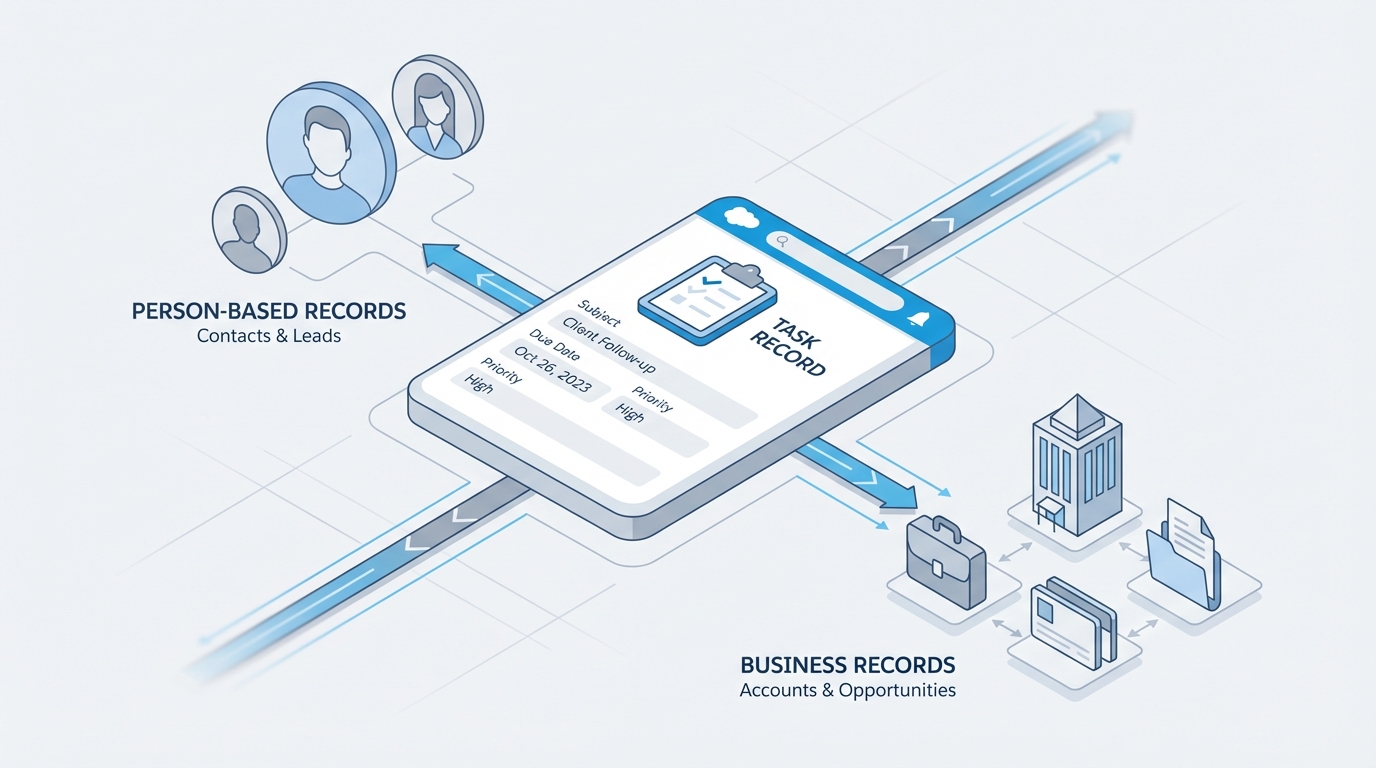
A Salesforce Task and its related records, with person entities shown separately from business objects.
Why WhoId and WhatId matter for developers
In SOQL these fields are awkward, precisely because they are polymorphic. Standard dot-notation will not pull fields off the related record for you. Since API version 30.0 we have had the TYPEOF operator, which lets you ask for different fields depending on the object type.
Here is how I usually write a query when I need details from the "Who" record:
SELECT Subject,
TYPEOF WhoId
  WHEN Contact THEN Name, Email
  WHEN Lead THEN Company, Name
END
FROM Task
WHERE Status = 'Open'
In Apex, getSObjectType() tells you what you are dealing with. I have seen teams hardcode ID prefixes instead, checking whether an ID starts with "003" for Contacts, and please do not do that. It is brittle. Use the SObject methods and your code stays clean.
The biggest headache with these two fields is reporting. To show tasks related to both a Contact and an Opportunity, both fields have to be populated. Leave the WhatId blank and that activity might vanish from your Opportunity reports, even when the Contact is related to that Opportunity.
Common pitfalls and limitations of WhoId and WhatId
A few things are simply off the table. You cannot use these fields in standard cross-object formula fields, so showing the Account's region on a Task record is not happening with a simple formula. You might need to choose between Apex or Flow to sync that value into a custom field.
Validation rules are the other sore spot. Because these fields can point at so many things, a rule that fires only when the WhatId is one specific custom object is harder to write than it looks. You usually end up checking the ID prefix, which is fine as a quick fix and not much more than that.
Key takeaways
- WhoId always refers to a person, so a Lead or a Contact.
- WhatId refers to the business object: Account, Opportunity, Case, and so on.
- An activity can have both fields filled out at the same time.
- You can't use these fields in standard cross-object formulas.
- Use
TYPEOFin SOQL to get specific fields from the related records.
If you are preparing for a senior developer interview, expect a question on this. It is one of those fundamental pieces of the Salesforce data model that shows whether you know how the platform handles relationships under the hood.
Getting comfortable with these fields comes down to knowing which bucket the record falls into. A person goes in WhoId. A thing goes in WhatId. Keep that straight and your activity history will make sense to your users and to whoever builds the reports.



Leave a Comment