


Why your project needs a Salesforce trigger class
If you've spent any time in messy Apex, you already know why a Salesforce trigger class helps. It keeps your logic organized so you don't end up with a thousand-line trigger file that nobody wants to touch. In my experience, skipping this step is the fastest way to create technical debt that'll haunt you for years.
A Salesforce trigger class, often called a handler, is just a regular Apex class where you put your business rules. Instead of writing code directly inside the trigger, you call methods on this class. It sounds like an extra step. It stops being one the moment the logic gets complex.
Why we stop putting logic in triggers
I've seen teams try to "keep it simple" by putting everything in the trigger. Then they need that logic in a Batch job or a REST API and they're stuck. A handler class makes the code reusable: you can call calculateTax() from the batch job, the API, or the trigger.
Then there's testing. Triggers are a pain to test because you have to insert records every single time to see whether your logic works. With a class you can often test specific methods in isolation, which makes your unit tests run faster and feel a lot less clunky.
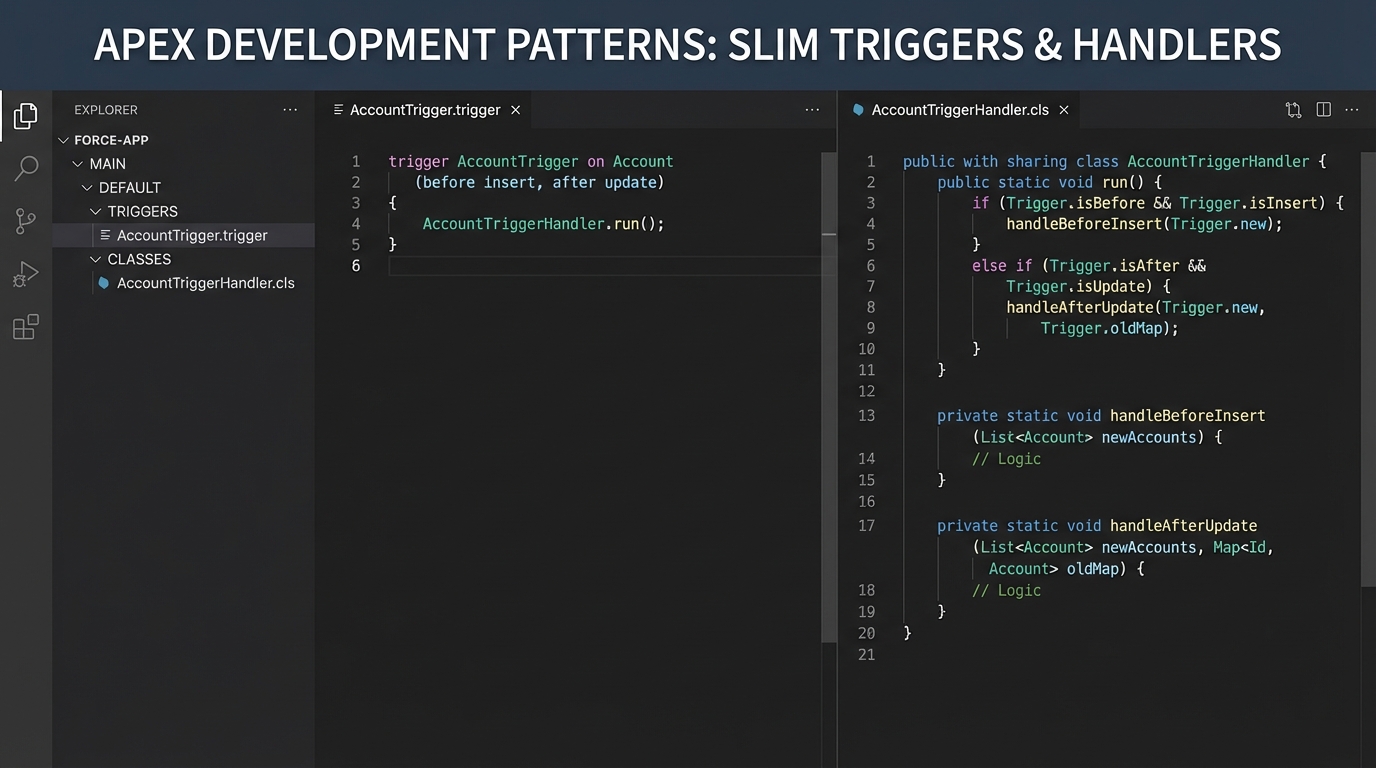
A slim trigger on the left, the handler class it delegates to on the right.
How to build a basic Salesforce trigger class
The most common pattern is what I call the "Slim Trigger." The trigger itself does no heavy lifting. It checks the context (whether we're in a "before insert" or an "after update" state) and hands the work off to the Salesforce trigger class:
trigger AccountTrigger on Account (before insert, before update) {
    AccountTriggerHandler handler = new AccountTriggerHandler();

    if (Trigger.isBefore) {
        if (Trigger.isInsert) {
            handler.handleBeforeInsert(Trigger.new);
        }
        if (Trigger.isUpdate) {
            handler.handleBeforeUpdate(Trigger.new, Trigger.oldMap);
        }
    }
}
The handler class is where the real work sits, and it reads far better once the logic is separated out. If you're still debating when to use code over automation, this level of organization is a strong argument for Apex.
public with sharing class AccountTriggerHandler {
    public void handleBeforeInsert(List<Account> newAccounts) {
        for (Account acc : newAccounts) {
            // Simple logic: default the industry if it's blank
            if (String.isBlank(acc.Industry)) {
                acc.Industry = 'Technology';
            }
        }
    }

    public void handleBeforeUpdate(List<Account> newAccounts, Map<Id, Account> oldMap) {
        for (Account acc : newAccounts) {
            Account oldAcc = oldMap.get(acc.Id);
            // Only do something if the revenue changed
            if (acc.AnnualRevenue != oldAcc.AnnualRevenue) {
                // Logic goes here
            }
        }
    }
}
One thing that trips people up
Recursion is the one that catches people. If your trigger updates a record, which then fires the same trigger again, you'll hit a limit faster than you can blink. Most developers use a simple static boolean variable in their handler class to prevent this. It's a quick fix that saves you from a lot of "Maximum stack depth reached" errors.
Pro tip: Never put a SOQL query or a DML statement inside a loop in your handler. It's the number one way to break your org during a bulk data load. Collect your IDs first and run the query once.
Best practices for your Salesforce trigger class
Everyone has a favorite framework, but the basics stay the same. Follow these rules and you'll be ahead of 90% of the developers out there.
- One trigger per object. Don't create five different triggers on the Account object. It makes the order of execution impossible to predict.
- Keep the trigger slim. The trigger file should only be a few lines long. If there's a "for loop" in your trigger file, you're doing it wrong.
- Bulkify everything. Always assume you're processing 200 records at once. Even if you think it'll only ever be one record, someone will eventually use the Data Loader and break your code.
- Use "with sharing" and be intentional about security. A class lets you explicitly define whether you want to respect the user's permissions or run in system mode.
If you're prepping for a job search, you'll definitely see this come up in Apex trigger interview questions. Interviewers love to ask why we use handlers instead of putting code in the trigger, so be ready to talk about maintainability and testing.
Key takeaways
- A Salesforce trigger class separates the "when" (the trigger) from the "what" (the logic).
- Handlers make your code easier to test and much easier to reuse in other parts of the system.
- Bulkification is mandatory. Never put queries or DML inside loops.
- Recursion control is essential to prevent your triggers from firing in an infinite loop.
Using a Salesforce trigger class is about making your life easier in six months. When a bug pops up or a client wants a new feature, you won't have to dig through a messy, unorganized trigger file to find where anything happens.



Leave a Comment