


Why Salesforce trigger recursion happens
If you've spent any time in a complex org, you've probably run into the nightmare of Salesforce trigger recursion. It's that moment when your code updates a record, which fires a trigger, which updates the record again, and suddenly you're staring at a "Maximum stack depth reached" error. Frustrating, and a hurdle every developer clears eventually.
It usually boils down to a couple of things. Maybe you're performing an update on the same object inside the trigger handler. Or maybe you have a chain reaction where Object A updates Object B, which then updates Object A again. In my experience, teams lose days untangling these loops because nobody set a clear guard strategy on day one.
Common causes of the loop
- Updating the same record in an after update trigger without checking if anything actually changed.
- Cross-object updates that circle back to the original record.
- Multiple triggers and workflows fighting for control over the same record.
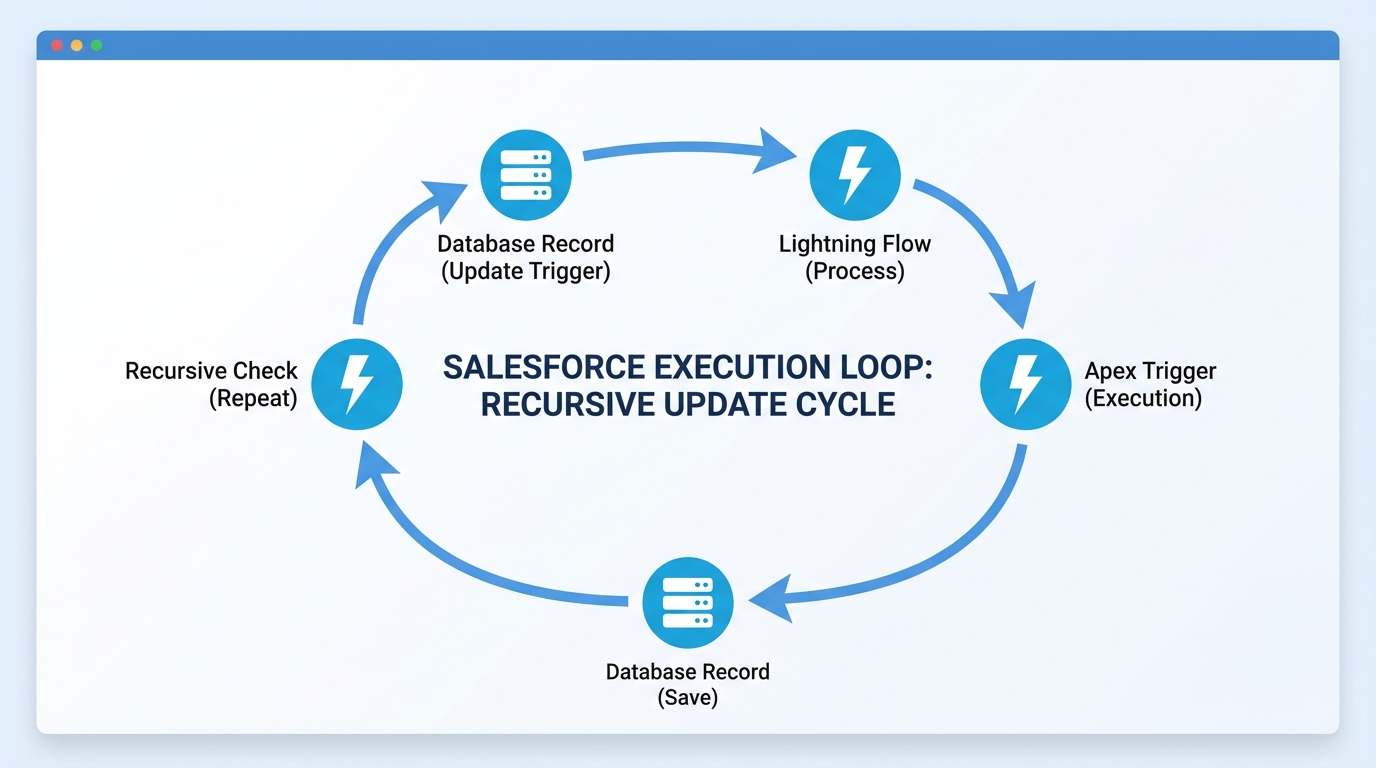
A technical diagram illustrating a recursive loop between Salesforce records and triggers using directional arrows and system icons.
Best ways to stop Salesforce trigger recursion
There isn't one "right" way to fix this. Some patterns work better than others depending on your scenario, and the goal behind all of them is code that stays predictable and safe for bulk operations.
1. The static Boolean flag (the simple guard)
This is the most common approach I see. Static variables live for the entire transaction, so you can use a Boolean to track whether the trigger has already run. It's easy to set up and, honestly, a bit of a blunt instrument. Fine for simple logic, trouble in complex transactions.
public class TriggerHandler {
    public static Boolean isFirstRun = true;
}

trigger AccountTrigger on Account (after update) {
    if (TriggerHandler.isFirstRun) {
        TriggerHandler.isFirstRun = false;
        // Your logic here
    }
}
This one can bite you. If you're processing 200 records and then another 200 in the same transaction, that second batch might get skipped entirely. I've seen it cause data issues in bulk uploads, so use it with caution and only when you know the transaction lifecycle inside and out.
2. Using a Set of IDs for record-level control
If you need something more precise, a Set of IDs is the way to go. Instead of blocking the whole trigger, you block only the specific records that have already been processed. That's much safer for bulk operations and is usually what I recommend for enterprise-level orgs.
Pro tip: Always clear your static sets in your test classes if you're running multiple DML statements in one test method, or your tests might fail for the wrong reasons.
public class AccountState {
    public static Set<Id> processedIds = new Set<Id>();
}

trigger AccountTrigger on Account (after update) {
    List<Account> toProcess = new List<Account>();
    for (Account acc : Trigger.new) {
        if (!AccountState.processedIds.contains(acc.Id)) {
            toProcess.add(acc);
        }
    }

    if (toProcess.isEmpty()) return;

    // Logic here...
    AccountState.processedIds.addAll(toProcess.keySet());
}
3. Check for actual field changes
One thing that trips people up is running logic even when the relevant fields haven't changed. Before you do any DML, compare Trigger.oldMap with Trigger.newMap. If the "Status" field didn't change, why are you running the "Status Update" logic? This simple check prevents a lot of unnecessary Salesforce trigger recursion.
If you're still deciding between code and a declarative tool, you might want to check out my guide on Apex vs Flow. Sometimes a Flow handles the logic without the same recursion headaches, but code gives you more control over the state when things get messy.
4. Move work to Asynchronous Apex
Sometimes the best way to avoid a loop is to step out of the current transaction. Using a Queueable or a Future method starts a fresh transaction with its own limits. That's a solid move for heavy processing that doesn't need to happen instantly, like calling an external API or updating thousands of related records.
We've talked before about how to manage Asynchronous Apex, and it earns its keep here. Just remember that you can't fire a Future method from another Future method, so you still need to plan your architecture carefully to avoid trading one limit for another.
Key takeaways
- Salesforce trigger recursion happens when DML operations re-fire the same trigger logic in a loop.
- Static Booleans are simple to write but can accidentally skip records during bulk processing.
- Static Sets of IDs are the safest option for record-level recursion protection.
- Always compare old and new field values to see if the update is even necessary before running logic.
- Consider moving logic to a Salesforce Apex Trigger handler class to keep your code organized and testable.
Recursion guards keep an org predictable, which is worth more than the errors they stop. When I first started, I thought a single Boolean was enough for everything. I learned quickly that as an org grows you need something more careful than that. Start with field-level checks, move to ID sets when needed, and keep an eye on your debug logs to see exactly how many times your code is firing. It'll save you a lot of stress during your next big deployment.



Leave a Comment