


If you're managing a growing org, picking a Salesforce trigger framework is one of those decisions that either makes your life easy or haunts you for years. I've seen teams struggle with "trigger spaghetti" where logic is scattered everywhere, making it nearly impossible to debug a simple DML error.
Why you actually need a Salesforce trigger framework
It comes down to technical debt. Without a solid pattern you end up with multiple triggers on the same object, and that's where the nightmare starts. You can't control which one runs first, and suddenly your validation rules are being bypassed or your field updates are looping uncontrollably.
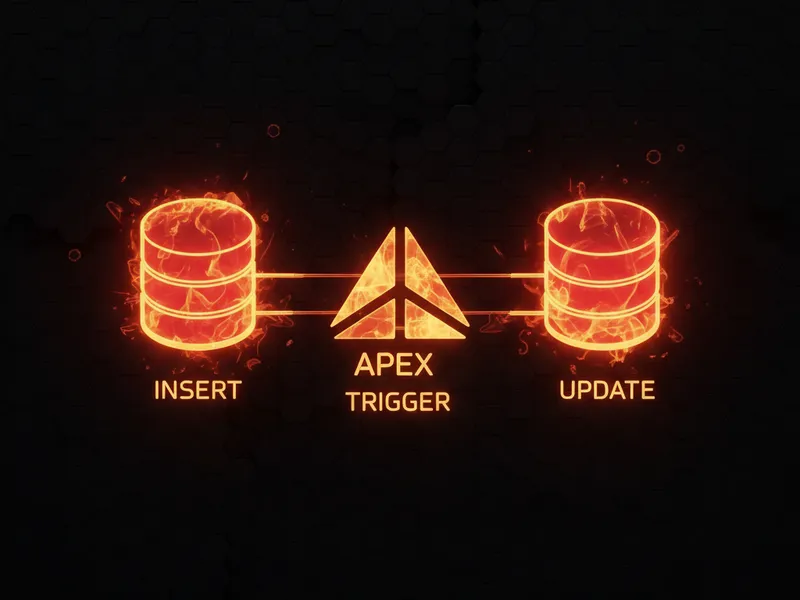
A Salesforce trigger framework forces you to stick to the "one trigger per object" rule, and it pushes your business logic out of the trigger itself and into handler classes. The code gets cleaner and much simpler to test, because you no longer have to insert thousands of records just to check a single conditional branch.
Common approaches I see in the wild
- The handler pattern is the lightweight choice. One trigger calls a specific class. It's simple, it works, and it's usually enough for most mid-sized orgs.
- fflib (Apex Common) is the heavy hitter. If you're building a massive enterprise app, fflib works well because it uses formal patterns like Unit of Work and Selectors. Be careful though: it's a steep learning curve for a junior team.
- Community frameworks are all over GitHub, from folks like Kevin O'Hara or Andrew Fawcett. These usually include built-in features for things like recursion control and turning triggers off on the fly.
Choosing the best Salesforce trigger framework for your team
You don't always need a complex enterprise architecture. If you're just starting to move away from messy code, a lightweight Salesforce trigger framework like the handler pattern is your best bet. It keeps things skinny and organized without over-complicating your deployment pipeline.
// AccountTrigger.trigger
trigger AccountTrigger on Account (before insert, before update, after insert, after update) {
    AccountTriggerHandler handler = new AccountTriggerHandler();

    if (Trigger.isBefore) {
        if (Trigger.isInsert) handler.beforeInsert(Trigger.new);
        if (Trigger.isUpdate) handler.beforeUpdate(Trigger.new, Trigger.oldMap);
    }
    if (Trigger.isAfter) {
        if (Trigger.isInsert) handler.afterInsert(Trigger.newMap);
        if (Trigger.isUpdate) handler.afterUpdate(Trigger.newMap, Trigger.oldMap);
    }
}

// AccountTriggerHandler.cls
public class AccountTriggerHandler {
    public void beforeInsert(List<Account> newRecords) {
        for (Account a : newRecords) {
            if (a.Name == null) a.Name = 'Unknown Account';
        }
    }
    // Other methods follow the same pattern...
}
The benefits of staying organized
One thing that trips people up is testing. When your logic is stuck inside a trigger, you're forced to perform DML in every test method, which slows down your deployment. By using a handler, you can often test the logic by just passing in a list of records in memory.
Consistency is the other big win. When every developer on the team follows the same pattern, you don't have to spend twenty minutes hunting for where a specific field update is happening. Plus, you can plug in a centralized logging framework to catch errors across all your handlers in one place.
If you have more than one person writing code in your org, you need a framework. Even a simple one prevents the "whoops, I accidentally broke the entire Lead conversion process" phone call at 4:00 PM on a Friday.
Pitfalls to watch out for
Don't over-engineer it. I've seen tiny orgs try to implement full enterprise patterns and end up with ten classes for a single field update. That's overkill. Start small and grow only when you actually feel the pain of a simpler system.
Also, keep an eye on your limits. Even with a framework, you still need to bulkify everything. If you aren't careful with your collections, you'll hit governor limits faster than you think. This is especially true when staying under asynchronous Apex limits during complex post-update logic.
What about Record-Triggered Flows?
Can't you just use Flow? Yes, and for simple stuff you should. But when you're dealing with complex integrations, heavy math, or multi-object logic that needs to be version controlled, a Salesforce trigger framework is still the way to go. It comes down to knowing when to use code over Flow based on the complexity of the task.
Key takeaways
- Stick to one trigger per object. That's the golden rule for avoiding order-of-execution headaches.
- Keep triggers skinny. They delegate the work, and the business logic lives in the handler.
- Use handler classes so you can write faster, more focused unit tests.
- Make sure your Salesforce trigger framework has a way to stop triggers from firing multiple times in the same transaction.
- Match the framework's complexity to your team's size and your org's needs.
If you aren't using a Salesforce trigger framework yet, start today. You don't need to rewrite your whole org overnight, so begin with your most "active" objects like Accounts or Opportunities. It pays off the first time you're not debugging a recursive update loop at midnight.


Leave a Comment