
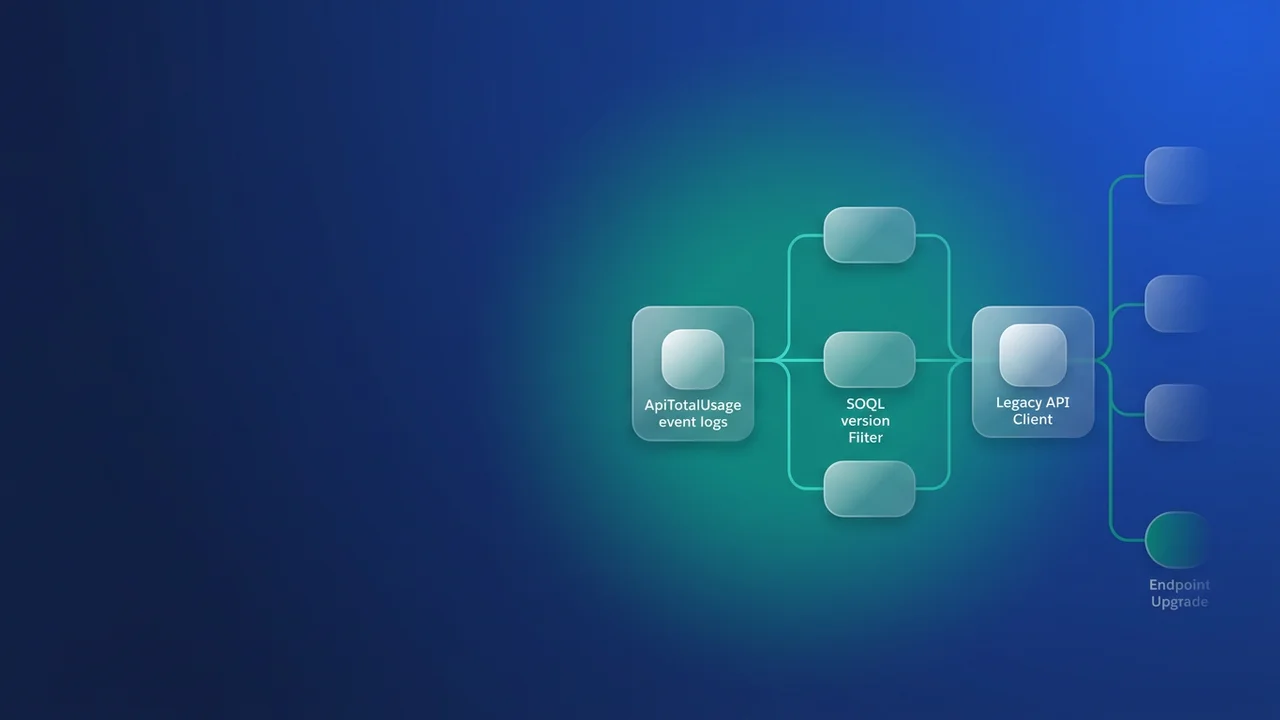

The next Salesforce API version retirement covers 31.0 to 40.0, and any integration still calling on those versions has a deadline. They become unsupported in Summer '27 and are retired in Summer '28. From then, REST requests return 410:GONE, and SOAP and Bulk API requests fail with their own unsupported-version errors. The range covers everything released from Summer '14 to Summer '17, which is when a lot of middleware connections, data loader configs and hand-built SOAP clients were set up and then left alone. This is the plan I would run to find those callers and move them before support ends.
What retires, and when
Salesforce's REST API end-of-life page lists the status of each version range:
| API versions | Released | Status |
|---|---|---|
| 41.0 to 67.0 | Winter '18 to Summer '26 | Supported |
| 31.0 to 40.0 | Summer '14 to Summer '17 | Supported now. Deprecated and unsupported from Summer '27. Retired from Summer '28 |
| 21.0 to 30.0 | Earlier releases | Retired, unavailable as of Summer '25 |
| 7.0 to 20.0 | Earlier releases | Retired as of Summer '22 |
The latest version is 68.0 (Winter '27). Salesforce commits to supporting each version for at least three years from first release and to giving at least a year's notice before support ends. Versions 31.0 to 40.0 are well past three years, so this notice is all the warning you get.
From Summer '27 a v38.0 call still succeeds, but if it misbehaves the problem is yours. From Summer '28 the same call fails. I plan against Summer '27. The months between the two releases are when forgotten quarterly and annual jobs surface, and debugging them on a version Salesforce has stopped supporting is a bad place to be. Each release reaches your org on your instance's maintenance schedule, so look up your instance's date on Salesforce Trust before you commit to a calendar.
To confirm which versions an instance serves, /services/data/ is a public listing that needs no authentication:
curl -s https://yourdomain.my.salesforce.com/services/data/ | jq -r '.[] | [.version, .label] | @tsv'
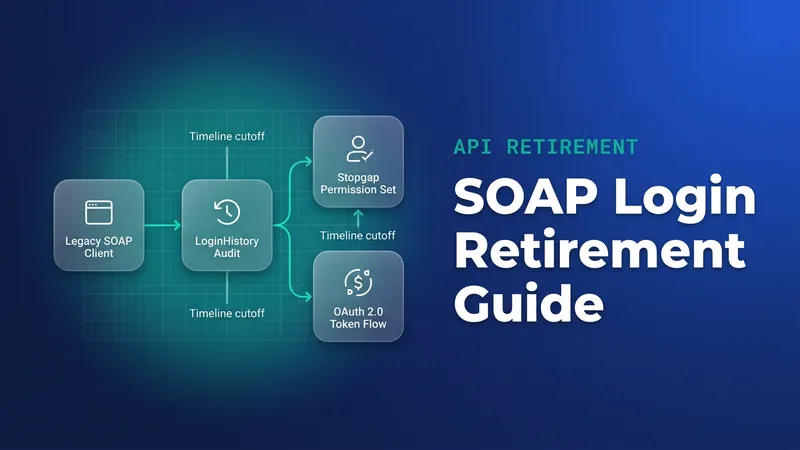
A separate audit from SOAP login()
This site has already covered the SOAP login() retirement. That retirement is about how clients authenticate; this one is about the version number in every request. The two overlap, but you find and fix them differently:
| SOAP login() retirement | API version retirement | |
|---|---|---|
| What breaks | SOAP login() username and password authentication |
Any REST, SOAP or Bulk request made on 31.0 to 40.0 |
| When | Winter '27: login() needs the Use Any API Auth permission. Summer '27: login() retired in API 31.0 to 64.0 |
Summer '27: unsupported. Summer '28: retired (REST returns 410:GONE, SOAP and Bulk return their own errors) |
| How you detect it | LoginHistory | ApiTotalUsage event log, API_VERSION field |
| The fix | Move to OAuth through an External Client App | Change the version in endpoint URLs, regenerate WSDLs, update client library and connector settings |
A SOAP client on v36.0 that authenticates with login() is hit by both changes, so make both fixes in one change and test them together. The client then goes through one regression cycle instead of two.
Find the callers in the ApiTotalUsage log
The end-of-life page itself points to the API Total Usage event type for this job. It records Platform SOAP API, Platform REST API and Bulk API requests, and each row carries API_FAMILY, API_VERSION, API_RESOURCE, CLIENT_IP, CLIENT_NAME, CONNECTED_APP_ID, USER_ID, ENTITY_NAME, HTTP_METHOD and REQUEST_ID. Newer log files also include CONNECTED_APP_NAME and API_CLIENT_CATEGORY.
Developer, Enterprise, Unlimited and Performance orgs get this log free, but each file is kept for one day. Longer retention needs the Event Monitoring add-on. A single check on a Tuesday will miss the month-end reconciliation and the quarterly territory reload, so I recommend a daily scheduled pull that saves every file, running through at least one month end and one quarter end before you call the list complete.
Start by finding the daily files:
SELECT Id, LogDate, LogFileLength
FROM EventLogFile
WHERE EventType = 'ApiTotalUsage' AND Interval = 'Daily'
ORDER BY LogDate DESC
I would run the collection from outside the org. Apex is a poor fit for parsing large CSV files, and a cron job with curl and jq is easier to keep alive. This script saves the most recent daily file. With --fail, an expired token stops the run with an error, so you never end up with a JSON error body saved under a .csv name:
#!/usr/bin/env bash
# Run once a day from cron. Saves the latest ApiTotalUsage file.
set -euo pipefail

INSTANCE="https://yourdomain.my.salesforce.com"
TOKEN="${SF_ACCESS_TOKEN:?set an OAuth access token}"
API="v68.0"
OUT_DIR="/var/lib/api-usage"
mkdir -p "$OUT_DIR"

SOQL="SELECT Id, LogDate FROM EventLogFile WHERE EventType = 'ApiTotalUsage' AND Interval = 'Daily' ORDER BY LogDate DESC LIMIT 1"

curl -sS --fail -G "$INSTANCE/services/data/$API/query/" -H "Authorization: Bearer $TOKEN" --data-urlencode "q=$SOQL" | jq -r '.records[] | [.Id, .LogDate[0:10]] | @tsv' | while IFS=$'\t' read -r LOG_ID LOG_DAY; do
  curl -sS --fail "$INSTANCE/services/data/$API/sobjects/EventLogFile/$LOG_ID/LogFile" -H "Authorization: Bearer $TOKEN" -o "$OUT_DIR/ApiTotalUsage-$LOG_DAY.csv"
done
Once a few weeks of files have piled up, filter and group them. Miller (mlr) handles quoted CSV fields correctly, which awk does not. The log quotes every value, so float() is there to force a numeric comparison:
mlr --icsv --opprint unsparsify then filter '$API_VERSION != "" && float($API_VERSION) < 41' then count -g API_FAMILY,API_VERSION,CONNECTED_APP_ID,CONNECTED_APP_NAME,CLIENT_NAME,USER_ID,CLIENT_IP then sort -nr count /var/lib/api-usage/ApiTotalUsage-*.csv
Each output row is a caller that needs an owner. CONNECTED_APP_ID gets you most of the way: if it starts with 0H4, open https://MyDomainName.my.salesforce.com/0H4... to see the app, and if it starts with 888, Salesforce Support has to identify it for you. CLIENT_NAME holds whatever the caller sent in the Sforce-Call-Options header, which is often the clearest clue. When several systems share one integration user, CLIENT_IP is usually the only thing separating them. I have seen a team upgrade one connection behind a shared integration user, close the ticket, and later find three other systems on that user still calling v34.0 from different IPs.
Find the callers in code and config
The log tells you who is calling, and the repository tells you where to make the change. These path patterns cover REST, the SOAP Partner, Enterprise and Metadata endpoints, and Bulk API 1.0:
# Endpoint paths pinned to 31.0 to 40.0
grep -rnE '/services/(data/v|Soap/[ucm]/|async/)(3[1-9]|40)[.]0' --include=*.{js,ts,py,java,cs,php,xml,json,yaml,yml,properties,cfg} .

# Looser pass for connector settings that store the version on its own
grep -rniE '(api_?version|apiVersion|sf_?version)["]?[[:space:]]*[:=][[:space:]]*["]?v?(3[1-9]|40)[.]0' .
The usual hiding places are environment and properties files, saved data loader configs, generated SOAP stubs, Metadata API clients (Ant migration tool build.properties files and CI deploy scripts), and middleware connection settings. MuleSoft, Boomi and Informatica connectors often store a version on the connection itself. Grep can't reach a vendor's hosted connector, which is one more reason to treat the log as the authoritative list.
SOAP clients take more work than REST. The Enterprise WSDL is tied to its version, so moving from /services/Soap/c/36.0 to a current version means regenerating the WSDL, rebuilding the stubs and checking every place the old stubs were used.
Upgrade each caller safely
Moving from v36.0 to v68.0 crosses more than thirty releases of behaviour changes. I would test each upgrade in a full or partial copy sandbox: replay the same set of calls against the old and new versions and compare the responses field by field before anything goes to production.
Pick one target version and pin it explicitly. The alternative is to float: have the client call GET /services/data/ at startup and use the highest version listed, or accept a client library's default version, which moves whenever someone upgrades the library. Pinning means you repeat this exercise in a few years. Floating means behaviour can shift every release with nobody watching. For production integrations I pin, and I keep the version in one constant so the next upgrade is a one-line change. Here is an Apex callout from an order org to a warehouse org through a Named Credential:
public with sharing class WarehouseShipmentSync {
    // Single place to change when the next retirement notice arrives.
    @TestVisible
    private static final String WAREHOUSE_API_VERSION = 'v68.0';

    public static Map<String, Object> fetchTodaysShipments() {
        String soql = 'SELECT Id, Name, Carrier__c FROM Shipment__c WHERE CreatedDate = TODAY';
        HttpRequest req = new HttpRequest();
        req.setEndpoint('callout:Warehouse_Org/services/data/' + WAREHOUSE_API_VERSION
            + '/query/?q=' + EncodingUtil.urlEncode(soql, 'UTF-8'));
        req.setMethod('GET');
        // Shows up as CLIENT_NAME in the warehouse org's ApiTotalUsage log.
        req.setHeader('Sforce-Call-Options', 'client=OrderOrgShipmentSync');

        HttpResponse res = new Http().send(req);
        // 410 is the REST retirement signal. Any non-200 body is a JSON error array,
        // so fail here instead of casting it to a Map below.
        if (res.getStatusCode() != 200) {
            throw new CalloutException('Warehouse org returned ' + res.getStatusCode()
                + ' on API ' + WAREHOUSE_API_VERSION + ': ' + res.getBody());
        }
        return (Map<String, Object>) JSON.deserializeUntyped(res.getBody());
    }
}
The Sforce-Call-Options header costs one line and makes your own calls easy to spot in the next audit. I add it to every client I touch.
Order the work by lead time. Raise tickets for vendor-owned connectors first, because their release cycles aren't yours. SOAP clients on Enterprise WSDLs come next, since they need regeneration and code changes, and so does any client that also calls login(). Plain REST URL changes go last because they are quick. Aim to have all of it done before Summer '27 reaches your production instance.
What to watch for
- Only REST is documented as returning
410:GONE. Monitoring that alerts on HTTP 410 alone will miss retired-version failures from SOAP and Bulk clients, so alert on their unsupported-version errors too. - The ApiTotalUsage field list and the one-day free retention above come from Salesforce's object reference, which I could not re-fetch for this article. Check both against a real file from your org before you build the pipeline on them.
- The policy page covers API requests and doesn't mention Apex class
apiVersionin-meta.xmlfiles. Whether those are affected is not yet confirmed, so handle it as a separate question. - Log files from different dates may not share the same header set, for example
CONNECTED_APP_NAMEorAPI_CLIENT_CATEGORY. Theunsparsifystep keeps Miller from failing when headers differ. - The filter above skips rows with an empty
API_VERSION. If any turn up, check them by hand. - With one-day retention, a failed daily pull loses that day for good. Alert on failures and record any gap.
- Clients that pick the newest version at runtime from
/services/data/, or take a library default, won't appear as old-version callers, but their behaviour still changes each release. Review them in the same pass. - Bulk API 1.0 uses
/services/async/, so a search limited to/services/data/misses those jobs.


Leave a Comment