


Getting real with Salesforce Big Objects
Ever had a client ask to store 500 million logs in a custom object? You know that's a recipe for disaster. That's where Salesforce Big Objects come in. They are built for the massive datasets that would otherwise tank your org performance and hit every governor limit in the book.
I've seen teams force historical data into standard objects just because they're comfortable with them. If you're looking at hundreds of millions of rows, you'll hit a wall fast. Salesforce Big Objects are for long-term storage where scale matters more than real-time updates. They handle billions of records without breaking a sweat.
The stuff that trips people up
These objects don't behave like the ones you're used to. They're immutable. That means no triggers, no workflow rules, and very limited DML. To change a record, you overwrite it using the same primary index. It's a different way of thinking about data.
When you're managing Salesforce large data volumes, you have to accept that Big Objects aren't for your daily transactional work. They're for the "write once, read occasionally" patterns like audit trails or forensic analysis. And don't expect to see them in the standard Report Builder either. You'll need other tools for that.
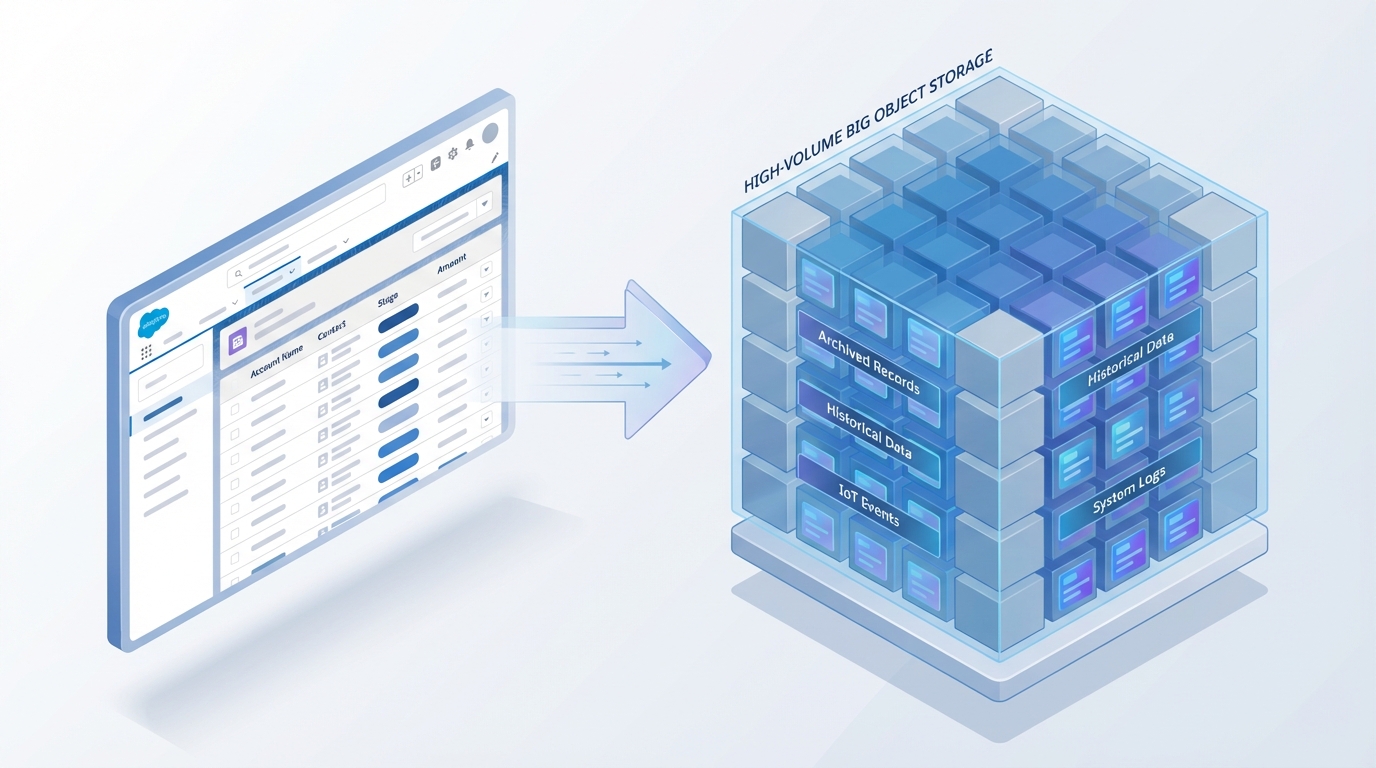
Data flowing from standard Salesforce records into a high-capacity Big Object storage structure.
When to pull the trigger on Salesforce Big Objects
In my experience it comes down to the same scenarios every time. One is event logging. If you're tracking every single click or API call, a regular object will explode. Another is historical archiving. If you need to keep seven years of snapshots for compliance, this is your best bet.
Most teams get this wrong by not planning their index. You have to define a composite primary index of up to five fields. That index is the only way to query the data efficiently. If a field isn't in your index, you can't use it in a standard SOQL filter. It's that simple.
A standard example: EventLogFile
Salesforce gives you some of these out of the box. The most common one is EventLogFile, which powers Event Monitoring. It tracks things like logins, Apex executions, and URI clicks. Because this data gets huge fast, Salesforce stores it as a big object to keep it out of your regular data storage limits.
Typical fields you'll see in there include:
- EventType: what happened, like a Login or an API call.
- LogDate: when it happened.
- LogFile: the actual data payload of the event.
Querying without the headache
For small sets, you can use standard SOQL if you follow the index rules perfectly. For the heavy scans, you'll want Async SOQL. It runs in the background and handles those massive queries far better.
SELECT Id, EventType, LogDate
FROM EventLogFile
WHERE EventType = 'API'
AND LogDate >= 2024-01-01T00:00:00Z
Since this is asynchronous, you submit the query and then poll the status. It works a bit like asynchronous Apex limits: you trade immediate results for the ability to do much more work in the background.
One thing I always tell juniors: your primary index is everything. If you mess up the field order in your index, your queries will be useless. Think about how you'll search for the data before you even create the object.
Key takeaways for Salesforce Big Objects
- Use them for millions or billions of records that don't need triggers.
- Your query performance lives and dies by the composite primary index design.
- Treat the data as immutable. Don't expect to do "Edit" and "Save" operations.
- Use Async SOQL or the Bulk API to move large chunks of data without hitting limits.
- You won't find these in standard reports, so plan for Tableau, CRM Analytics, or custom LWC displays.
Salesforce Big Objects are a specialized tool. They aren't a replacement for custom objects, but they save you when your data growth starts to outpace your storage budget. Just spend the extra time on your index design, because it's the one thing you really don't want to fix later.


Leave a Comment