

Choosing the Right Salesforce API Integration
When you're building out an enterprise org, you quickly realize that Salesforce API Integration is what keeps the whole ship sailing. I've worked on enough projects to know that if you get the integration layer wrong early on, you're going to pay for it in technical debt later. It's not just about moving data from point A to point B anymore. It's about how you do it without hitting governor limits or breaking your security model.
In my experience, most architects start by looking at REST because it's the industry standard. And honestly? Most of the time, it's the right call. But Salesforce gives us a massive toolbox for a reason. Sometimes a simple REST call isn't enough when you're dealing with millions of records or real-time sync requirements. So how do you pick the right tool for the job?
REST vs SOAP: The Old Guard
Look, REST is the go-to for almost every modern web or mobile app. It's lightweight, uses JSON, and is easy for developers to wrap their heads around. But don't count SOAP out just yet. I still see teams using SOAP when they're dealing with legacy ERP systems that require strict WSDL-based contracts. If you're debating which one to use for a specific project, I've found this breakdown of SOAP vs REST differences really helpful for explaining the trade-offs to stakeholders.
Handling Big Data with Bulk API
One thing that trips people up is trying to use the standard REST API for massive data migrations. I've seen teams try to push 500,000 records through a standard endpoint and wonder why their integration is crawling. Here's the thing: for anything over a few thousand records, you should be looking at Bulk API v2. It handles the batching for you and is much more efficient at managing large data volumes without crashing your org's performance.
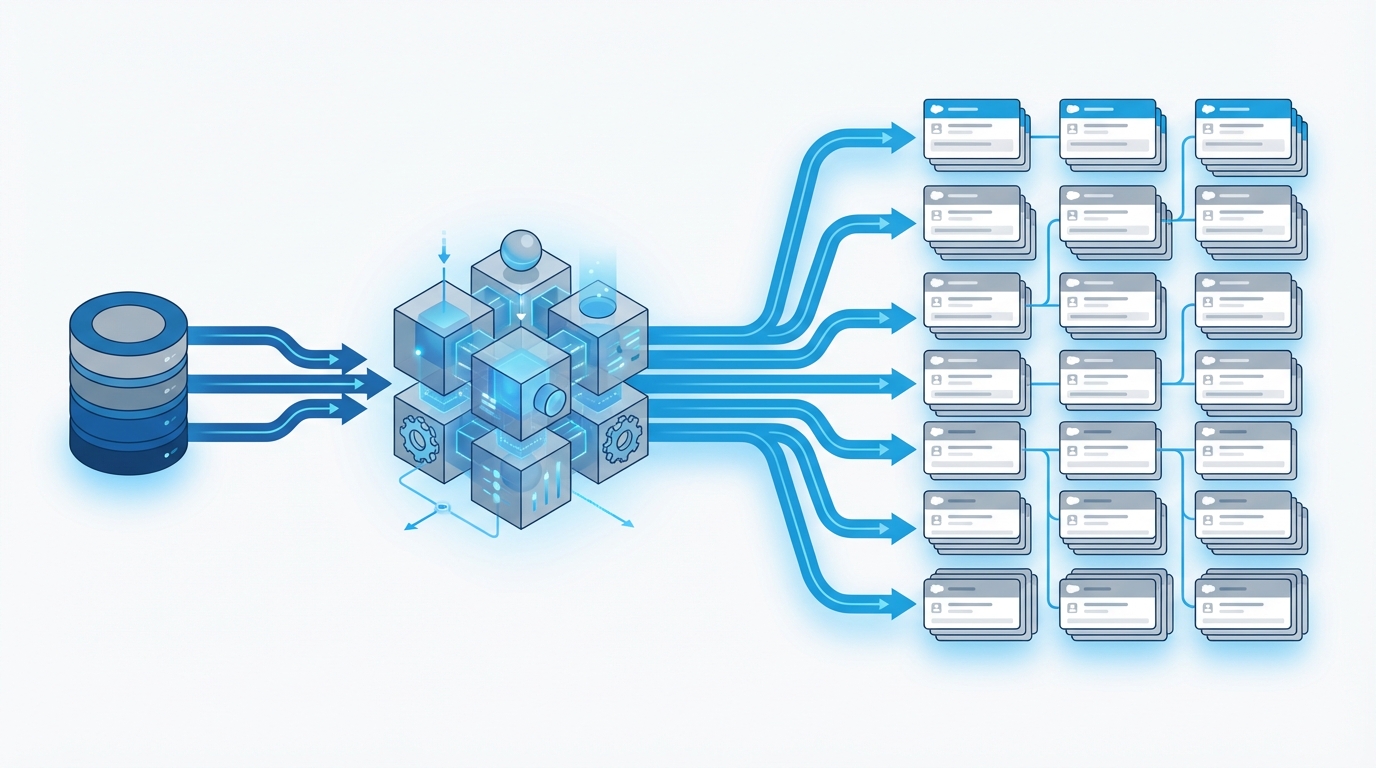
A technical architecture diagram showing the flow of large data volumes from an external database through a bulk processing engine into Salesforce.
Modern Patterns for Salesforce API Integration
Now, let's talk about the newer stuff. Salesforce has been pushing GraphQL and event-driven architectures lately, and for good reason. The old way of making ten different API calls to get data from ten different objects is just inefficient. It creates "chatter" and slows down your mobile apps. This is where your strategy for Salesforce API Integration needs to evolve.
GraphQL and Efficient Data Fetching
GraphQL is probably the most overlooked feature in the current toolkit. It lets the client ask for exactly what it needs in a single round-trip. I used this recently for a custom field service app where we needed to pull Work Order, Asset, and Contact data all at once. Instead of writing a complex custom Apex REST endpoint, we just used GraphQL. It saved us a ton of development time and made the app feel much snappier.
Going Real-Time with Events
So what happens when you need to tell an external system that something changed in Salesforce immediately? You could use Outbound Messages, but they're a bit dated. Instead, I prefer Platform Events or Change Data Capture (CDC). These follow a pub-sub pattern that decouples your systems. It's a much cleaner way to handle Salesforce API Integration because if the receiving system goes down, the event bus can often hold onto those messages until it's back online.
Pro tip: Always check your event delivery limits before committing to a high-volume CDC strategy. It's easy to blow through your daily allocation if you're syncing objects with thousands of daily updates.
Best Practices for a Scalable Strategy
Building a Salesforce API Integration that actually lasts requires more than just picking an endpoint. You need a bit of a roadmap. I always tell my colleagues to start with a simple matrix: how much data are we moving, how fast does it need to get there, and who is consuming it? Once you have those answers, the API choice usually makes itself.
- Security first: Never hardcode credentials. Use OAuth and Named Credentials. It makes your life so much easier when it's time to rotate keys.
- Mind the limits: Every API call counts toward your daily limit. Use Bulk for big jobs and UI API for custom Lightning components.
- Standardize your errors: There's nothing worse than an integration that fails silently. Build a common logging framework so you actually know when things break.
- Keep it simple: Don't build a custom Apex API if a standard REST endpoint can do the job. Out-of-the-box is always easier to maintain.
Key Takeaways
- Use REST for most web/mobile needs, but keep SOAP in mind for legacy systems requiring WSDL.
- Bulk API v2 is your best friend for any data job involving more than a few thousand records.
- GraphQL is a game-changer for reducing API chatter in complex mobile or web UIs.
- Event-driven patterns like CDC and Platform Events are the gold standard for decoupled, real-time syncs.
- Always prioritize security by using Named Credentials and proper OAuth flows.
At the end of the day, your Salesforce API Integration is only as good as its weakest link. Don't just pick the first tool you find in the documentation. Think about how that integration is going to look two years from now when your data volume has tripled. If you plan for scale now, you won't be waking up to "Limit Exceeded" emails later. Stick to the standard patterns where you can, and only go custom when the business case absolutely demands it.




Leave a Comment