

Salesforce Dynamic Forms is reshaping how Salesforce professionals work — and this article breaks down everything you need to know.
I remember when we had to build five different page layouts just because one team didn't need to see the "Credit Check" field. It was a total nightmare to maintain. Now that we have Salesforce Dynamic Forms, that headache is mostly gone. But I still see plenty of teams getting confused about where these end and where Record Types begin.
Look, it's a common trap. You want to clean up a messy page, so you reach for the tool that seems easiest. But if you pick the wrong one, you'll end up with a maintenance burden that'll haunt you for years. Let's break down how to choose the right path without over-complicating your org.
Why I'm obsessed with Salesforce Dynamic Forms
In my experience, Salesforce Dynamic Forms changed the game for Lightning pages. Instead of being stuck with a giant block of fields from a traditional page layout, you can just drag and drop individual fields or sections anywhere on the page. It's surgical. You can show a "Renewal Notes" section only when an Opportunity is in a certain stage, or hide "Technical Details" for everyone except the engineering team.
So what does this actually mean for you? It means you don't need a new page layout every time a manager asks for a specific field to be visible for their team. You just set a visibility rule on the field itself. It's faster, cleaner, and honestly, it makes the user experience so much better because they aren't staring at 50 empty fields they don't use.
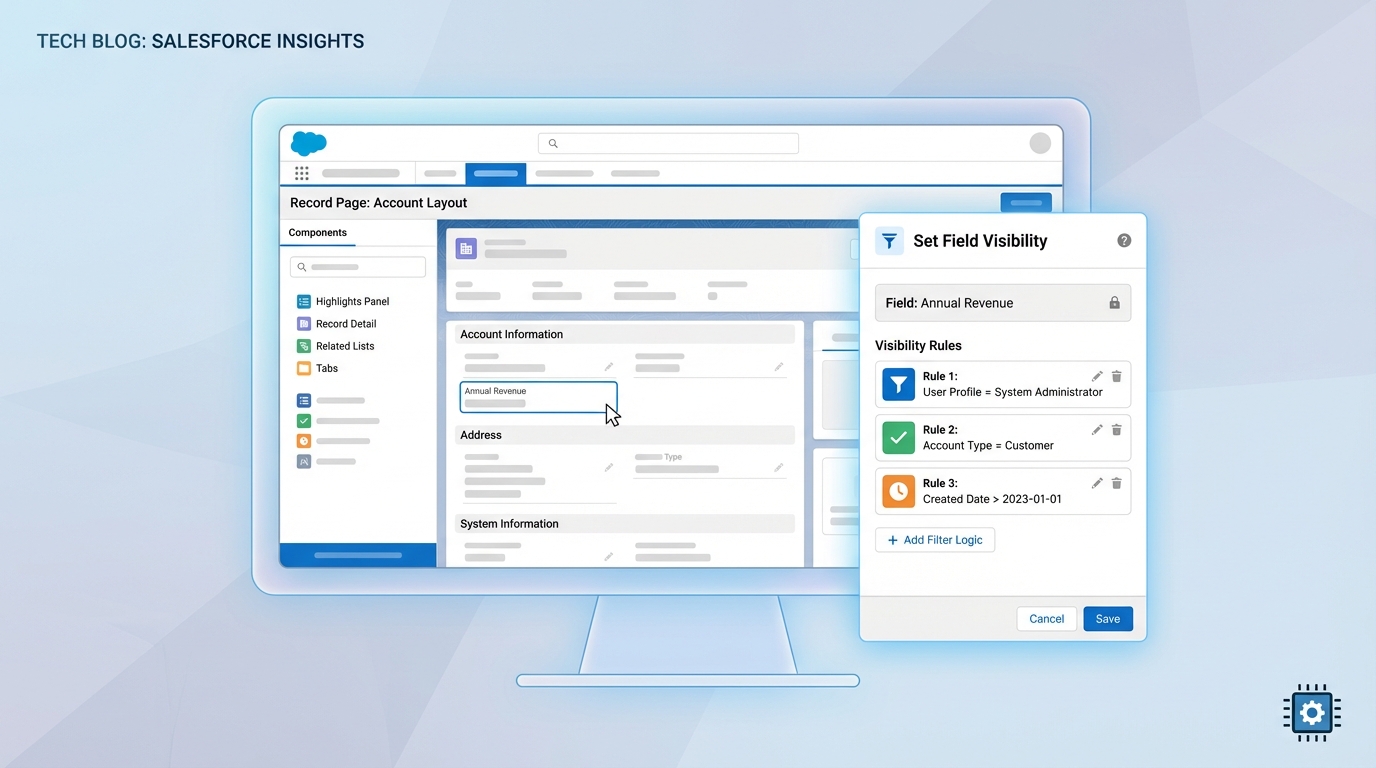
A professional UI mockup of the Salesforce Lightning App Builder showing field visibility logic being applied to a record page.
Where Record Types still win
But here's the thing: Record Types aren't dead. Not even close. I've seen teams try to use Salesforce Dynamic Forms to handle completely different business units, and it always turns into a disaster. Why? Because Dynamic Forms only handle the "look" of the page. They don't handle the "logic" of the data.
The Picklist factor
This is probably the most overlooked feature of Record Types. If you need the "Status" picklist to show different values for a "Software Sale" versus a "Professional Services" deal, Dynamic Forms won't help you. You need Record Types for that. They are the only way to filter picklist values based on the type of record you're working on.
The Security and Process trap
One thing that trips people up is thinking visibility rules replace security. They don't. If you hide a field using a visibility rule, a savvy user can still find that data in a report or via the API. You still need to manage your Field-Level Security (FLS) properly. Also, if your business processes are wildly different - like needing different automation branching - understanding Salesforce roles vs profiles is still the foundation of your security model.
Choosing between Salesforce Dynamic Forms and Record Types
So how do you decide? I usually follow a simple rule of thumb. If the "What" and the "How" of the data are the same, but the "Who" sees it differently, go with Salesforce Dynamic Forms. If the actual business process or the allowed data values change, stick with Record Types.
- Use Dynamic Forms when: You want to show or hide fields based on a user's role, a field value, or a device type. It's perfect for reducing "page bloat" on a single record type.
- Use Record Types when: You have different picklist values, different paths (processes), or you need to segment records for reporting and sharing purposes.
I always tell my clients: if you're creating a new Record Type just to hide three fields for a specific group of users, stop. You're just creating technical debt. Use a visibility rule instead.
When you combine both, that's where the magic happens. You can have a "Service Case" record type that uses a specific set of picklist values, and then use Dynamic Forms to show different troubleshooting fields based on the product the customer owns. It's a powerful combo, especially if you follow best practices for Salesforce Flow to keep your backend logic as clean as your UI.
Key Takeaways
- Use Salesforce Dynamic Forms for UI flexibility and to get rid of "page layout hell."
- Keep Record Types for true business process differences and picklist filtering.
- Visibility rules are not a replacement for Field-Level Security. Always check your FLS.
- Test your visibility logic in a sandbox. It's easy to accidentally hide a field that someone actually needs for their job.
The short answer? Salesforce Dynamic Forms give you the surgical precision to fix the user experience, while Record Types give you the structural foundation to run different business processes. Don't try to make one do the other's job. Use them together, keep your org lean, and your users will thank you for not making them hunt through a mountain of irrelevant fields every day.




Leave a Comment