


Mastering Aura component inheritance in your projects
LWC is the standard these days, but plenty of us still work in orgs where Aura component inheritance is a daily reality. I've seen teams struggle with massive, repetitive components simply because they didn't realize they could share logic between a base and a child. If you're tired of copy-pasting the same helper functions or UI patterns, learning how to extend components will save you a lot of headaches.
You do save lines of code, but in my experience consistency is what makes it worth doing. Use Aura component inheritance properly and you can define a "source of truth" for how certain parts of your UI behave, with every child component falling in line. There are some specific rules you need to follow to keep things from breaking.
Understanding Aura component inheritance basics
It all runs on the extends attribute. You add it to the <aura:component> tag in the child, pointing to the base component you want to copy. Straightforward enough, though you do have to make sure your base attributes and methods are visible to the child.
- The
extendsattribute is the link that tells Salesforce your component is a child of another. - You must set
access="public"on your attributes and methods. If they're private, the child can't see them, and you'll be left wondering why your code isn't working. <aura:method>lets the base component expose a specific API that the child can trigger or even override.
One thing that trips people up is thinking inheritance solves everything. It doesn't. It's great for sharing a common look and feel, but it can make your code harder to follow if you go too deep. I usually tell my team to keep it to one or two levels max.
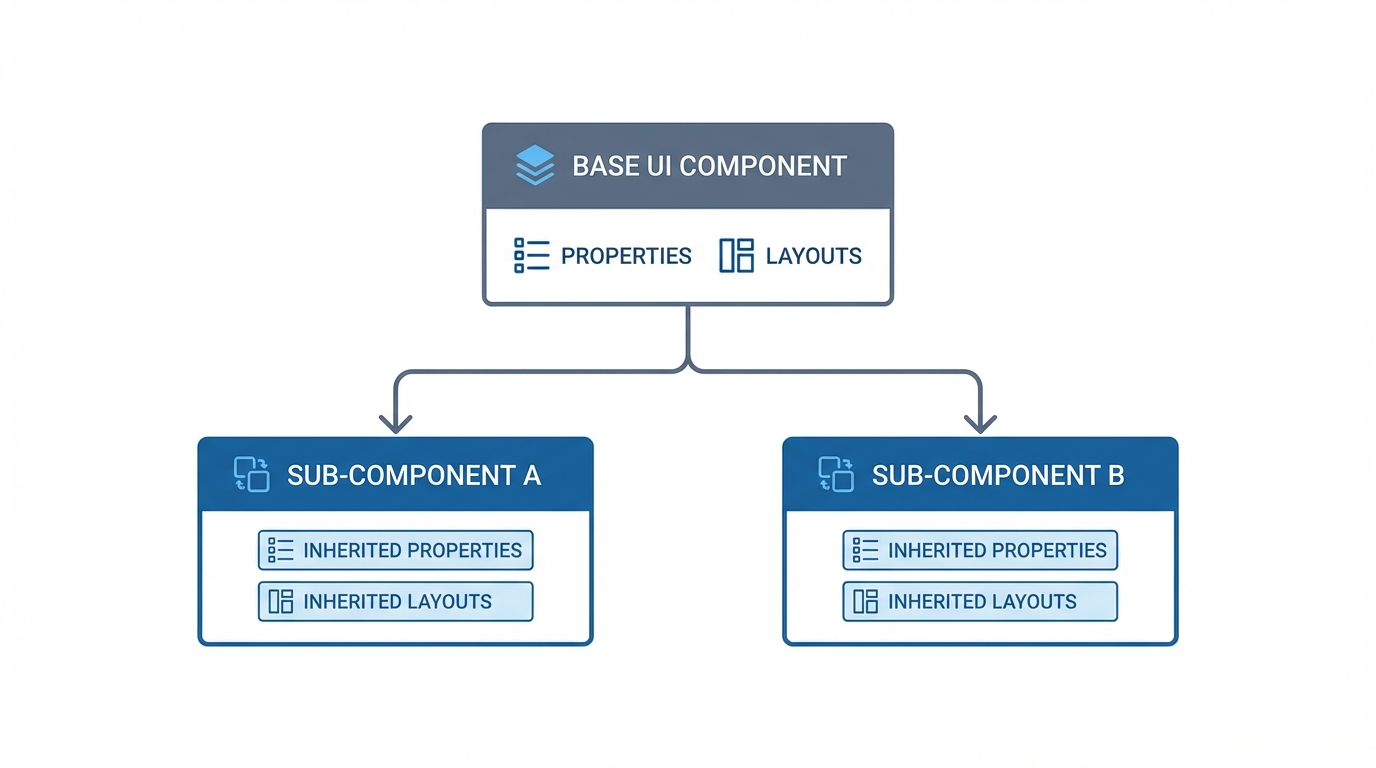
A technical diagram showing a base component branching into two extended components to illustrate a simple inheritance hierarchy.
A real-world example of Aura component inheritance
Take a simple scenario. You have a base "Box" component that handles a title and a specific action, and you want other components to use that same box while adding their own flavor. Classic case for Aura component inheritance.
Here is what your base component (c:baseComponent) might look like:
<aura:component extensible="true">
    <aura:attribute name="title" type="String" access="public" default="Base Title" />
    <aura:method name="showTitle" action="{!c.showTitle}" access="public" />

    <div class="base-box">
        <h3>{!v.title}</h3>
        <lightning:button label="Show" onclick="{!c.handlePress}" />
    </div>
    {!v.body}
</aura:component>
And the controller for that base component:
({
    showTitle : function(component, event, helper) {
        var t = component.get("v.title");
        alert("Base title: " + t);
    },
    handlePress : function(component, event, helper) {
        component.showTitle();
    }
})
Building the child component
When we create the child component, we use that extends attribute. The child automatically gets the title attribute and the showTitle method from the parent. You can even link out to more advanced logic like the @AuraEnabled annotation if your base component needs to talk to Apex.
<aura:component extends="c:baseComponent">
    <aura:attribute name="subtitle" type="String" access="public" default="Child Subtitle" />

    <div class="child-box">
        <h4>{!v.subtitle}</h4>
    </div>
</aura:component>
The child can have its own controller logic too. Name a function the same as one in the base controller, and the child version is what gets called. That's how you override behavior. If you're prepping for a senior Salesforce developer interview, expect questions on this exact topic. Interviewers like to see whether you understand the difference between overriding a method and extending it.
When to use composition instead
Most teams get this wrong by forcing inheritance onto every shared piece of code. Aura component inheritance creates a tight link between the parent and child. Change the parent and you might accidentally break ten different child components. That's not a fun day at the office.
Pro Tip: If you just need to wrap a component inside another to reuse a UI piece, use composition. Put the base component inside the new one as a child. Only use inheritance when the components truly share the same core DNA and logic.
Composition is usually more flexible because it lets you mix and match different behaviors without being stuck in a rigid hierarchy. If you find yourself writing "hacks" to get around parent logic, that's a strong sign you should be using composition instead.
Key takeaways for Aura component inheritance
- Always set
extensible="true"on your base component or it won't work. - Use
access="public"for any attributes you want the child to use. - Keep your inheritance chains short. One level is usually enough.
- Children inherit attributes and methods, but not private helper functions.
- Use
{!v.body}in the base component if you want child markup to show up inside the parent's layout.
Wrapping up
Aura component inheritance keeps a Salesforce org clean, but it takes a bit of discipline. Start by identifying common UI patterns that truly share the same logic. Build a solid base, expose what you need through public methods, and keep the child components focused on their specific tasks. Your code gets easier to read and much easier to maintain over time. Just don't over-engineer it. Simple is almost always better in the long run.



Leave a Comment