


Getting started with Salesforce OmniScript
If you've spent any time in Industry Clouds like Health Cloud or Financial Services Cloud, you've run into Salesforce OmniScript. It's a drag-and-drop tool for building guided, multi-step wizards without writing a mountain of custom code. Think of it as a conversational interface that talks to your backend systems while keeping the user on track.
I've seen teams build these flows out of standard Lightning Web Components, and it usually turns into a maintenance nightmare. Salesforce OmniScript gives you a declarative way to manage the UI, the validation, and the integrations in one place. It's the engine behind those slick "Request a Quote" or "Apply for a Loan" processes you see in modern portals.
What makes a Salesforce OmniScript work?
The interesting part is how the tool handles data. Every Salesforce OmniScript keeps a single JSON data model that stores everything the user types in. As they move from Step A to Step B, that object grows, which makes it easy to map those values to an API or a database later on.
Here's a quick look at how that data might look under the hood:
{
  "CustomerInfo": {
    "FirstName": "Alex",
    "Email": "[email protected]"
  },
  "PlanSelection": {
    "SelectedId": "001xx000003GYhg",
    "Quantity": 2
  }
}
You'll spend most of your build time in the OmniStudio Designer. You drag elements onto the canvas: text inputs, radio buttons, or specialized blocks like "Repeat" for lists. Then you add "Actions" to handle the logic, like calling a DataRaptor to save a record or an Integration Procedure to fetch pricing from an external system.
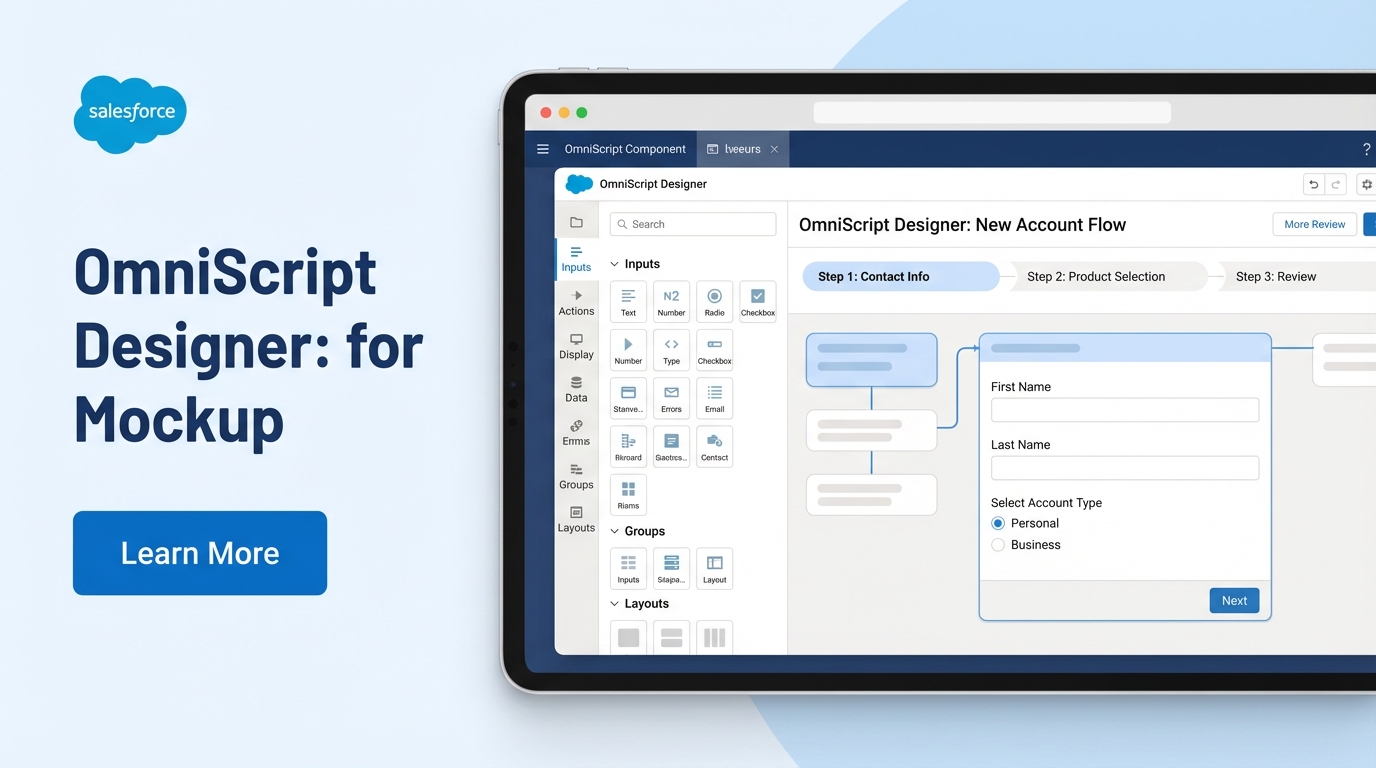
The OmniStudio Designer canvas, where you drag each element into a step.
Common elements you'll use
- Steps: your screens. Each step is a page the user sees.
- Inputs: text, dates, and lookups that find Salesforce records.
- Conditional blocks: these are lifesavers. They show or hide fields based on what the user did in a previous step.
- Actions: the glue. You'll use these to call Apex, send emails, or run HTTP callouts.
I've seen so many developers treat an OmniScript like a standard LWC and over-complicate the logic. Don't do that. Keep your UI simple and let Integration Procedures handle the heavy work so your screens stay fast.
Salesforce OmniScript vs. Salesforce Flow
This is the question I get most: why use this when we already have Screen Flows? Salesforce Flow is great for internal org automation and simple screens. When you're building a high-scale, branded experience for a customer portal or a complex CPQ journey, Salesforce OmniScript is the better choice. It was built for integration-heavy, industry-specific workflows.
If you're still on the fence about which path to take for your automation, this breakdown of Apex vs Flow shows where code fits into the mix. If you need a pixel-perfect branded UI with complex JSON transformations, you're in OmniScript territory.
Real-world best practices
One thing that trips people up is naming. I can't tell you how many orgs I've stepped into where every script is called "Test1" or "UpdateAccount." It makes debugging impossible. Settle on an OmniScript naming convention before you build anything serious.
Keep your scripts modular too. If you have a standard "Address Verification" step, don't build it ten times. Build it once as a sub-script and call it from your main processes. Updates get much faster because there's only one place to fix a bug.
Watch your performance as well. If your script feels slow, it's usually because you're doing too much on the client side. Move your data transformations to the server using Integration Procedures. The page then loads instead of hanging while the browser chugs through a massive JSON file.
Key takeaways for Salesforce OmniScript
- You can build complex, multi-step UIs with almost zero custom code.
- Everything revolves around a central JSON data model, which keeps integrations simple.
- Sub-scripts keep your work reusable and easy to maintain.
- It works natively with DataRaptors and Integration Procedures for fast data handling.
- It's the tool to reach for on Industries Cloud projects where standard Flows might fall short.
Building with Salesforce OmniScript feels different if you're used to standard Salesforce development, but once the JSON data flow clicks, it's hard to go back. It cuts the time it takes to put a working prototype in front of stakeholders. Keep the logic clean, stick to your naming convention, and test your data mappings before you go live.



Leave a Comment